
Pular para o conteúdo
WordPress.org

Brasil

  • Temas
  • Plugins
  • Novidades
    • Documentação
    • Fóruns
  • Sobre
    • Participe da comunidade
    • Guias e diretrizes
  • Baixar o WordPress
Baixar o WordPress
WordPress.org

Plugin Directory

ShareMe Social Share Plugin Blog & WooCommerce Products

  • Enviar um plugin
  • Meus favoritos
  • Acessar
  • Enviar um plugin
  • Meus favoritos
  • Acessar

ShareMe Social Share Plugin Blog & WooCommerce Products

Por Shipon Karmakar
Baixar
  • Detalhes
  • Avaliações
  • Instalação
  • Desenvolvimento
Suporte

Descrição

ShareMe adds fast, customizable social share buttons to posts, pages, and WooCommerce products — with a modern admin, drag-and-drop network ordering, and no external scripts.

Features

  • 13 built-in networks: Facebook, X (Twitter), LinkedIn, Pinterest, WhatsApp, Telegram, Reddit, Tumblr, Messenger, Pocket, Email, Copy Link, Print
  • Drag-and-drop sortable network list — enable, disable, and reorder in the admin
  • Per-network color pickers, custom icon (foreground) color
  • Button style: circle, rounded, or square — small / medium / large — optional labels
  • Custom heading text, position (before / after / both), or a sticky vertical sidebar (left or right)
  • Open share dialogs in a centered popup window
  • WooCommerce single-product share slot (woocommerce_share) supported out of the box
  • Gutenberg block (“ShareMe Buttons”) with live editor preview via server-side render
  • Elementor widget (“ShareMe Buttons”) with matching controls
  • Shortcode [shareme_buttons] with attributes for per-placement overrides
  • Shortcode Builder in the admin with a savable shortcode library
  • No external scripts, inline SVG icons for crisp rendering
  • Translation-ready (shareme text domain)

Shortcode

[shareme_buttons networks="facebook,twitter,whatsapp" shape="rounded" size="large" labels="yes" heading="Spread the word"]

Support

For support and feature requests, visit Shipon Karmakar’s Website or the WordPress.org Plugin Page.

Capturas de tela
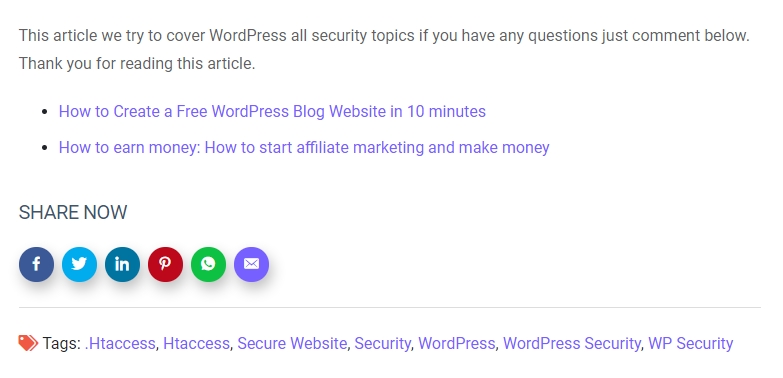
Social sharing buttons in action on a blog post.

Blocos

Este plugin disponibiliza 1 bloco.

  • ShareMe Buttons

Instalação

  1. Upload the shareme folder to /wp-content/plugins/ (or install from the WordPress plugin directory).
  2. Activate the plugin through the Plugins menu.
  3. Configure under Settings → ShareMe.
  4. Optional: drop the ShareMe Buttons block into any post, or drag the ShareMe Buttons widget in Elementor.

Perguntas frequentes

Where do the share buttons appear?

By default on single posts and WooCommerce product pages. Toggle pages, sticky sidebar, and position in Settings → ShareMe → Display.

Can I change the button colors?

Yes — the Networks tab has a color picker per network, and the Style tab has a global icon color.

Does this plugin load external scripts?

No. Icons are inline SVG and the small share/copy/print helper script is served from your site.

Does it work with WooCommerce?

Yes. When WooCommerce is active and “WooCommerce products” is enabled, buttons render in the product’s share slot.

Does it support Gutenberg and Elementor?

Yes — both are registered automatically when Gutenberg / Elementor is present.

Avaliações

Excellent Social Sharing Plugins

Muhibul Haque 25 agosto, 2023
Share Me is an exceptional WordPress plugin for social sharing. Its intuitive design and seamless integration make it a must-have for website owners looking to boost their online presence. With a wide array of customizable social sharing buttons, Share Me allows you to effortlessly encourage your visitors to share your content with their networks.

A Best Share Plugin easy to use

farhadsoft 11 junho, 2022
The Best Share Plugin easy to use, i just install this plugin and automatic show all social icon on blog post

It’s so easy to use.

williamwp 18 outubro, 2020
It’s so easy to use. I just install and automatic add social icon on my all posts
Leia todas as 3 avaliações

Colaboradores e desenvolvedores

“ShareMe Social Share Plugin Blog & WooCommerce Products” é um programa de código aberto. As seguintes pessoas contribuíram para este plugin.

Colaboradores
  • Shipon Karmakar

ShareMe Social Share Plugin Blog & WooCommerce Products” foi traduzido para 1 localidade. Agradecemos aos tradutores por suas contribuições.

Traduzir o “ShareMe Social Share Plugin Blog & WooCommerce Products” para seu idioma.

Interessado no desenvolvimento?

Navegue pelo código, consulte o repositório SVN ou assine o registro de desenvolvimento por RSS.

Registro de alterações

2.1.0

  • Tested with WordPress 7.1.
  • WooCommerce support via woocommerce_share.
  • New networks: Telegram, Reddit, Tumblr, Messenger, Pocket, Copy Link, Print (13 total).
  • Drag-and-drop sortable network list with enable toggles.
  • Per-network color pickers and a global icon color.
  • Button shape (circle / rounded / square) and size (small / medium / large), optional labels.
  • Custom heading text, position (before / after / both), and sticky sidebar (left / right).
  • Open share dialogs in a centered popup window.
  • Tabbed admin UI (General / Networks / Display / Style / Shortcode Builder) with a savable shortcode library.
  • Gutenberg block “ShareMe Buttons” (dynamic, server-rendered, with Inspector controls).
  • Elementor widget with matching controls in a dedicated “ShareMe” category.
  • Inline SVG icons; front-end helper script for popup, copy-link (with toast), and print.
  • Fixed URL-encoding / XSS issue in share URLs; added a proper settings sanitizer.
  • Guarded the_content filter against widgets, excerpts, and feeds.
  • New shortcode [shareme_buttons] with attribute overrides (old [show_shareme_social_buttons] still works).

2.0.0

  • Settings page for per-network toggles and master enable.

1.3.0

  • Improved compatibility with WordPress 6.4.
  • Enhanced security with better input validation.
  • Fixed minor CSS issues.

1.2.0

  • Added WhatsApp sharing support.
  • Optimized performance by removing unnecessary scripts.

1.1.0

  • Added LinkedIn and Pinterest sharing options.
  • Improved mobile responsiveness.

1.0.0

  • Initial release with Facebook and Twitter support.

Meta

  • Versão 2.1.0
  • Última atualização 4 dias atrás
  • Instalações ativas 20+
  • Versão do WordPress 5.6 ou superior
  • Testado até 7.1
  • Versão do PHP 7.2 ou superior
  • Idiomas

    Bengali (Bangladesh) e English (US).

    Traduzir para seu idioma

  • Tags
    Gutenberg blockshare buttonssocial mediasocial sharewoocommerce share
  • Visualização avançada

Classificações

5 de 5 estrelas.
  • 3 avaliações com 5 estrelas 5 estrelas 3
  • 0 avaliação com 4 estrela 4 estrelas 0
  • 0 avaliação com 3 estrela 3 estrelas 0
  • 0 avaliação com 2 estrela 2 estrelas 0
  • 0 avaliação com 1 estrela 1 estrela 0

Sua avaliação

Ver todas avaliações

Colaboradores

  • Shipon Karmakar

Suporte

Tem algo a dizer? Precisa de ajuda?

Ver fórum de suporte

  • Sobre
  • Notícias
  • Hospedagem
  • Privacidade
  • Vitrine
  • Temas
  • Plugins
  • Padrões
  • Aprender
  • Suporte
  • Desenvolvedores
  • WordPress.tv ↗
  • Participar
  • Eventos
  • Doar ↗
  • Swag ↗
  • WordPress.com ↗
  • Matt ↗
  • bbPress ↗
  • BuddyPress ↗
WordPress.org
WordPress.org

Brasil

  • Acessar nossa conta do X (antigo Twitter)
  • Acessar nossa conta do Bluesky
  • Acessar nossa conta do Mastodon
  • Acessar nossa conta do Threads
  • Acessar nossa página do Facebook
  • Acessar nossa conta do Instagram
  • Acessar nossa conta do LinkedIn
  • Acessar nossa conta do TikTok
  • Acessar nosso canal do YouTube
  • Acessar nossa conta no Tumblr
Código é poesia.
The WordPress® trademark is the intellectual property of the WordPress Foundation.