Descrição
PrintIntegrator Product Design Connector connects your store to a self-hosted or remote Odoo Design Studio backend.
Features:
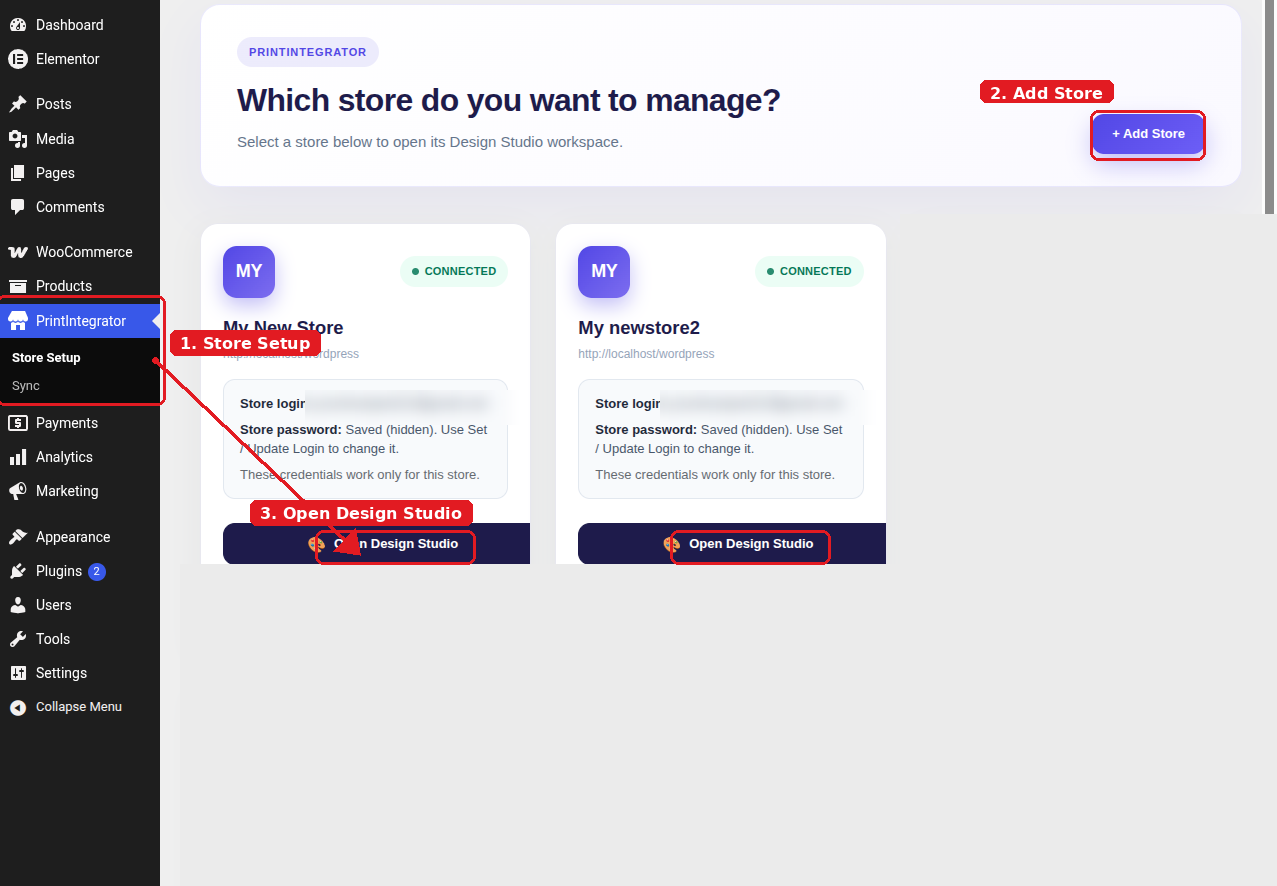
- Store setup wizard in the WordPress admin sidebar
- WooCommerce REST API key provisioning for secure sync
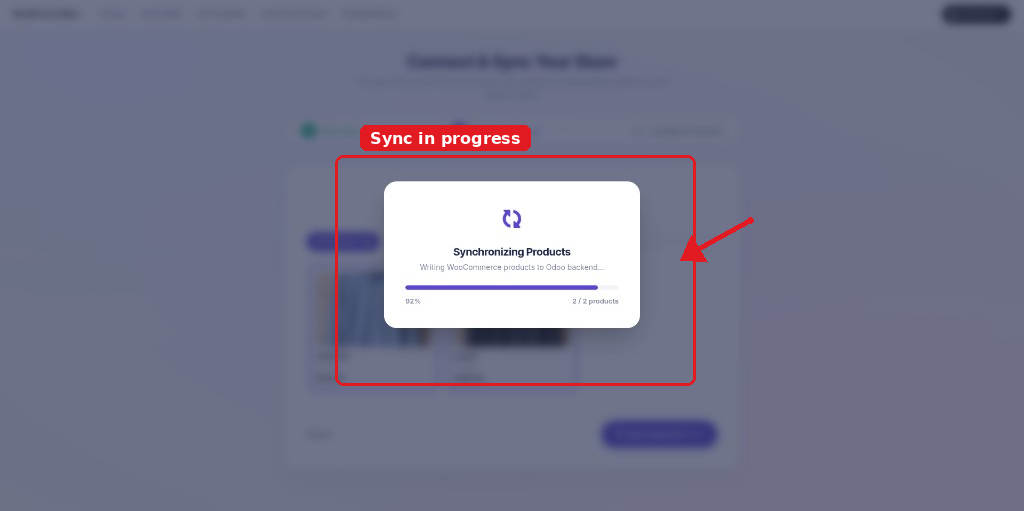
- Real-time product sync to Design Studio
- Per-store cart isolation for multi-store setups
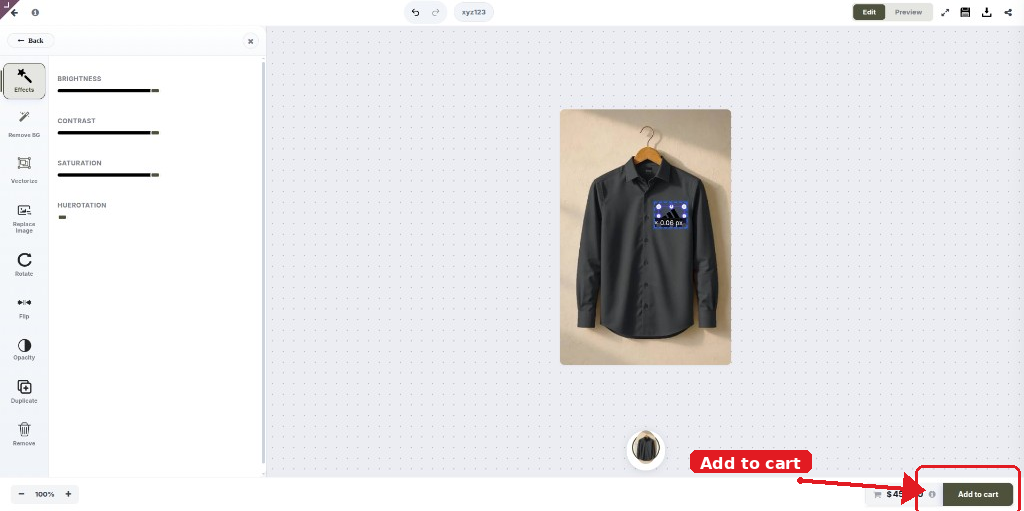
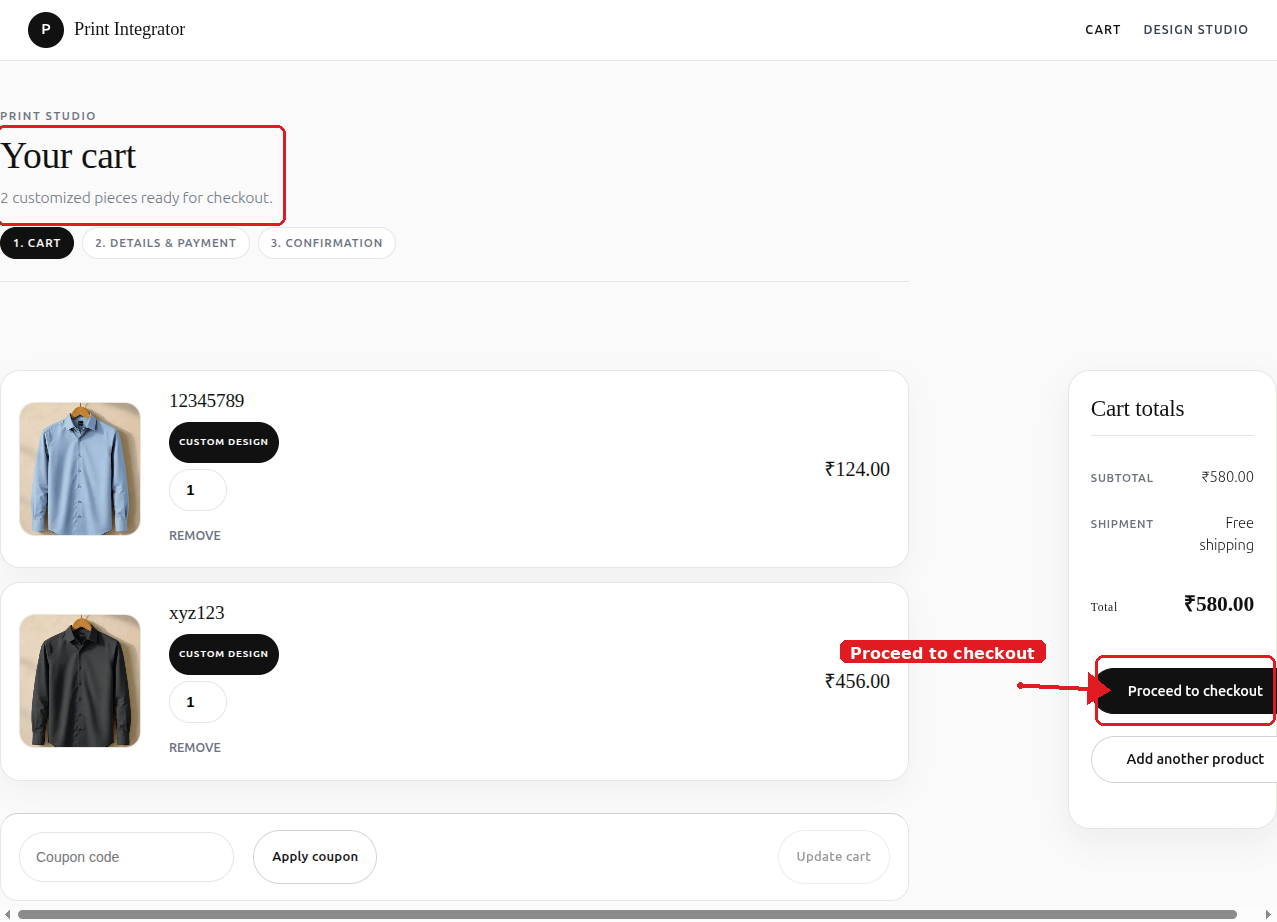
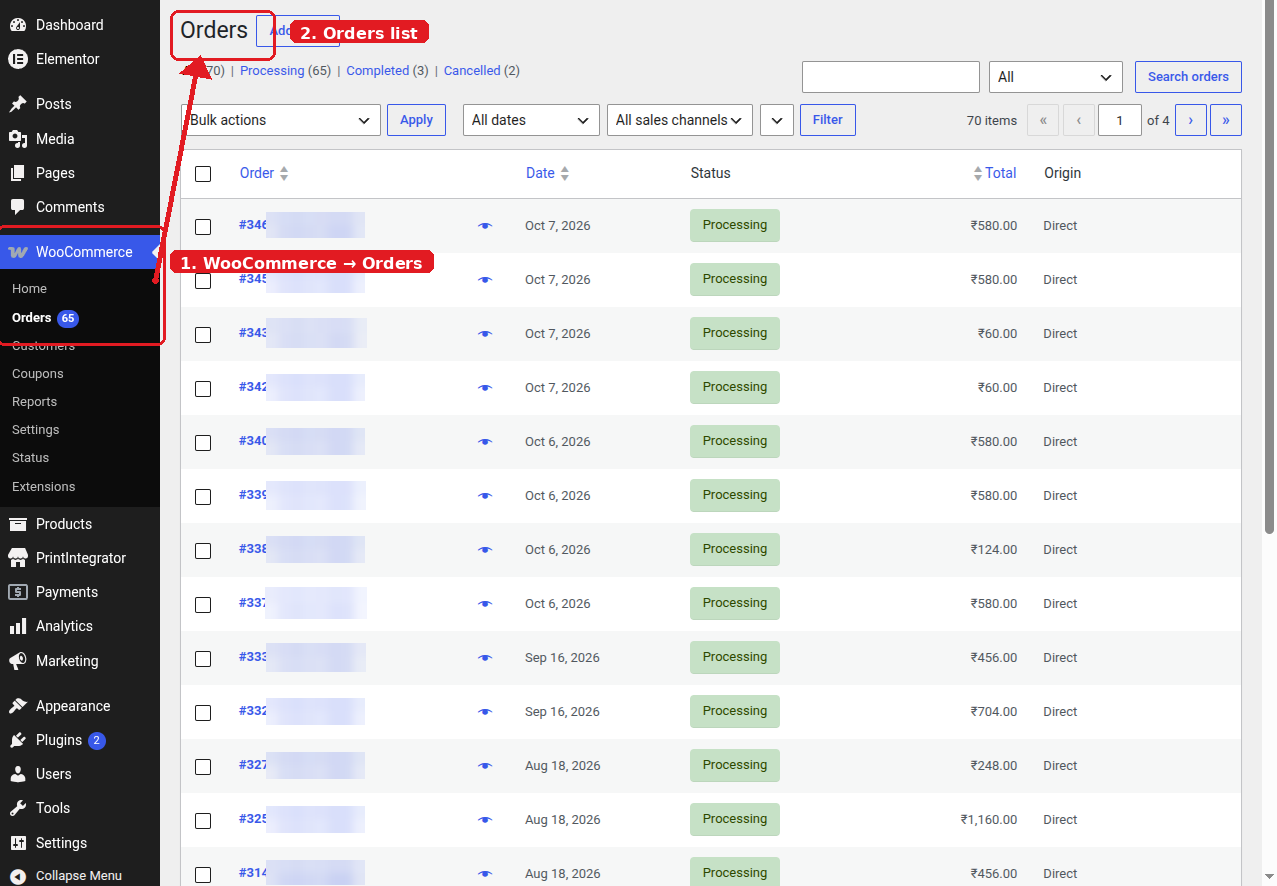
- Custom design sessions added to the WooCommerce cart and orders
- Stripe Checkout payment gateway
- Professional cart, checkout, and order-received styling
This plugin is not affiliated with WooCommerce or Odoo.
Third-Party Services
This plugin connects to an external Odoo / Design Studio server that you configure in the plugin settings.
- Service: Your configured Odoo Design Studio backend (self-hosted or SaaS)
- Data sent: store URL, product data, design session metadata, order line items
- When: only after you save settings, test the connection, connect a store, customize a product, or check out. Activation and first admin load do not contact any remote server.
- Terms and privacy depend on your configured backend instance
Stripe Checkout is used when the Stripe payment method is enabled:
- Service: Stripe (https://stripe.com)
- Data sent: order total, currency, line item labels, customer email, success/cancel URLs
- Terms: https://stripe.com/legal
- Privacy: https://stripe.com/privacy
Capturas de tela
Instalação
- Upload the plugin zip via Plugins Add New Upload Plugin (or install from the WordPress.org directory).
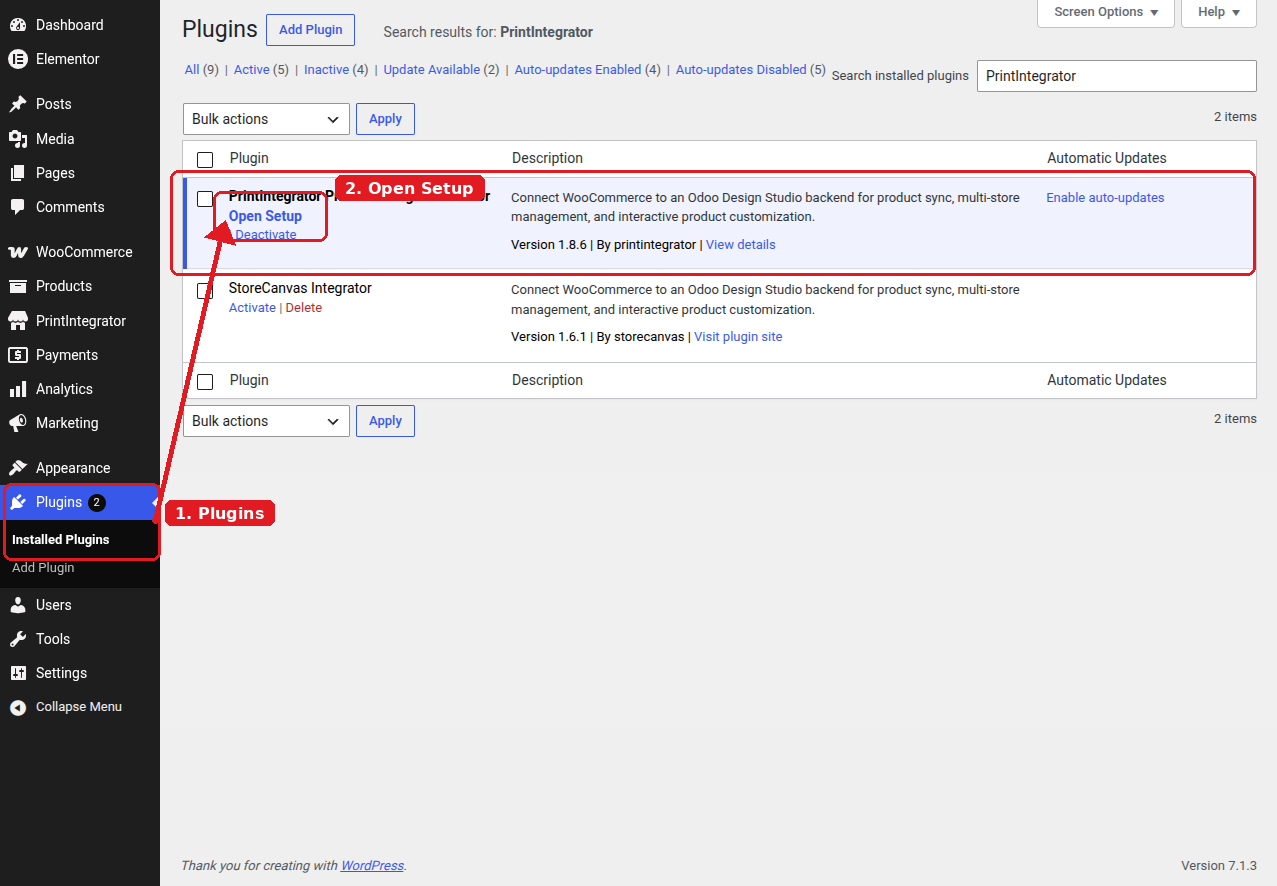
- Activate PrintIntegrator Product Design Connector. WooCommerce must also be active.
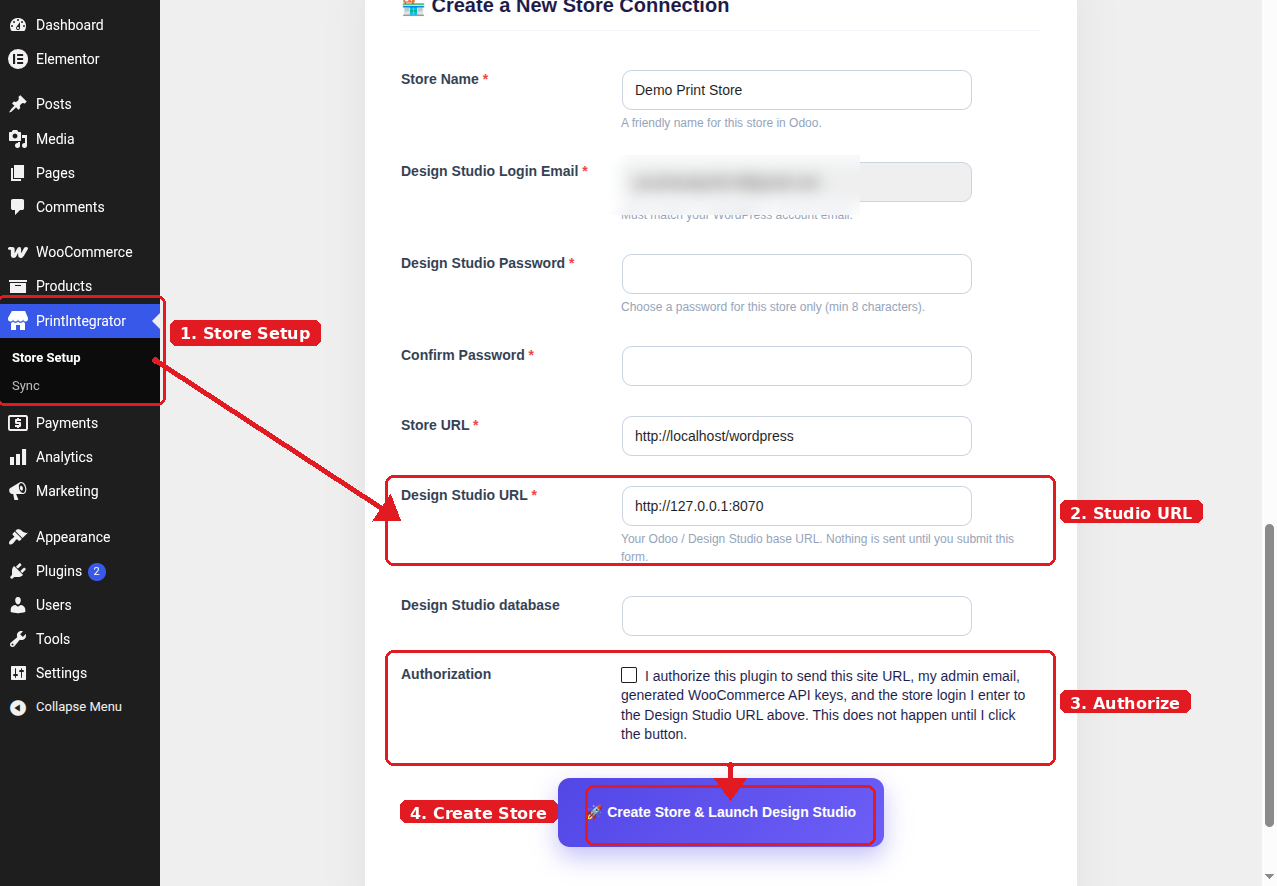
- Open PrintIntegrator Store Setup, enter your Design Studio URL, authorize, and connect the store.
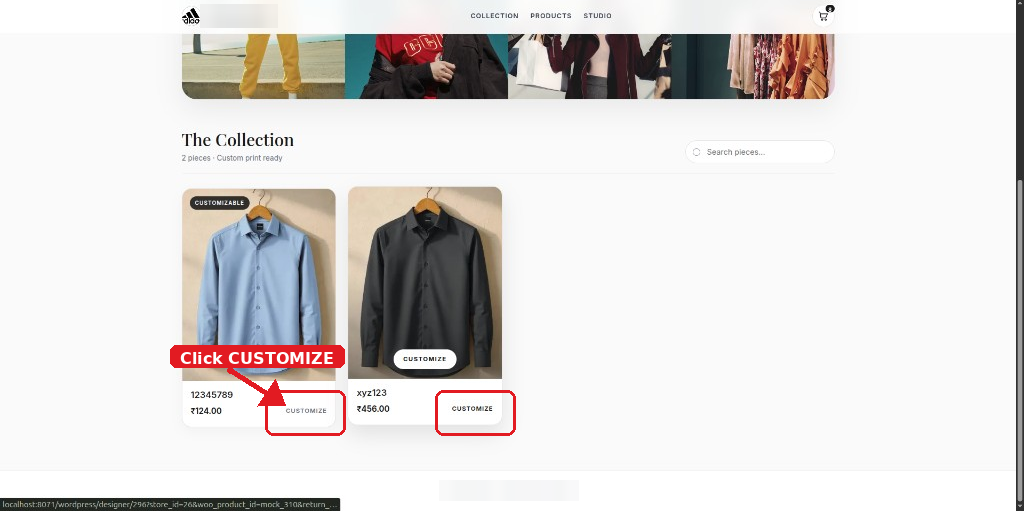
- Sync products, customize on the storefront, check out — designs appear on WooCommerce orders.
See the Screenshots section for a visual setup guide of each step.
Perguntas frequentes
-
Does this require WooCommerce?
-
Yes. WooCommerce 7.0 or higher is required.
-
Does the plugin work without an external Design Studio server?
-
No. You must configure a reachable Odoo Design Studio backend URL in the settings.
-
Is this an official WooCommerce or Odoo plugin?
-
No. PrintIntegrator Product Design Connector is an independent integration plugin and is not affiliated with Automattic/WooCommerce or Odoo SA.
Avaliações
Não há avaliações para este plugin.
Colaboradores e desenvolvedores
“PrintIntegrator Product Design Connector” é um programa de código aberto. As seguintes pessoas contribuíram para este plugin.
Colaboradores
Traduzir o “PrintIntegrator Product Design Connector” para seu idioma.
Interessado no desenvolvimento?
Navegue pelo código, consulte o repositório SVN ou assine o registro de desenvolvimento por RSS.
Registro de alterações
1.8.6
- Design preview requires a Design Studio access token and verifies it server-side before exposing preview media.
1.8.5
- Distinctive display name: PrintIntegrator Product Design Connector.
- Removed Plugin URI header (no third-party project URL).
- Requested permalink/slug: printintegrator-sync.
1.8.4
- Rebranded display name to PrintIntegrator Product Design Connector (account printintegrator). Removed prior temporary branding.
- Requested permalink/slug: printintegrator-sync.
1.8.3
- Design return to cart requires a verified Design Studio session token; price/store/product never taken from unverified query args.
- Cart store isolation no longer trusts a raw ?store_id= parameter to remove other stores’ items.
1.8.2
- Storefront cart/checkout/thank-you styling without loading Google Fonts (Guideline 7).
- Collection-style order confirmation; theme header chrome hidden on those pages.
- Legacy Design Studio dashboard links redirect to storecanvas-store-setup.
1.8.1
- Cart and order-received URLs work on hosts without pretty permalinks.
- Customized designs add to cart even when the WooCommerce product id is a Design Studio mock id.
- Stripe payments stay off until enabled. No localhost auto-connect. No activation redirect.
- Inline onclick handlers replaced with enqueued JavaScript.
1.8.0
- PHP 7.4 compatible Stripe client (no constructor property promotion).
- Activation and first admin load no longer probe Odoo or auto-provision stores (Guideline 7).
- Design Studio is contacted only after an administrator enters the URL and authorizes data sharing.
- Sync log table created with dbDelta, $wpdb->prefix, and get_charset_collate().
- Admin CSS/JS stay on plugin screens; setup CSS no longer restyles wp-admin chrome or load Google Fonts.
1.7.2
- Admin screens moved under WooCommerce (Settings fallback) instead of a high top-level menu.
1.7.1
- WordPress.org review: Tested up to only in readme; contributors include printintegrator.
- REST /auth/verify rejects store_id when the user has no assigned stores.
- Stripe webhook permission_callback requires a valid Stripe signature.
- Shortcodes limited to storecanvas_design_button and storecanvas_shop_iframe.
1.7.0
- Requested WordPress.org slug: storecanvas-sync.
- Plugin folder, bootstrap file, text domain, REST namespace, and script/style handles aligned to storecanvas-sync / storecanvas_.
- Design preview styles loaded via wp_enqueue_style (no inline style block).
1.6.1
- Design preview opens on WordPress (product + uploaded artwork) instead of relying on Odoo website pages.
- Order item meta shows a clear “Open product with uploaded design” link.
1.6.0
- WordPress.org review: renamed to PrintIntegrator Product Design Connector.
- Enqueue CSS/JS instead of inline tags.
- Consistent storecanvas_ prefixes for hooks, options, and declarations.
- Legacy option migration from earlier plugin slugs.
1.5.0
- Real Stripe Checkout payments (cards and Stripe-supported methods).
1.4.1
- Auto-detect Design Studio URL and database on install.
- Re-enabled automatic store provisioning when Odoo is reachable.
1.4.0
- WordPress.org review fixes: unified text domain, sanitization, safe redirects, uninstall cleanup.
1.3.0
- WooCommerce orders sync to Odoo with design previews.
1.1.0
- Initial public release with SSO and auto-provisioning.