
Descrição
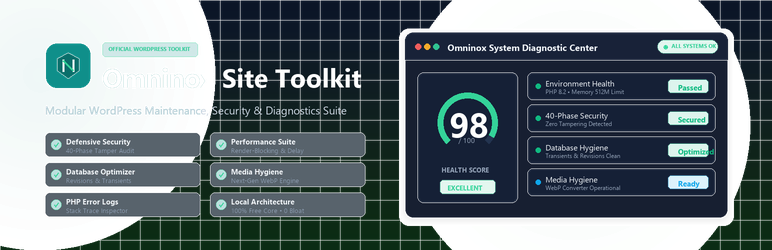
Omninox Site Toolkit brings essential WordPress maintenance, diagnostics, and optimization into a single, unified administrative toolkit.
Instead of installing and managing dozens of single-purpose, bloat-heavy plugins that slow down your admin area, Omninox consolidates essential site operations into one intuitive interface. Built specifically for site owners, developers, agencies, and maintenance teams, Omninox allows you to inspect site health, uncover technical bottlenecks, harden security, clean databases, convert images, and resolve errors with total confidence.
All core diagnostic, optimization, and auditing tools run 100% locally on your server with zero external dependencies, no phone-home locks, and no required registration.
Core Modules & Features
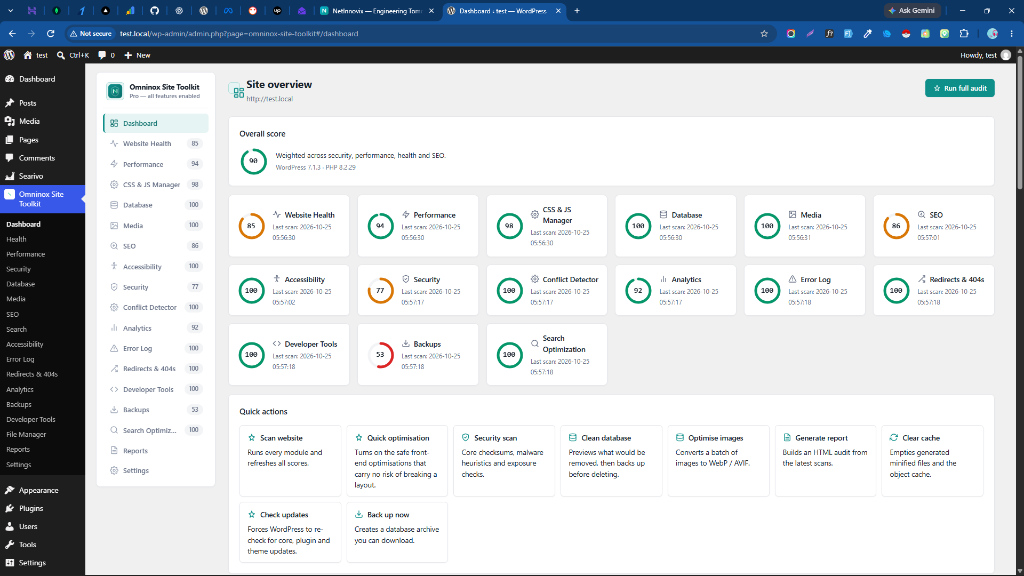
1. Unified Dashboard & Health Score
- Real-Time Health Metric: Instant 0–100 overall site health score calculated from critical environment checks, performance metrics, and security indicators.
- Module Quick-Status: Live status cards for Website Health, Performance, Security, Database, Media, SEO, and Error Logs.
- Actionable Recommendations: Immediate prioritized alerts highlighting critical issues that require administrator review.
2. Website Health & Server Diagnostics
- WordPress Core & Environment Audit: Comprehensive inspection of WordPress version, active theme, child theme configuration, and multisite parameters.
- PHP & Web Server Configuration: Verifies PHP version, memory limit ceiling (
memory_limit), max execution time (max_execution_time), upload limits, and required extensions (cURL, OpenSSL, MBString, GD/Imagick). - Filesystem & Permission Integrity: Audits read/write permissions for
wp-content, uploads, and plugin folders to prevent unexpected update or upload failures. - Architecture & REST API Reachability: Validates object caching, page caching headers, and loopback/REST API response health.
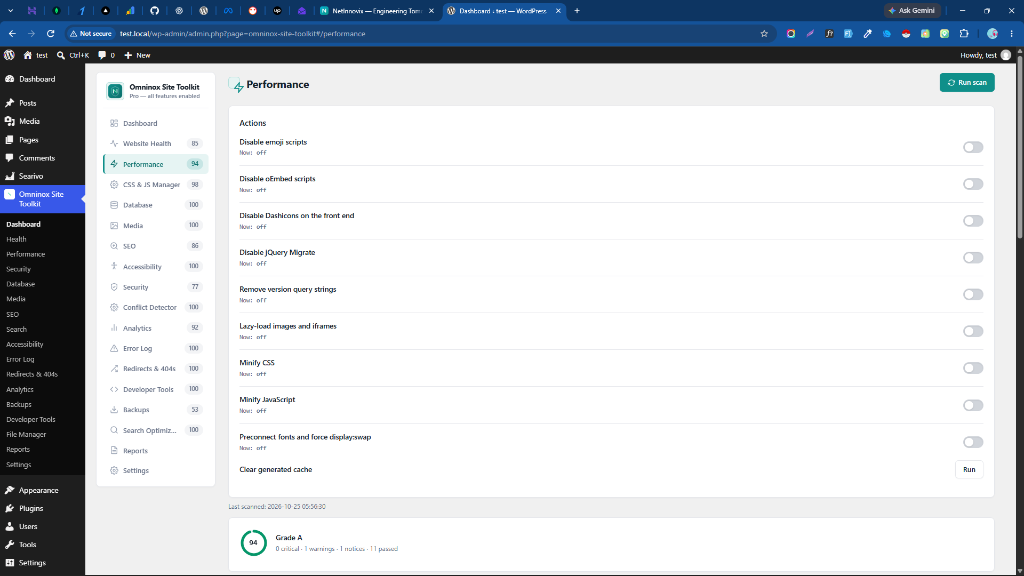
3. Performance & Asset Footprint Audit
- Render-Blocking Asset Analysis: Identifies CSS and JavaScript assets loaded in the
<head>that delay First Contentful Paint (FCP). - Plugin Asset Footprint: Audits which plugins enqueue scripts and styles on frontend pages, highlighting heavy or redundant scripts.
- Compression & Delivery Verification: Checks HTTP compression (Gzip/Brotli), Keep-Alive headers, and CDN caching status.
- Asset Delay & Minification Readiness: Identifies opportunities for deferred script execution and resource consolidation.
4. Defensive Security Center & 40-Phase Compromise Audit
- 40-Phase Defensive Compromise Audit Engine: Deep scan inspecting core integrity, suspicious script injections, backdoor signatures, and vulnerable file permissions.
- Cryptographic Self-Tamper Detection: SHA-256 baseline hashing that detects unexpected modifications or tampering in core files.
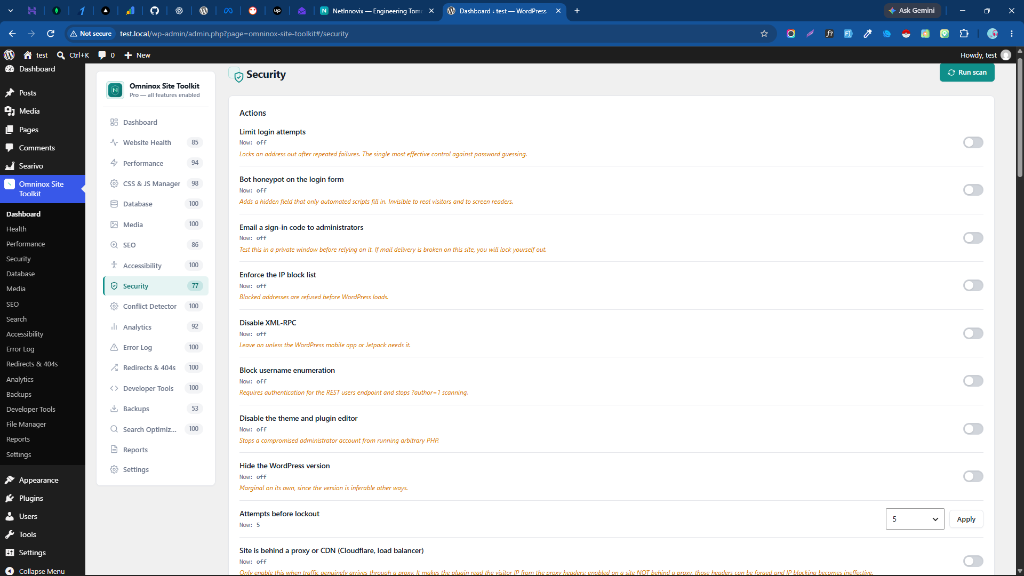
- User Enumeration Protection: Hardens author archive queries and REST API endpoints (
/wp-json/wp/v2/users) against automated scanning. - XML-RPC Attack Surface Hardening: 1-click toggle to disable
xmlrpc.php, protecting against brute-force amplification and DDoS attacks. - Safe Quarantine Storage: Safely neutralizes flagged suspicious files with execution prevention and 1-click administrative restoration.
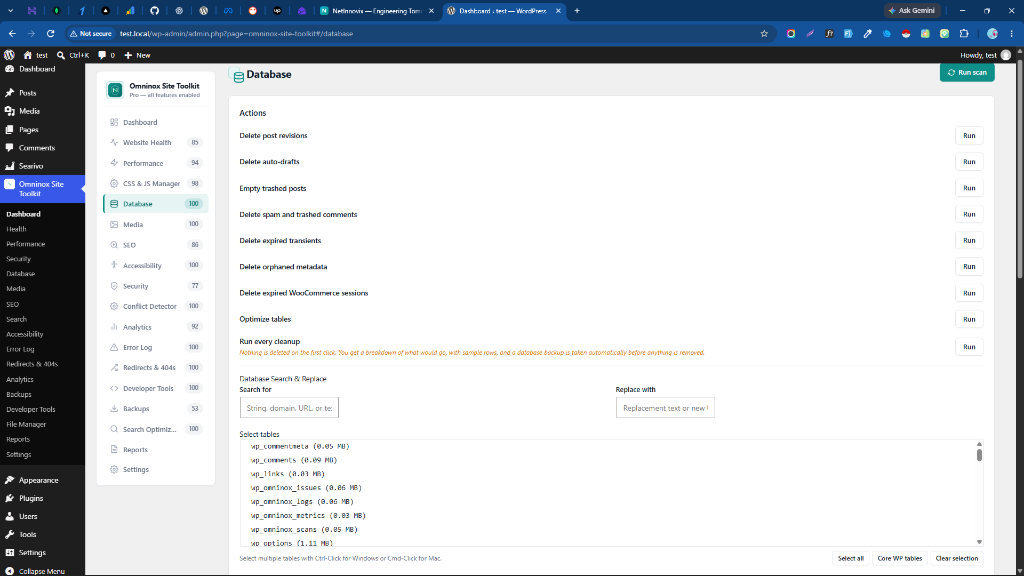
5. Database Optimizer & Table Hygiene
- Post Revision Management: Clean accumulated post, page, and custom post type revisions while keeping recent revisions intact.
- Transient Garbage Collection: Purge expired transients and orphaned database transients that bloat the
wp_optionstable. - Draft & Trash Cleanup: Remove stale auto-drafts and permanently purge emptied trash posts and spam comments.
- Overhead Defragmentation: Analyze table data length, index length, and accumulated overhead with safe MySQL
OPTIMIZE TABLEsupport.
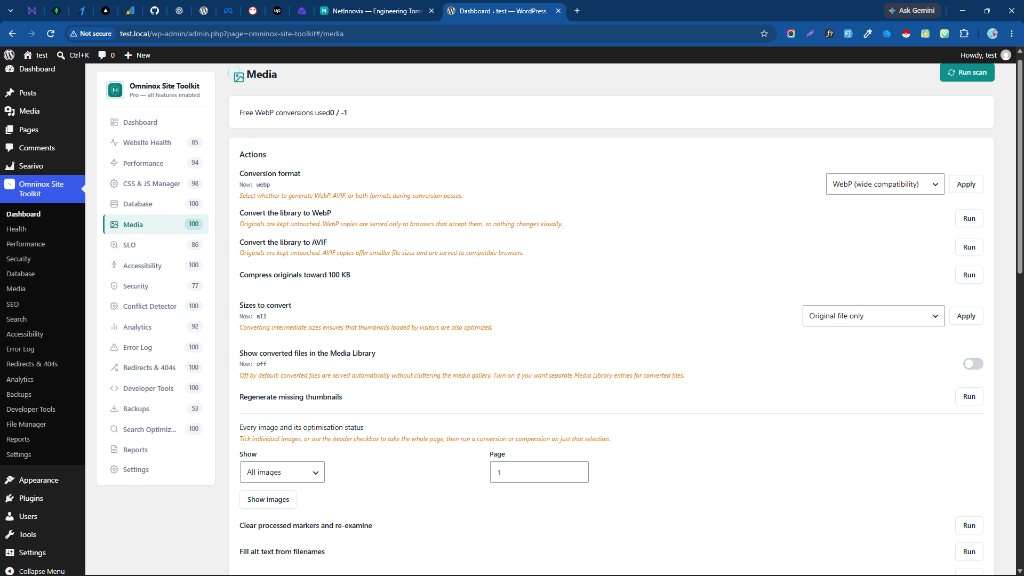
6. Media Hygiene & WebP Optimization
- Unattached & Oversized Media Detection: Scan the media library for orphaned attachments no longer embedded in any post or page.
- Next-Gen WebP Image Conversion: Convert existing JPEG and PNG uploads to lightweight, modern WebP images with GD/Imagick.
- 100 Free Image Conversions: Core plugin includes 100 free server-level WebP conversions out of the box with zero external API keys needed.
- Non-Destructive Processing: Original image assets remain preserved with automatic frontend fallback.
7. SEO Diagnostics & Search Engine Readiness
- Metadata Health Audit: Scans posts and pages for missing
<title>tags, empty meta descriptions, and overly long or truncated snippets. - Canonical & Indexing Verification: Checks for proper
<link rel="canonical">implementations and accidentalnoindexmeta directives on public routes. - XML Sitemap & Robots.txt Inspector: Confirms XML sitemap accessibility, validates sitemap index health, and inspects
robots.txtcrawler directives.
8. Accessibility (a11y) Scanner
- Image Alternative Text Audit: Quickly identifies images published in content without descriptive
altattributes. - Semantic Heading Hierarchy: Detects skipped heading levels (such as jumping directly from
<h1>to<h3>) that impair screen-reader navigation. - Frontend Markup Compliance: Scans for missing form field labels, unlabelled buttons, and contrast warning indicators.
9. Real-Time PHP Error Log Center
- In-Dashboard Error Log Viewer: Inspect server PHP error logs directly from the WordPress admin without needing FTP or cPanel.
- Severity Classification & Filtering: Filter entries by Fatal Error, Warning, Notice, and Deprecated notices.
- De-duplication & Stack Trace Analysis: Automatically consolidates repetitive log notices and presents readable stack traces to pinpoint failing plugins.
- Safe Log Maintenance: Clear or truncate log files with one click once issues are addressed.
10. Developer Tools & Hook Inspector
- Action & Filter Hook Inspector: Live inspection of callbacks attached to key WordPress hooks and filter priority chains.
- Rewrite Rules Debugger: View and verify the active WordPress URL rewrite rules array.
- Autoloaded Options Footprint: Identify oversized autoloaded entries in
wp_optionsthat impact page load times on every request.
11. Executive Audit Reports
- On-Demand Client Deliverables: Generate professional, styled HTML reports summarizing all diagnostic findings, health scores, and applied remediations.
- CSV Data Export: Export audit data to CSV for external spreadsheets, compliance documentation, or client archiving.
How to Use Omninox (Step-by-Step Workflows)
1. Running a Complete Health & Diagnostic Audit
- Navigate to Omninox Site Toolkit in your WordPress admin menu.
- The Dashboard automatically performs initial checks and displays your overall Health Score.
- Review the diagnostic cards (Health, Security, Performance, Database) for any items flagged with warnings.
- Click on any category to view full technical details and recommended remediation steps.
2. Hardening Security & Running File Integrity Checks
- Go to Omninox Site Toolkit > Security.
- Click Run Security Audit to execute the 40-phase compromise and tamper inspection.
- Review the findings table for any modified files or unexpected scripts.
- Toggle Disable XML-RPC to close automated pingback attack vectors.
- Toggle Block User Enumeration to protect user accounts from automated scanning.
3. Optimizing Your Database
- Go to Omninox Site Toolkit > Database.
- Review the breakdown of accumulated post revisions, expired transients, auto-drafts, and spam comments.
- Select the items you wish to clean (e.g. “Expired Transients” and “Revisions older than 30 days”).
- Click Run Database Cleanup. The database optimizer will reclaim table space and reduce query overhead.
4. Converting Images to Next-Gen WebP
- Go to Omninox Site Toolkit > Media.
- Omninox audits your library and verifies server GD/Imagick WebP conversion support.
- Select images from the list and click Convert to WebP.
- The plugin creates WebP versions while safely preserving your original files.
5. Diagnosing PHP Errors & Stack Traces
- Go to Omninox Site Toolkit > Error Log.
- Filter the log entries by severity (e.g. “Fatal Errors” or “Warnings”).
- Click on any log entry to expand the full stack trace and identify the exact plugin, theme, or line of code causing the notice.
- Once resolved, click Clear Log to reset the log file.
6. Exporting Professional Audit Reports
- Go to Omninox Site Toolkit > Reports.
- Select the modules and audit sections you want included.
- Click Generate HTML Report to open a clean, printable report suitable for clients or stakeholders, or choose Export CSV for raw data analysis.
100% Free Core Functionality
All core health diagnostics, performance audits, security checks, database optimization, error log viewers, accessibility scans, SEO checks, and executive reporting included in Omninox Site Toolkit work straight out of the box with zero external accounts or license keys.
External Services
Omninox is designed to execute diagnostics using local WordPress data. The free core plugin does not connect to external services for ordinary site diagnostics.
Net Innovix Licensing and Pricing Service
Provider: Net Innovix
Endpoint: https://netinnovix.com/api
This optional service is used only if an administrator explicitly accesses optional Pro licensing, upgrades, or pricing features.
When the service is contacted:
* Live pricing data may be requested when an administrator views the optional Pro license interface.
* License activation sends the user-provided license key, site URL, plugin slug, and plugin version.
* License deactivation sends the license key, site URL, and plugin slug.
* Scheduled or manual license validation verifies active Pro companion entitlements.
The Free plugin’s core functionality operates 100% locally and never requires this service.
Terms: https://netinnovix.com/terms
Privacy: https://netinnovix.com/privacy
Privacy & Data Handling
Omninox operates under a strict privacy-first architecture:
* All health audits, database cleanups, security scans, and error log reviews are performed locally on your web server.
* No diagnostic data, visitor information, or site content is transmitted to external servers.
* Do not enter sensitive credentials (such as database passwords or private API keys) into ordinary diagnostic fields.
Support
For documentation, product guides, and support resources:
https://netinnovix.com/plugins/omninox-site-toolkit
Capturas de tela



Instalação
- Upload the
omninox-site-toolkitfolder to your/wp-content/plugins/directory, or install directly through the WordPress Plugins screen. - Activate the plugin through the ‘Plugins’ screen in WordPress.
- Open Omninox Site Toolkit from the WordPress admin sidebar.
- Run your initial site audit and review the diagnostic recommendations.
- Apply supported optimizations with complete confidence.
Perguntas frequentes
-
Does Omninox require a license key or external account?
-
No. The core Omninox Site Toolkit plugin operates completely on your WordPress server out-of-the-box with zero required license keys, third-party accounts, or feature locks.
-
Is an optional Pro companion add-on available?
-
Yes. Omninox Site Toolkit Pro is an optional companion add-on that unlocks full-site migrations, archive imports from other sites, live search autocomplete, advanced CSS/JS asset delay runtimes, and agency white-labeling.
-
Does Omninox automatically change or modify my site?
-
No. Diagnostics and audit scans are completely read-only. Any operation that modifies site configuration (such as database cleaning, XML-RPC disabling, or image conversion) requires explicit administrator confirmation.
-
Will converting images to WebP break my existing images?
-
No. Omninox uses non-destructive image conversion. Original JPEG and PNG files are preserved, and WebP copies are generated alongside them.
-
How does the Database Optimizer handle revisions?
-
Omninox safely targets old revisions, auto-drafts, and transient data without modifying published post content or active site settings.
-
Does Omninox work with multisite?
-
Yes. Omninox supports both single-site and WordPress Multisite network installations.
Avaliações
Não há avaliações para este plugin.
Colaboradores e desenvolvedores
“Omninox Site Toolkit” é um programa de código aberto. As seguintes pessoas contribuíram para este plugin.
Colaboradores
Traduzir o “Omninox Site Toolkit” para seu idioma.
Interessado no desenvolvimento?
Navegue pelo código, consulte o repositório SVN ou assine o registro de desenvolvimento por RSS.
Registro de alterações
1.1.0
- Feature: Upgraded documentation, workflow guides, and admin asset presentation.
- Compatibility: Verified full compatibility with WordPress 6.7+ and synchronized version parity with Pro add-on.
- Security: Updated core defensive security checks and hardened checksum validation.
- Maintenance: Refined backup archive extraction and database optimization routines.
1.0.9
- Security: Implemented 40-phase defensive website compromise, tampering, and malware indicator audit engine (CompromiseAuditService).
- Security: Added cryptographic SHA-256 self-tamper detection for core plugin files.
- Security: Added confirmation-based quarantine storage with execution neutralization and 1-click restore.
- Enhancement: Refined admin UI styling with calm light theme, system font fallbacks, and restrained elevation.
- Fix: Enhanced download verification to support URL-encoded nonce queries and fallback authentication in decoupled environments.
- Compatibility: Improved Pro plugin path detection supporting custom folder structures and strict licensing validation.
1.0.8
- Feature: Complete UI/UX redesign featuring a clean, responsive layout with updated SVG brand identity.
- Compatibility: Full WordPress 6.7+ early translation compatibility, deferring textdomain load to init hook and preventing doing_it_wrong notices.
- Enhancement: Optimized admin CSS footprint and streamlined theme variables.
- Fix: Added standalone printable audit report stylesheet (
report.css).
1.0.7
- Security: Hardened title output in the_title filtering.
- Security: Added nonce and capability protections for direct file downloads.
- Security: Added user binding checks for protected download tokens.
- Security: Added a standardized protected download URL helper.
1.0.6
- Hardened backup and restore operations.
- Improved recovery-state protection during database replacement.
- Protected recovery plugins and destination theme during restore.
- Improved restore locking and checkpoint handling.
- Added safer filesystem rollback handling.
- Added ZIP decompression safety checks.
- Improved destination URL persistence during migration.
- Added server-side active-restore discovery.
1.0.5
- Refactored the Backup module and Free/Pro integration.
- Improved packaging and release separation.
1.0.4
- Added security and WordPress.org compliance improvements.
- Improved asset enqueue handling.