

Descrição
Mloun MenuScope lets you clean up the WordPress dashboard for clients and team members:
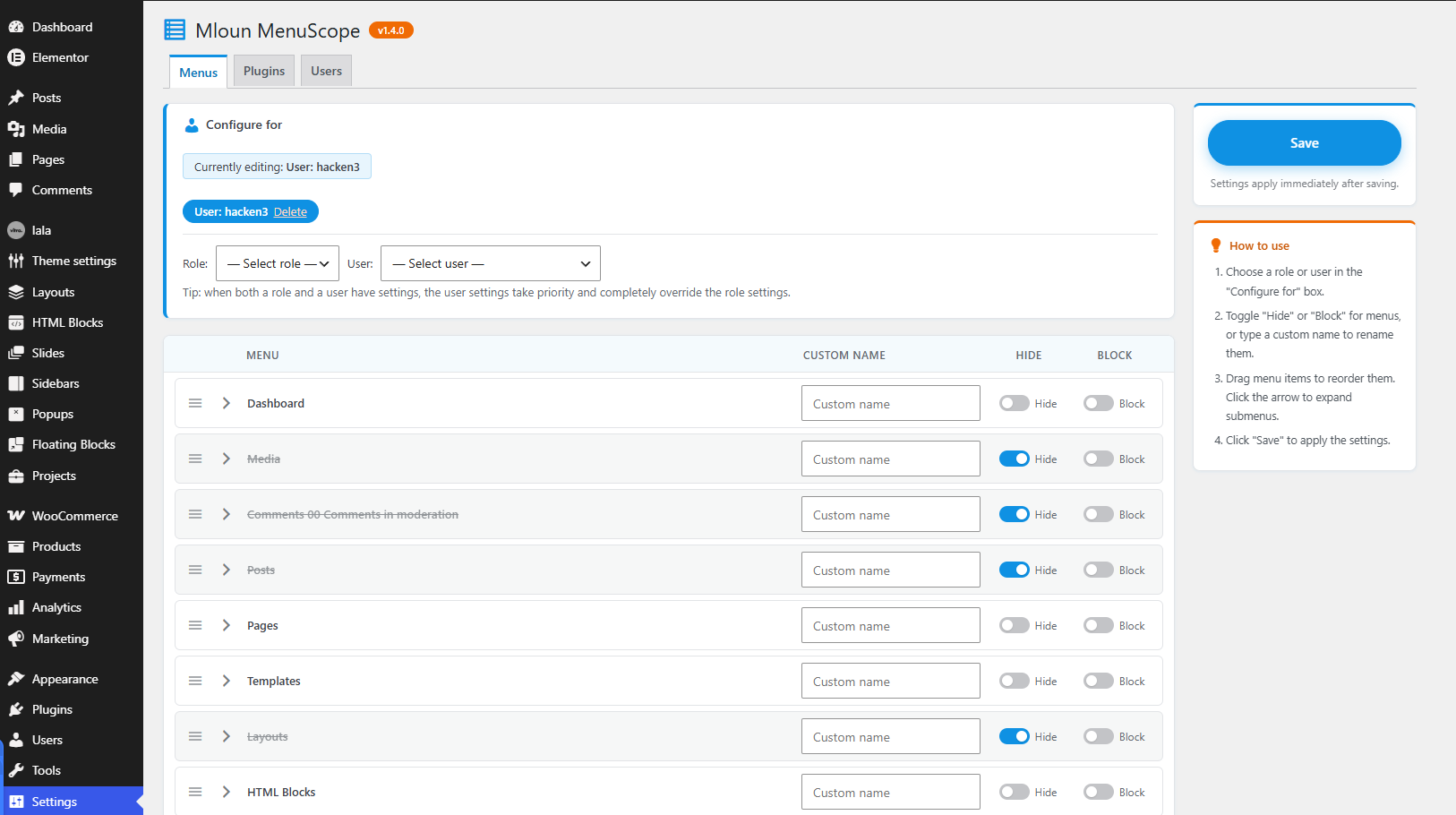
- Hide menus per role or user — the menu disappears but the URL stays reachable.
- Hide & block menus per role or user — direct URL access is denied with a 403 error.
- Drag & drop menu ordering — reorder top-level menus and submenus per role or user. Submenus are collapsible in the editor.
- Rename menus per role or user — give any admin menu or submenu a custom label for a specific role or user.
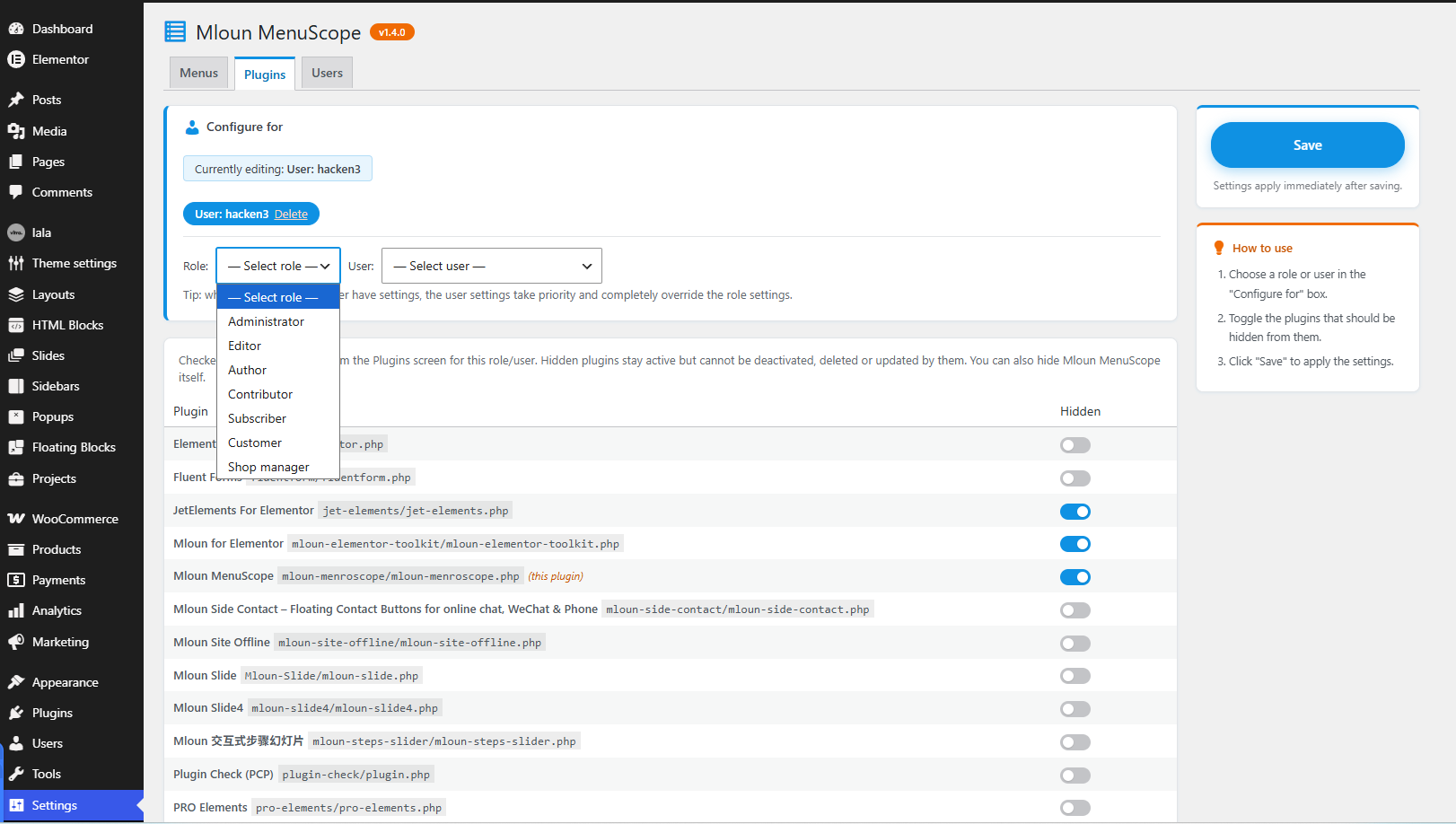
- Hide plugins per role or user — hidden plugins vanish from the Plugins screen and cannot be deactivated, deleted or updated by them. You can hide Mloun MenuScope itself.
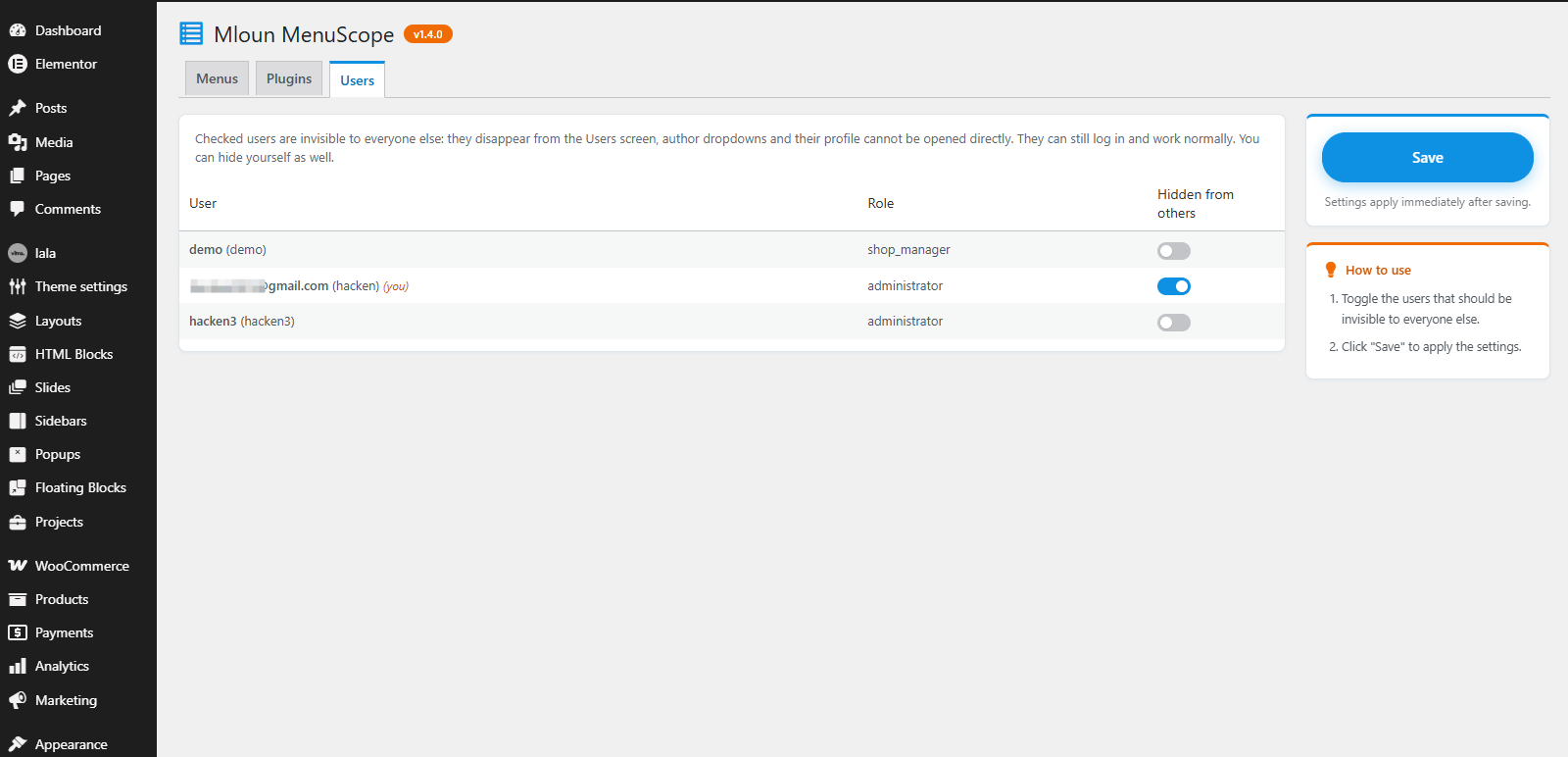
- Hide users — selected users become invisible to everyone else: they disappear from the Users screen, author dropdowns, and their profile page cannot be opened directly. They can still log in and work normally. You can hide yourself.
- User settings override role settings — when both a role and a user have settings for the same section, the user settings win completely.
Find it under Settings MenuScope.
All strings are translatable (text domain: mloun-menroscope). Community translations are managed at translate.wordpress.org.
Capturas de tela
Instalação
- Upload the plugin zip via Plugins Add New Upload Plugin, or copy the
mloun-menroscopefolder towp-content/plugins/. - Activate the plugin.
- Go to Settings MenuScope.
Perguntas frequentes
-
What is the difference between “Hide” and “Block”?
-
“Hide” only removes the menu item from the sidebar; the page can still be opened via its URL. “Block” additionally blocks the URL with a 403 error.
-
What happens when a role and a user both have settings?
-
The user settings take priority: any section (menus, plugins, renames) configured for the user completely replaces the same section from their roles.
-
Can I lock myself out?
-
Users with the
manage_optionscapability always keep access to the MenuScope settings page. -
How do I undo settings for a role or user?
-
On the Menus or Plugins tab, click “Delete” next to the role/user in the “Configure for” box.
Avaliações
Não há avaliações para este plugin.
Colaboradores e desenvolvedores
“Mloun MenuScope” é um programa de código aberto. As seguintes pessoas contribuíram para este plugin.
Colaboradores
Traduzir o “Mloun MenuScope” para seu idioma.
Interessado no desenvolvimento?
Navegue pelo código, consulte o repositório SVN ou assine o registro de desenvolvimento por RSS.
Registro de alterações
1.4.1
- Added the
languages/mloun-menroscope.pottemplate so the community can translate the plugin via GlotPress.
1.4.0
- Renamed to “Mloun MenuScope” (slug
mloun-menroscope) to avoid confusion with existing “Admin Menu” plugins. - Removed bundled translation files; translations are now delivered via translate.wordpress.org.
- Dropped the “Domain Path” header (no bundled languages folder); WordPress automatically loads community translations under the plugin slug for WordPress.org-hosted plugins.
1.3.2
- Added a “Settings” action link under the plugin name on the Plugins screen.
1.3.1
- Author URI updated to mloun.com. No functional changes.
1.3.0
- Slug alignment for WordPress.org: text domain, folder name, main file, language files and Plugin URI renamed to mloun-admin-menu-edit. Contributors fixed to a valid WordPress.org username. No functional changes.
1.2.3
- Plugin renamed to “Mloun Admin Menu Edit”. No functional changes.
1.2.2
- WordPress.org Plugin Check compliance: removed the site_transient_update_plugins filter (flagged as plugin updater), removed the discouraged load_plugin_textdomain() call, fixed an unescaped output error, added nonce-verification phpcs annotations, limited readme tags to 5 and shortened the short description.
1.2.1
- Added Simplified Chinese (zh_CN) translation.
- Plugins tab: shows an info notice when the selected role/user lacks the “activate_plugins” capability instead of listing all plugins.
- Save button: plain label (no icon), blue by default and orange on hover.
1.2.0
- The editor now shows the real menu tree the selected role/user would see (filtered by their capabilities).
- Hiding “Settings Admin Menu Edit” now also works for other administrators (block is auto-downgraded to hide to prevent lockout).
- New two-column layout: sticky save card and how-to guide in the right sidebar.
- Version number shown next to the page title.
- Redesigned UI with a blue (#0f91e3) / orange (#f06b04) palette.
1.1.1
- Updated Plugin URI to the WordPress.org plugin page; readme “Tested up to” bumped to 7.1.
1.1.0
- Moved settings page under Settings.
- Menu rename is now per role/user in the Menus tab (was global).
- Fixed: hiding a submenu item no longer hides its parent menu when they share the same slug.
- Added collapsible submenus (collapsed by default) with a hidden-items badge.
- Floating save button on the right edge.
- User dropdown instead of a username text field.
- Users can hide themselves; Admin Menu Edit can hide itself from the plugin list.
- Redesigned settings UI with toggle switches.
1.0.0
- Initial release.