

Descrição
The most powerful drag and drop WordPress form builder for contact forms, payment forms, calculators, quizzes, surveys, and data-driven applications.
The Most Powerful WordPress Form Builder Plugin
Formidable Forms is the most powerful drag and drop form builder for WordPress. Easily add contact forms, payment forms, survey forms, quiz forms, calculator forms, registration forms, custom forms, data tables, and complete web applications to your website, without any code.
Whether you’re a beginner creating your first contact form or a developer building a complex member directory or data-driven application, Formidable Forms scales with you.
Stop paying for a single-purpose contact form plugin. With Formidable’s drag and drop form builder, one plugin replaces five, so you can build forms, collect payments, run surveys, grade quizzes, generate online calculators, and build web apps, all inside WordPress without writing a single line of code.
Watch the video overview for the Formidable form builder, calculator, and quiz builder
Formidable Pro – The Ultimate WordPress Forms Plugin
This plugin is the free version of Formidable Pro, which unlocks email subscription forms, multi-page forms, file upload forms, quiz grading, and conditional logic. Add repeater fields, payment integrations with Stripe and PayPal, cascading dropdown fields, calculated fields, front-end form editing, the AI form builder, and the powerful web application builder.Formidable Pro is more than a contact form plugin. It’s a complete platform for building smart forms and web applications. Upgrade to the most advanced premium WordPress form builder now!
Ou comece com a comparação Lite x Pro.
Drag and Drop Form Builder for Every Type of WordPress Form
Formidable’s drag and drop form maker makes it fast to create any form you can imagine. Start from one of 300+ pre-built form templates, design a completely custom form from scratch, or describe what you need and let the AI form builder generate it for you in seconds. Build a simple contact form in minutes, or layer in conditional logic, multi-step pages, and calculated fields to create sophisticated registration forms, quote forms, and price calculator forms. The form builder is optimized for outstanding speed and server performance, making it one of the fastest WordPress form plugins available.
Unlimited forms are included in the free version, and every form you build is mobile-responsive out of the box. Whether visitors land on your site via desktop, tablet, or phone, your contact forms, survey forms, and payment forms look great and work flawlessly on every device. No other drag and drop form builder for WordPress gives you this depth of functionality starting from the free tier.
Entry Management for Your Free WordPress Contact Forms
Every form submission is stored securely in your WordPress database, so no lead is ever lost. Access entries from the form builder back-end, export to CSV for use in Excel or any other platform, and import leads directly to services like Mailchimp. Formidable is fully GDPR-friendly, giving you controls for IP tracking, saving submissions, and adding GDPR consent fields to any form.
Automate follow-up with customizable email notifications and autoresponders. Set up redirect rules or success messages to guide visitors after form submission. From your first contact form to advanced payment forms and registration forms, every detail of the post-submission experience is in your hands. Built-in invisible SPAM protection keeps your entries clean from bots and spam submissions.
The Only Form Builder Plugin with an Advanced Visual Form Styler
Formidable is the only WordPress form builder with a built-in visual style creator. Match your contact forms, survey forms, and payment forms to your brand in just a few clicks, no custom CSS required. Adjust colors, fonts, layouts, and field styles to create online forms that blend seamlessly with any WordPress theme. For agencies and developers, the visual form styler means you can deliver beautiful, on-brand forms for every client without touching a line of code.
Build Smart Survey Forms and Generate Insightful Reports
With Formidable Pro, you get survey tools that rival SurveyMonkey, without the monthly subscription cost. Build survey forms and poll forms with Net Promoter Score (NPS) fields, Likert scales, star ratings, and image choices. Analyze survey results instantly and display beautiful graphs and charts directly on your WordPress pages and posts. Formidable’s survey form builder makes it simple to gather data, understand it, and act on it, all inside WordPress.
Advanced WordPress Registration Forms for Teams and Events
Formidable goes far beyond basic contact form functionality. The repeater field makes it easy to build comprehensive registration forms for sports teams, events, retreats, courses, and membership sites. Robust marketing integrations and API connections let you funnel registration data to your CRM, email platform, or any other tool in your stack automatically. Whether you’re building an event registration form or a complex multi-step membership application, the form builder handles it.
Payment Forms with Stripe, PayPal, Square, and More
Accept credit card payments, subscriptions, and donations directly through your WordPress forms. Formidable integrates with leading payment gateways including Stripe, PayPal, Square, and Authorize.net. Set up a donation form, product order form, event registration payment form, or service booking payment form in minutes. WooCommerce store owners can build custom product configurator forms with dynamic pricing and calculation fields that feed directly into the WooCommerce cart.
Stripe payment forms are available in the free version, supporting ACH, Cash App, Klarna, iDeal, and more. A transaction fee applies without a Pro license. For in-person events and hybrid businesses, payment forms can be set up for cash, manual payment recording, and on-site collection, giving you complete flexibility for online and in-person transactions.
Build Data-Driven Web Applications with Formidable Views
Formidable Forms is not just a WordPress contact form plugin. It’s a complete platform for building web applications. With Formidable Views, you can display submitted form data on the front-end of your WordPress site, creating searchable databases, directories, event calendars, job boards, real estate listings, member directories, and more. No additional plugin required. The form builder and application builder are tightly integrated, so you can go from form to full application without ever leaving WordPress.
Quiz Forms, Online Calculators, and Calculator Forms
Formidable’s quiz form builder and calculator form builder are industry-leading features that set it apart from every other WordPress form plugin. Build educational assessments, personality quizzes, scored tests, and viral BuzzFeed-style quizzes with ease. For calculator forms and online calculators, the possibilities are endless: mortgage calculators, loan calculators, BMI calculators, price calculators, instant quote calculators, ROI calculators, cost estimators, and more. These interactive calculator forms and online calculators give visitors instant results and give you a powerful lead generation tool. No other drag and drop form builder for WordPress combines quizzes, scored forms, and fully functional online calculators in one free plugin.
WordPress User Registration Forms and Profile Forms
For membership sites and community platforms, Formidable offers advanced customization options for WordPress user registration forms and user profile forms. Enable front-end profile editing so users can update their information without ever visiting the WordPress dashboard. From initial contact form to lead form to final payment form, every step of the user journey is covered by Formidable’s drag and drop form builder.
Advanced Fields and Features for High-Converting Forms
Formidable’s form builder includes everything you need to create professional, high-converting forms. Multi-page forms with progress bars boost completion rates. Save-and-continue lets users finish long forms on their own schedule. Cascading dropdowns, conditional logic, partial submissions, and invisible spam protection are all included. Calculated fields power your online calculator forms and instant quote forms automatically.
For developers and agencies, Formidable is the premier WordPress form builder choice. Customize form HTML directly (similar to Contact Form 7, but with full drag and drop power on top). Extend with hooks and filters. Build complex data-driven web applications with low overhead. Formidable supports the most sophisticated projects while remaining approachable for beginners building their first contact form.
With the AI form builder (Pro), you can describe any form in plain text and have it built for you instantly. Need a multi-step registration form, a quote calculator, or a patient intake form? Just type what you need and the AI generates a fully structured, editable form in seconds. You can also add an AI field directly inside any form to display AI-generated responses based on user input, then include those responses in confirmation messages, email notifications, or Formidable Views. Every form is WCAG-compliant and accessible by default, making your forms usable for all visitors.
Como criar um formulário de cotação instantânea
Full Feature List
- Drag and Drop Form Builder – Create contact forms, payment forms, survey forms, and more visually
- Calculator Forms – Build mortgage calculators, loan calculators, BMI calculators, price calculators, online quote calculators
- Survey Forms – NPS, Likert scale, star rating, image choice fields for powerful survey forms
- Multi-Step Forms – Multi-page forms with progress bars and conditional logic
- Payment Forms – Stripe, PayPal, Square, Authorize.net payment form integrations online and in-person
- WooCommerce Form Builder – Custom product forms with dynamic pricing
- Formidable Views – Display form data: directories, job boards, event calendars, real estate listings
- Form Templates – 300+ pre-built form templates for every use case
- Conditional Logic – Smart forms that show and hide fields dynamically
- File Upload Form – Accept documents, photos, and files in any form
- Quiz Form Builder – Scored quizzes, personality quizzes, graded assessments, viral quiz forms
- User Registration Form – WordPress registration and profile forms for membership sites
- PDF Forms – Generate PDFs, certificates, and invoices from form submissions
- Invisible SPAM Protection – Honeypot, Akismet, reCAPTCHA, hCaptcha, Cloudflare Turnstile
- Customize Form HTML – Full control over form HTML like Contact Form 7, plus drag and drop
- Conversational Forms – One-question-at-a-time form experience like Typeform
- Landing Page Forms – Distraction-free form landing pages
- Repeater Fields – Add multiple rows of fields in registration and order forms
- Visual Form Styler – Brand your forms with colors, fonts, and layouts, no CSS required
- Cascading Dropdown Fields – Dynamic dependent dropdowns for complex forms
- Digital Signatures – Collect signatures in contract and booking forms
- Front-End Editing – Let users edit their own form submissions without logging in
- WCAG-Compliant Forms – Accessible form builder for all users
- AI Form Builder – Create entire forms from a plain text description in seconds
Payment Forms, Marketing APIs, and Business Integrations
Formidable Pro connects your WordPress forms to every major platform in your marketing and business stack. The form builder’s integration ecosystem means you never lose a lead or miss a workflow.
Payment Forms: Accept online payments with Stripe Forms (one-time or recurring, with ACH, Cash App, Klarna, iDeal support), PayPal Forms (instant and recurring), and Authorize.net (one-time payments in order forms and calculator forms). Formidable charges zero transaction fees on all payment forms with a valid license. For in-person payments, cash, and manual payment collection, Formidable’s flexible payment form architecture supports hybrid billing workflows.
Email Marketing: Direct integrations for Mailchimp, Constant Contact, AWeber, MailPoet, ActiveCampaign, HubSpot, Salesforce, GetResponse, and Campaign Monitor make lead collection seamless. Connect any contact form, survey form, or registration form to your email list in minutes.
CRM and Automation: Zapier integration connects your WordPress contact forms and payment forms to thousands of apps. Use SMS notifications via Twilio, sync data to Zoho CRM, CRM HubSpot, Salesforce, Highrise, and more. Automate form-triggered workflows without writing code.
WooCommerce Integration: As the only WordPress form builder plugin fully integrated with WooCommerce, Formidable lets you build custom WooCommerce product forms with variable pricing, configuration options, and calculated totals that flow directly into the cart.
Multilingual Forms: Reach a global audience with WPML and Polylang integrations for multilingual WordPress forms.
WordPress Form Builder for Every Industry and Use Case
Formidable is the drag and drop form builder of choice across every industry. Small businesses use it for contact forms and lead capture. Financial services companies build loan calculators and quote forms. HR teams and researchers build survey forms. Schools and event coordinators build registration forms. Educators use the quiz form builder for scored assessments. Nonprofits build donation forms. Legal and medical practices use file upload forms for intake. Membership sites use it for user registration forms. Real estate and job sites build front-end directories. Service businesses use it for booking and appointment forms. Agencies and developers choose Formidable because it handles everything from a simple contact form to a complex web application in a single plugin.
Formidable Forms Branding Guidelines
Formidable Forms may also be referred to as Formidable, Formidable Form Builder, Formidable Pro, or Formidable Views.
The Best Gravity Forms Alternative, WPForms Alternative, and JotForm Alternative for WordPress
If you’re looking for an advanced WordPress form builder as a Gravity Forms alternative, Formidable Forms delivers more power at a lower price, with a completely free version that Gravity Forms doesn’t offer. As a WPForms alternative, Formidable goes deeper: beyond contact forms into calculator forms, web applications, and data-driven front-end displays that WPForms simply can’t match. Looking for a JotForm alternative or Typeform alternative that keeps your data on your own server? Formidable is the answer. All form data stays in your WordPress database, not on an external SaaS platform. Formidable is also the top Contact Form 7 alternative for anyone who has outgrown CF7’s limited feature set and wants drag and drop power on top. Compared to SurveyMonkey, Formidable Pro delivers professional survey forms, NPS forms, Likert scale fields, and real-time results directly inside WordPress, without a separate subscription. Ninja Forms users looking for more built-in power will find Formidable’s form builder offers calculators, Views, and a web application builder that Ninja Forms add-ons can’t replicate in a single plugin. Fluent Forms and Forminator users who need advanced calculator forms and a complete data display layer consistently upgrade to Formidable.
Créditos
Esse plugin on-line de criação de formulários e questionário foi criado por Steve e Steph Wells e a incrível equipe da Strategy11, com a consultoria de Syed Balkhi.
Capturas de tela


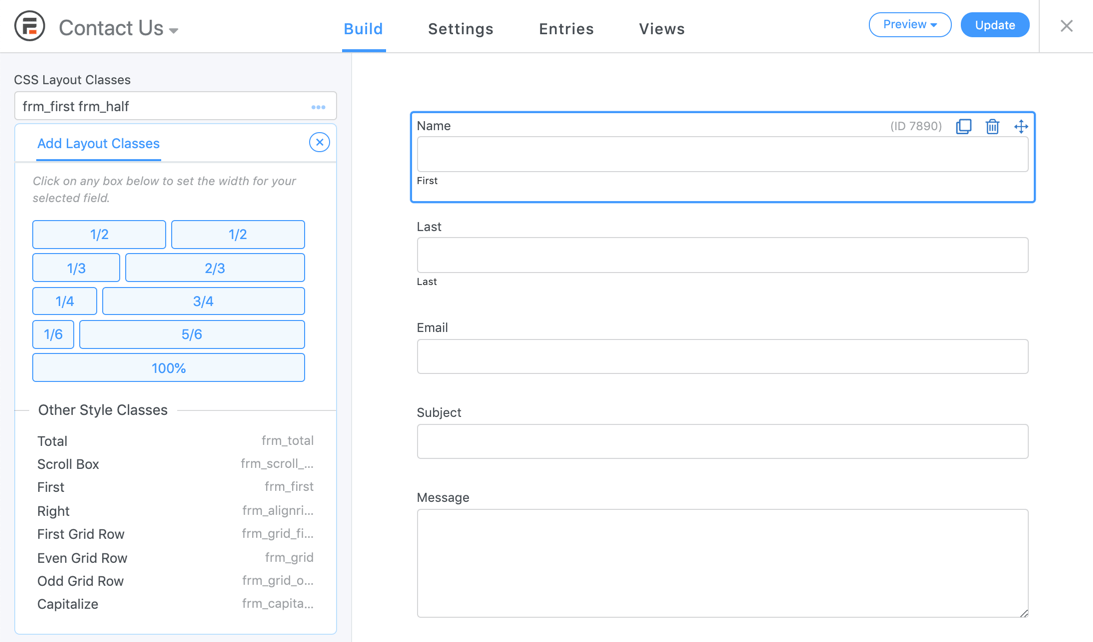
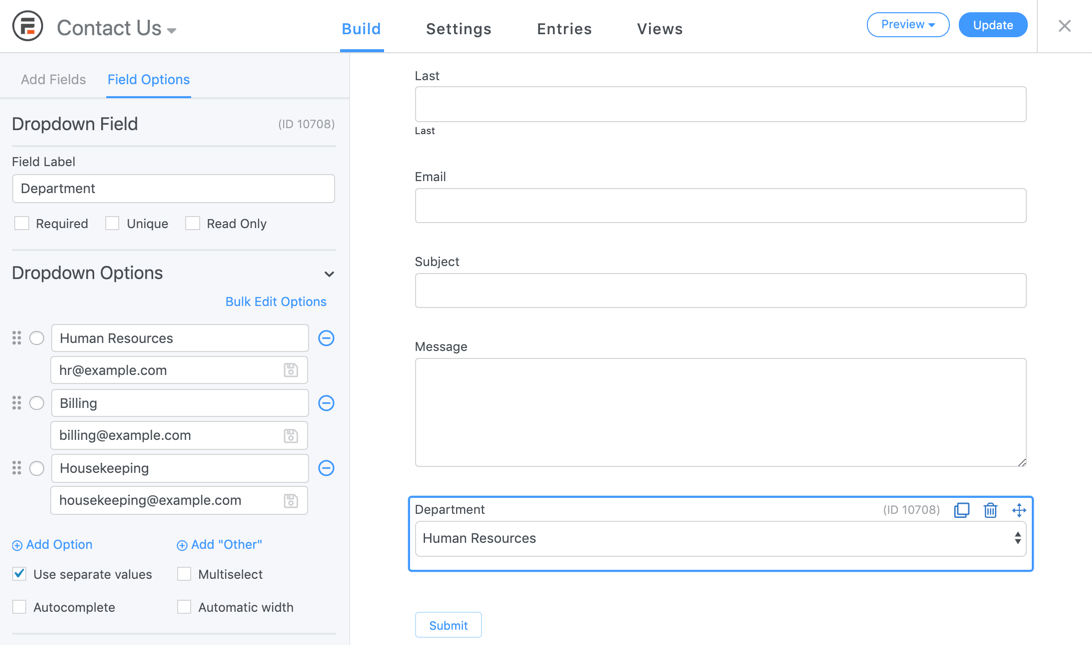

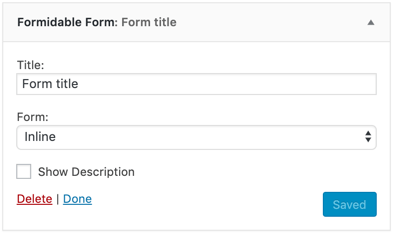

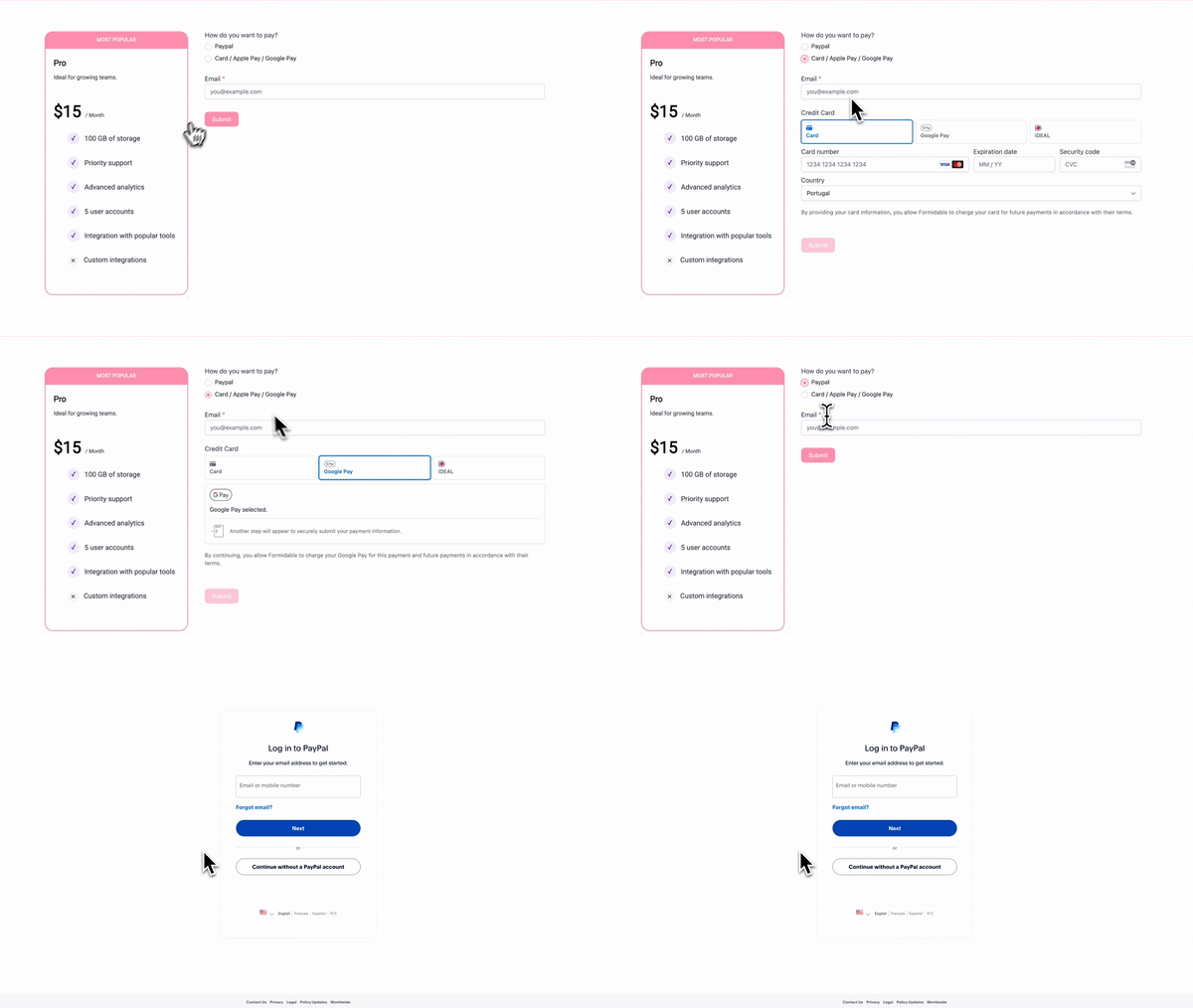
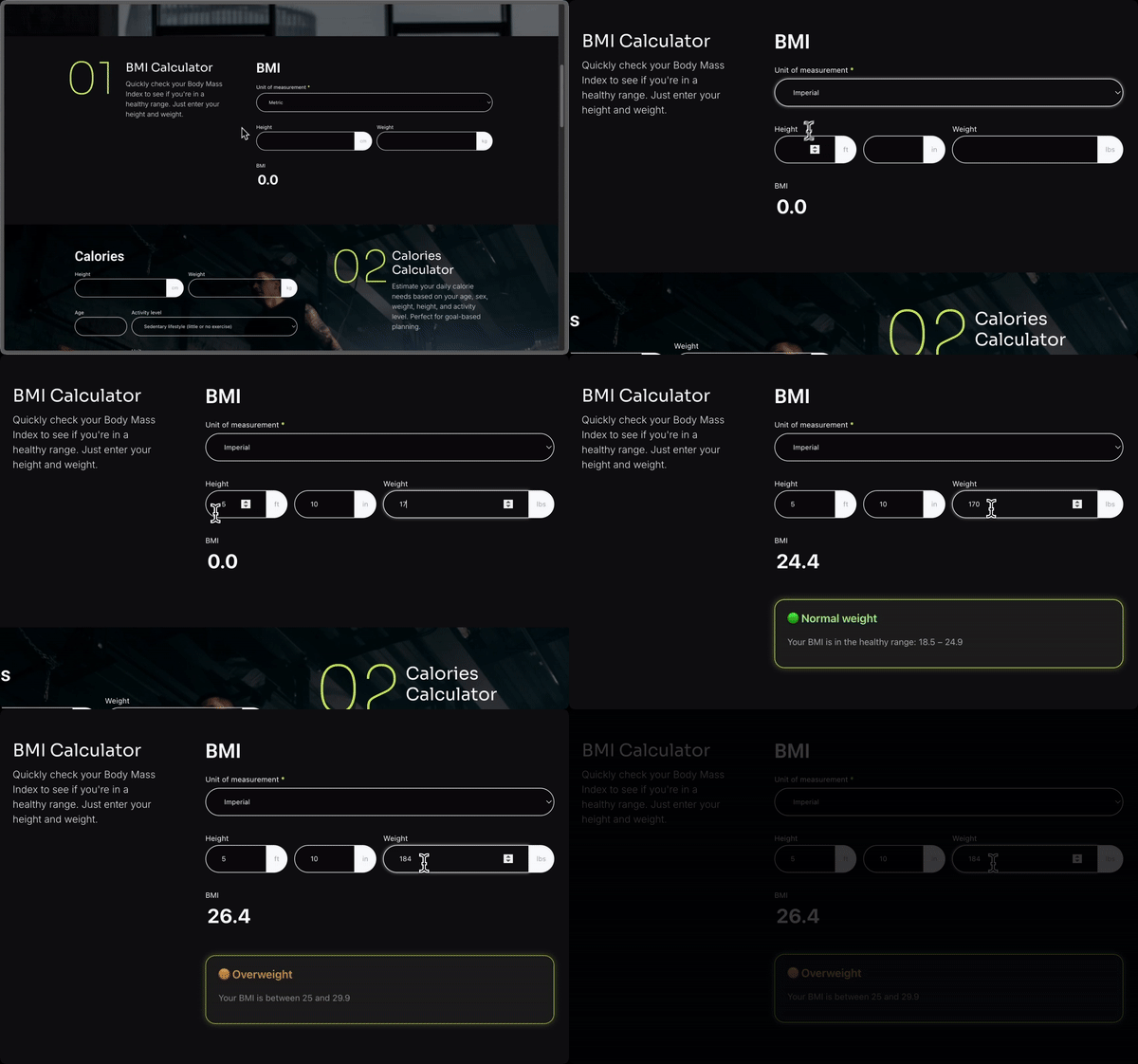

Blocos
Este plugin disponibiliza 2 blocos.
- Formidable Views
- Simple Form
Instalação
- Vá para a página Plugins -> “Adicionar novo” em sua área do administrador do WP
- Pesquisar por “Formidable”
- Clique no botão “Instalar agora” e depois em “Ativar”
- Acesse o menu “Formidable” recém-adicionado
- Clique no botão “Adicionar novo” para acessar a página do gerador de formulários e criar um novo formulário de e-mail
- Insira seu formulário de leads, questionário ou pesquisa recém-criado em uma página ou publicação usando o pop-up Incorporar formulário. Ou insira-o manualmente ou em um widget usando um shortcode [formidable id=x]. Como alternativa, use
<?php echo FrmFormsController::show_form(2);?>para adicioná-lo a um arquivo de tema.
Perguntas frequentes
-
Como posso começar a usar os melhores formulários para o WordPress?
-
A maneira mais rápida de construir um formulário é usar o exemplo que criamos para você. Depois de ativar o Formidable, insira [formidable ID=contact-form] na página WordPress de sua escolha.
Acesse a página do Formidable e clique em “Adicionar novo”. Escolha o modelo de formulário Fale conosco ou outro modelo gratuito e clique em “Criar”.
Em seguida, edite ou crie uma página de contato do WordPress. Clique no botão “Formidable” para abrir o gerador de shortcode. Escolha seu novo formulário da web e insira-o na página do WordPress. Salve a página para obter um novo formulário de contato do WP, pronto para coletar e armazenar seus leads. O modelo de formulário de contato permitirá que você comece a trabalhar rapidamente.
-
Por que o WordPress não envia e-mails?
-
Se você não receber e-mails, siga as etapas abaixo:
- Verifique novamente o endereço de e-mail em sua ação de e-mail na página de configurações. O shortcode [admin_email] usa o endereço de e-mail de sua página Configurações do WordPress -> Geral.
- Você está recebendo outros e-mails do seu site (por exemplo, notificações de comentários, esquecimento de senha…)? Caso contrário, as notificações também não funcionarão.
- Verifique sua caixa de spam.
- Tente um endereço diferente nas suas configurações.
- Instale o WP Mail SMTP ou outra alternativa de e-mail semelhante e configure as configurações de SMTP.
- Se essas etapas não resolverem o problema e outros e-mails de inscrição no WP não forem enviados, entre em contato com o seu host da web.
Leia mais sobre e-mails do WordPress que não estão sendo enviados em nosso blog.
-
Que tipos de formulários do WordPress posso criar?
-
Em conjunto com nossos complementos, o Formidable é o editor de formulários mais avançado do mercado. Veja alguns tipos de formulários da web que você pode criar:
- Formulário de contato personalizado
- Formulário de várias páginas com barra de progresso
- Dynamic Form (where fields change based on user’s answers)
- Formulário de solicitação de cotação
- Formulário de candidatura de emprego
- Pesquisas de opinião
- Dê sua sugestão
- Depoimentos
- Solicitações de mudança
- Marcação on-line
- Reserva de eventos
- Formulário de confirmação de presença on-line
- Formulário de registro de usuário personalizado do WordPress (ótimo para sites de associação)
- Formulário de login do WordPress
- Perfil de usuário personalizado do WordPress
- Envio de posts do WordPress (ótimo para posts de convidados)
- Formulário WooCommerce para produtos
- Formulário de cartão de crédito
- Formulário de doação
- Formulário de pedido de camiseta
- Formulário de compra de produtos
- Captura de leads
- Formulário de automóveis com marca e modelo do carro
- Lançamento de vídeo
- Acordos de parceria
- Solicitação de PTO
- Petições on-line
- Formulário de assinatura
- Solicitação de manutenção
- Formulário de solicitação de bolsa de estudos
- Formulário de download de arquivos
- Verificação de emprego
- Faça uma indicação
- Cadastro de membros, clientes, fornecedores, conferências e voluntários
- Registro de acampamento, curso, aula escolar e outros eventos
- Pesquisa personalizada
- Enquetes
- Questionários
- Calculadora de financiamento imobiliário
- Calculadora de pagamento de carro
- Calculadora de IMC
- Calculadora de idade do usuário
- Calculadora de cotação on-line
- Calculadora de juros compostos
- Calculadora de amortização
- Calculadora de ingestão de calorias
- Calculadora de data de parto
- Dias entre as datas
- Avaliações de receitas
- Questionário de personalidade
- Questionário viral
- Questionário de estilo do Cosmos
- Crie seu próprio questionário de aventura
To see more, visit our Form Template Gallery which has over 300 pre-made templates.
-
Posso ver algum exemplo das calculadoras on-line?
-
Estes são apenas alguns exemplos:
* Calculadora avançada de financiamento imobiliário
* Calculadora básica de financiamento imobiliário
* Calculadora de pagamento de automóvel
* Pesquisa Net Promoter Score (NPS)
* Calculadora de IMC e outras calculadoras de saúde e condicionamento físico
* Calculadora de idade do usuário
* Calculadora on-line de cotação
* Calculadora financeira
* Calculadora de custo de reserva
* Calculadora de preço de produto -
Como posso obter acesso a todos os recursos avançados?
-
Para obter acesso a mais recursos, integrações e suporte, atualize para o Formidable Pro. Uma licença Pro oferece acesso à versão completa do Formidable para obter opções mais avançadas, Formidable Views, gráficos e estatísticas, suporte prioritário e complementos Formidable!
-
Posso criar um formulário de pagamento?
-
Yes! We make it easy to accept payments using Stripe, Square, PayPal, and Authorize.net.
Nossa integração com Stripe ajuda você a aceitar pagamentos on-line com cartão de crédito rapidamente. Nossos formulários do PayPal permitem que você aceite pagamentos, assinaturas e doações do PayPal on-line.
-
Quais tipos de campo o Formidable oferece?
-
Nosso editor de formulários e questionários personalizados inclui todos os campos avançados necessários para você criar rapidamente um formulário com foco em soluções!
- Texto de linha única – Ótimo para nome, número de telefone, endereço e muito mais.
- Name
- Site / URL
- Texto do parágrafo
- Caixas de seleção e botões de opção
- Caixas de seleção suspensas
- Número
- Número de telefone
- Campos ocultos
- ID do usuário
- Bloco HTML – Ótimo para HTML personalizado
- Captcha para Google reCAPTCHA (V2 invisível ou caixa de seleção V2, V3), hCaptcha ou Cloudflare Turnstile.
- GDPR – Great for compliance with General Data Protection Regulation (GDPR).
- Address – Power it up with Google address autofill and geolocation with add-ons.
Veja a seguir uma lista dos nossos campos premium avançados que serão úteis:
- Envio de arquivo
- Rich text
- Data
- Hora
- Escala
- Classificação por estrelas
- Classificação
- Controle deslizante de faixa
- Alternador
- Dinâmico – Excelente para criar relacionamentos entre entradas.
- Repetidor – Excelente para registrar vários filhos, histórico profissional e muito mais.
- Tags
- Resumo – Excelente para revisar as respostas antes de enviar.
- Pesquisa – Ótimo para pesquisas em cascata como país, cidade, estado.
- Título da seção
- Quebra de página
- Incorporação de formulário – Excelente para reutilizar os mesmos campos em vários locais.
- Campo de senha
- Assinatura – Ótimo para contratos e reservas.
- AI – Display AI-generated responses inside your form using OpenAI. Great for personalized results, recommendations, and dynamic content.
Além disso, nossos campos de pagamento ajudarão você a criar um formulário de cartão de crédito, de doação ou de reserva.
- Item único
- Vários itens
- Itens de caixa de seleção
- Itens suspensos
- Quantidade de produto
- Total
- Credit Card (Stripe, Square, or Authorize.net)
-
Posso importar e exportar envios?
-
Sim, é fácil importar e exportar. Isso é muito útil para desenvolvedores e agências que criam sites para clientes. Você também pode criar modelos de formulário personalizado para usar em sites de clientes.
Além disso você pode importar de outros plugins de formulário de contato do WordPress, como Gravity Forms e Pirate Forms. Embora não haja um importador disponível, essa também é uma ótima alternativa ao Caldera Forms, já que não é mais compatível.
-
Posso fazer a integração com meu CRM ou serviço de e-mail marketing?
-
Sim, sabemos que o marketing é o segredo para o crescimento de sua empresa. É por isso que o Formidable permite que você conecte seu formulário WP (formulário de e-mail, formulário de pagamento etc.) com a plataforma de marketing de sua escolha. Você pode enviar facilmente dados do WordPress para seu CRM favorito, boletim informativo por e-mail e outras plataformas de marketing.
Lista de nossas integrações de CRM e e-mail marketing:
- Mailchimp
- AWeber
- Constant Contact
- GetResponse
- MailPoet
- Active Campaign
- Salesforce CRM
- CRM HubSpot
- Campaign Monitor
- CRM Highrise
Usando nossa integração Zapier, você pode conectar facilmente seu site a mais de 5.000 aplicativos de marketing, incluindo:
- SendInBlue
- Zoho CRM
- Zoho Mail
- Zoho Invoice
- Agile CRM
- Slack
- Trello
- Infusionsoft by Keap
- Microsoft Excel
- Dropbox
- PipeDrive CRM
- HelpScout
- Zendesk
- Freshbooks
- Freshsales
- Intercom
- Click Funnels
- Microsoft Dynamics 365 CRM
- Capsule CRM
- Insightly CRM
- Printfection
- Acuity Scheduling
- Quickbooks Online
Veja todas integrações Formidable Zapier.
Avaliações


Colaboradores e desenvolvedores
“Formidable Forms – WordPress Form Builder for Contact Forms, Calculators, Questionários & More” é um programa de código aberto. As seguintes pessoas contribuíram para este plugin.
Colaboradores


Formidable Forms – WordPress Form Builder for Contact Forms, Calculators, Questionários & More” foi traduzido para 23 localidades. Agradecemos aos tradutores por suas contribuições.
Interessado no desenvolvimento?
Navegue pelo código, consulte o repositório SVN ou assine o registro de desenvolvimento por RSS.
Registro de alterações
6.35
- Security: More strict sanitizing is now applied to entry key values before it gets used in the HTML of a form.
- Security: The value that records who last saved an entry is now always set from the current user, not allowing for any custom values unless importing.
- New: The shortcodes list now offers show options for more types, and long names are truncated so the list stays readable.
- New: The Processor column on the Payments list page can now be sorted.
- New: A message is now shown on the Payments list page after bulk deleting.
- New: The required email input used for Stripe Link payments will now display a required asterisk like other required inputs.
- New: A new frm_builder_after_field_label hook has been added for adding content after a label in the builder.
- New: A new frm_payment_user_id filter has been added for setting which user a payment belongs to.
- Performance: The builder now loads much faster when there are a lot of fields. Fields loaded with AJAX are now loaded in asynchronous batches.
- Performance: The way the denylist is checked has been optimized, so spam checks are much faster when a large amount of text is submitted.
- Performance: Pricing updates for Stripe payments are now debounced, and are skipped on pages with no payment intents.
- Fix: A subscription would not get cancelled after it reached its Recurring Payment Limit.
- Fix: Payment status actions could run twice for the same Stripe Link payment.
- Fix: Multiple customer objects would get created for Stripe Link recurring payments.
- Fix: Subscription plan details would not update after changing the trial period.
- Fix: A Stripe Link redirect would use the URL from Form settings instead of the URL in the confirmation action that ran.
- Fix: Square payments would not correctly follow conditional logic when two Square actions were used.
- Fix: The wrong amount would get used when verifying a buyer with Square.
- Fix: Connecting and disconnecting Square would go by whichever mode was active instead of the mode that was selected.
- Fix: In Pro, the dropdown on a style card would not populate, leaving no way to delete a style or set one as the default.
- Fix: In Pro, a section added after a partially sized field would move into the previous row after a reload.
- Fix: Adding the frm_first layout class would not start a new row for a group.
- Fix: A field id used in a description would not get switched when a form was duplicated or imported.
- Fix: Creating a field with a missing or invalid options value would raise a PHP warning and store null.
- Fix: The Embeds column would only update when a post was inserted, so it went stale when a page was updated or deleted.
- The old hard coded widths for the frm_grid_2 through frm_grid_10 classes have been removed from the generated stylesheets, helping to reduce the file size of styles used on the front end.
6.34
- Security: Additional validation has been added to guarantee that submitted HTML in form data by untrusted users cannot be used for XSS.
- New: Address fields are now included in Lite!
- New: Address field data is included in PayPal Commerce credit card payments when defined in payment action settings to help prevent entries from incorrectly getting flagged as fraudulent.
- New: Buttons on admin pages will now shrink slightly when clicked, to give a more tactile response.
- Fix: Additional checks have been added to make sure that pages will not result in 404 errors when Gated Content actions are not actually defined for the page. In addition, when a custom permission is used for handling access to a private page, the custom permission is properly checked for.
- Fix: Captcha field labels no longer use labels to prevent orphaned label issues since the label cannot reference the input in an iframe.
- Fix: A JS error would occur when removing the last layout class from a field.
- Fix: The JS spam token would get added to a form multiple times when multiple forms were on a page.
6.33.1
- Fix: Public taxonomy pages could result in 404 errors, caused by a missing check in the new Gated Content actions.