

Descrição
Force Refresh gives you a fast, reliable way to request or schedule browser refreshes for visitors currently viewing your site. It’s ideal for single-page applications, live feeds, and any experience where fresh content matters.
Features
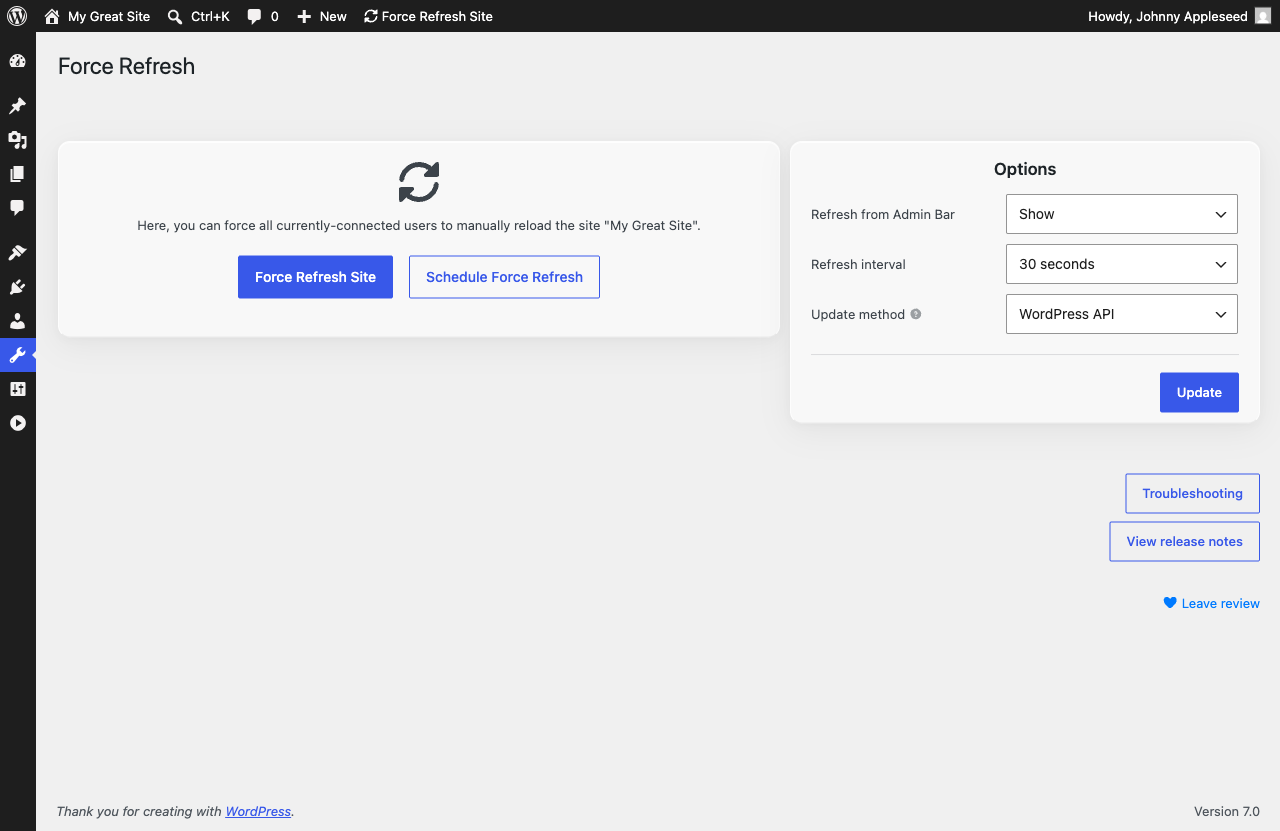
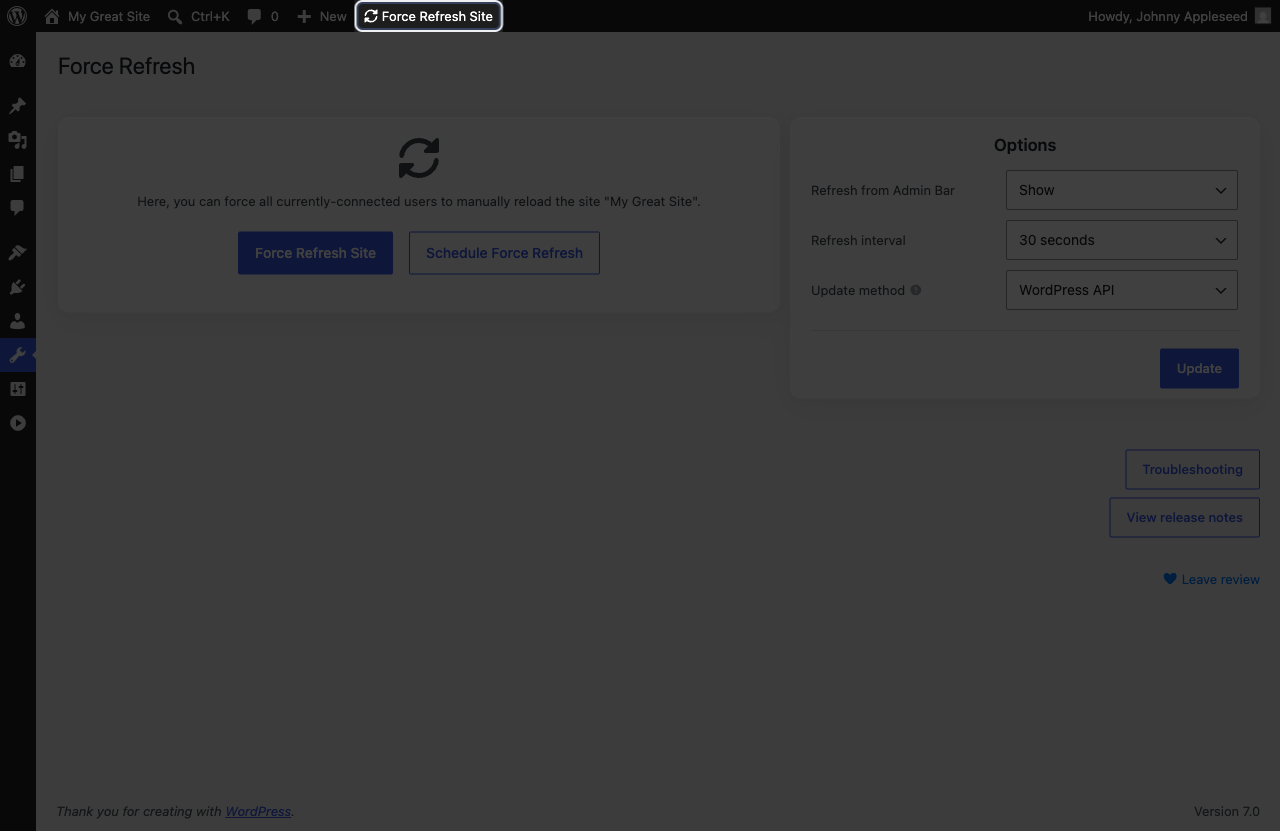
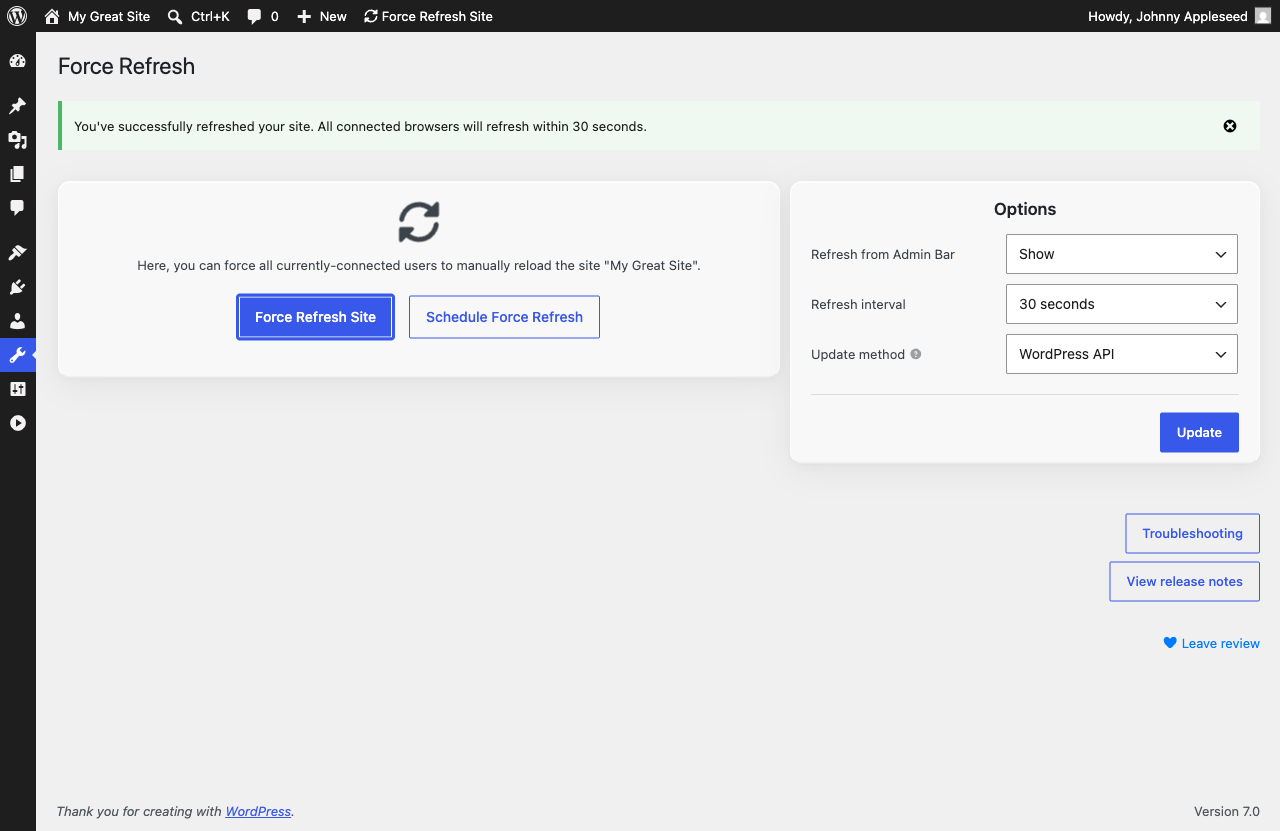
- Request a browser refresh with a single click, using the client-side refresh interval you’ve configured.
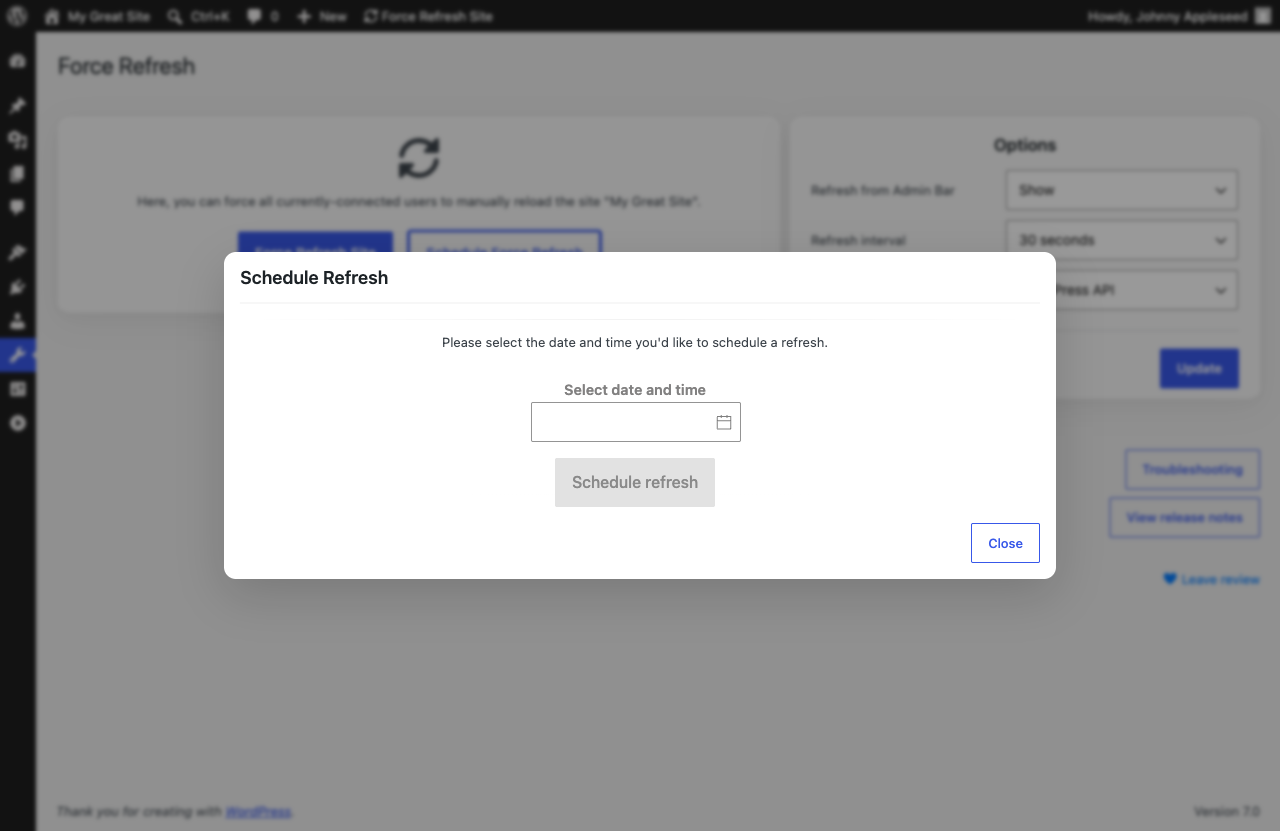
- Schedule any number of site refreshes in advance.
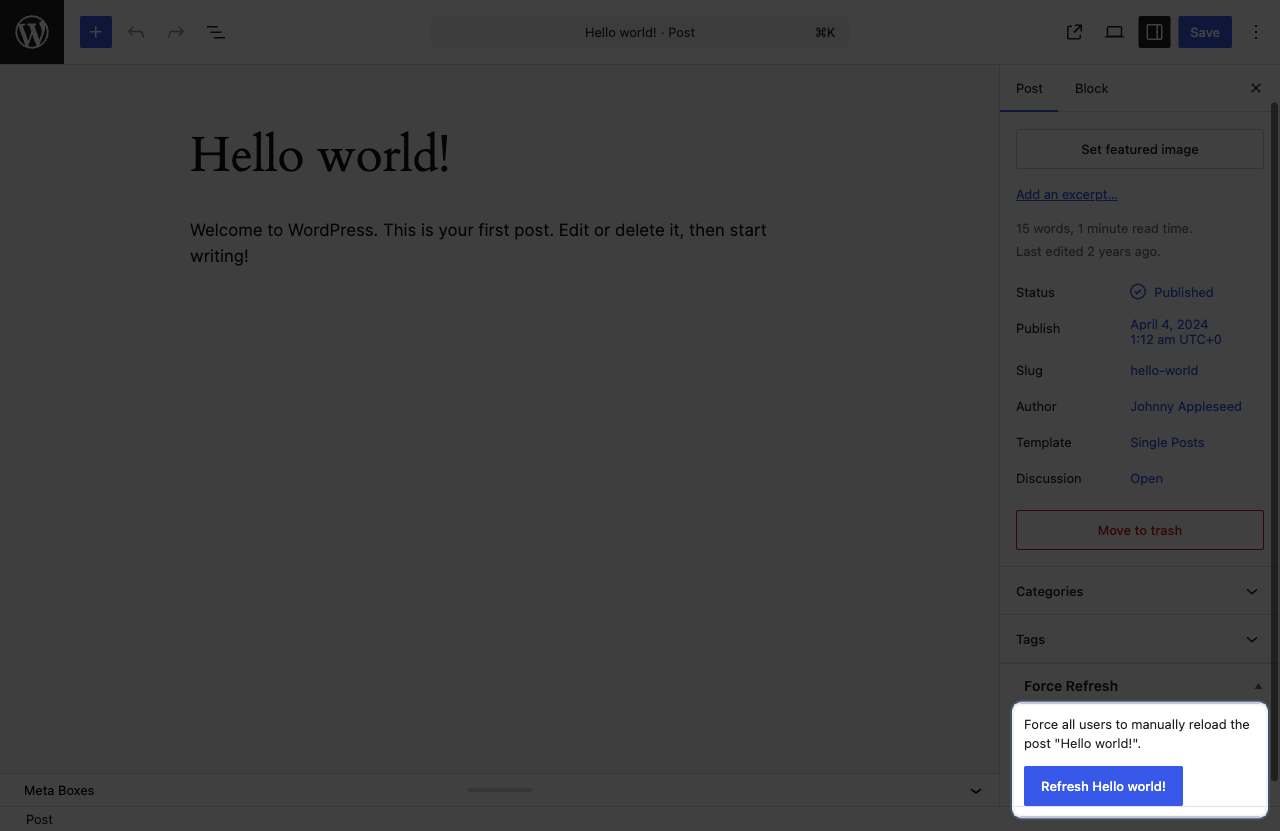
- Refresh individual pages or posts when you need a more targeted update.
- Choose refresh intervals from 30 seconds up to four hours.
- Extend refresh permissions to any role with the “Invoke Force Refresh” capability.
- Works with both parent and child themes.
Feature Requests and Bug Reports
- Report bugs through the Support tab.
- Share feature requests on GitHub. Force Refresh is open source, and pull requests are welcome.
Capturas de tela
Instalação
Upload Force Refresh to your site and activate it. When you’re ready to request a refresh, go to “Tools”, select “Force Refresh”, and click “Refresh Site.”
Avaliações


Colaboradores e desenvolvedores
“Force Refresh” é um programa de código aberto. As seguintes pessoas contribuíram para este plugin.
Colaboradores
Traduzir o “Force Refresh” para seu idioma.
Interessado no desenvolvimento?
Navegue pelo código, consulte o repositório SVN ou assine o registro de desenvolvimento por RSS.
Registro de alterações
3.1.2
Released on August 1, 2026
Changes
- Performance enhancements and bug fixes.
3.1.1
Released on June 13, 2026
Changes
- Performance enhancements and bug fixes.
3.1.0
Released on May 16, 2026
New Features
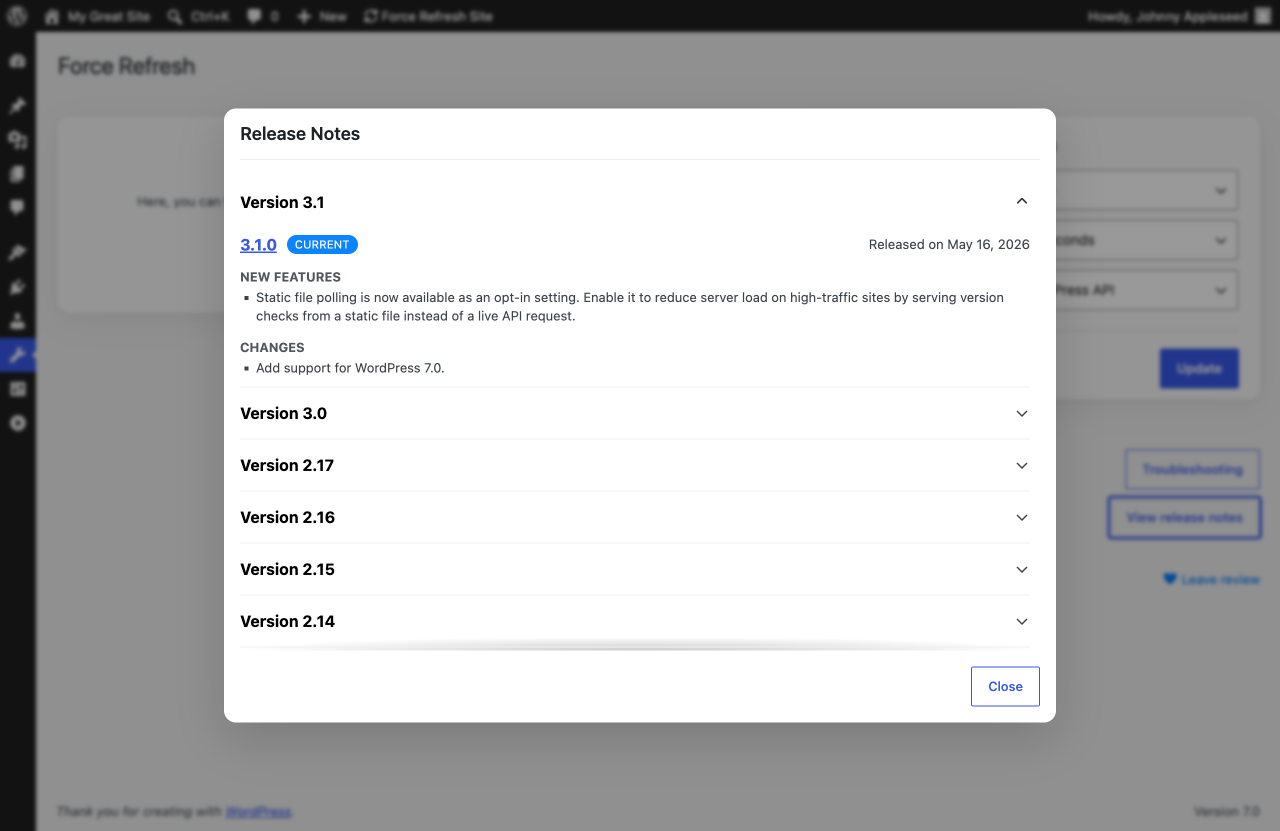
- Static file polling is now available as an opt-in setting. Enable it to reduce server load on high-traffic sites by serving version checks from a static file instead of a live API request.
Changes
- Add support for WordPress 7.0.
3.0.0
Released on April 22, 2026
New Features
- Introducing scheduled refreshes. Plan site-wide refreshes in advance so they happen exactly when you need them.
- Force Refresh now supports a wider range of older WordPress and PHP versions, including WordPress 5.9 and PHP 7.4.
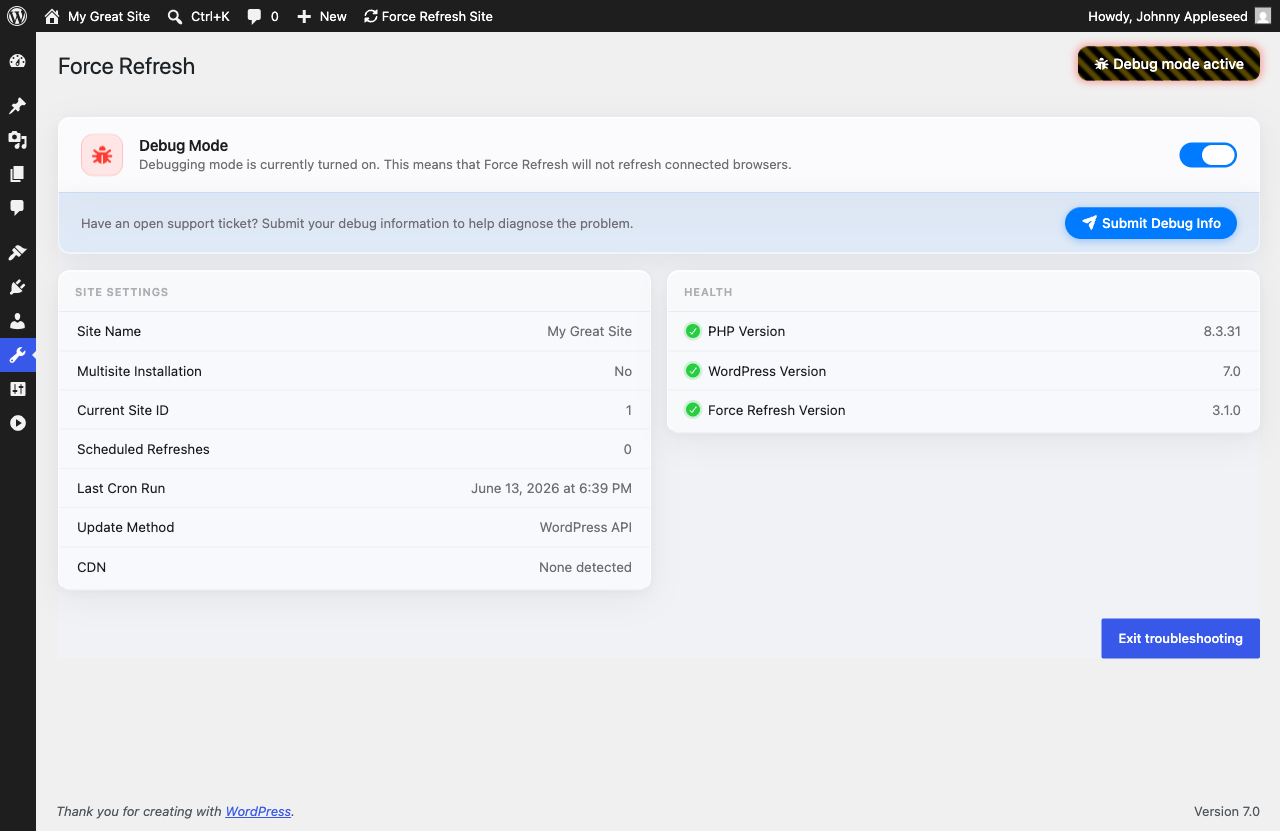
- Redesigned the troubleshooting section with a clearer layout for debug controls, site details, health checks, and added an easier way to submit debugging information when you need help.
Changes
- Performance enhancements and bug fixes.
2.17.0
Released on April 12, 2026
New Features
- Release notes are now grouped by minor version for easier browsing. You can also click any release to view the full details on the official GitHub repository.
Changes
- Resolves an issue where Force Refresh unnecessarily contained WordPress.org plugin marketing assets.
- Updated plugin status messaging in the admin interface to better highlight available updates, pre-release builds, and debugging mode.
- Performance enhancements and bug fixes.
2.16.2
Released on April 8, 2026
Changes
- Performance enhancements and bug fixes.
2.16.1
Released on March 10, 2026
Changes
- Performance enhancements and bug fixes.
2.16.0
Released on February 24, 2026
Changes
- Update minimum PHP version to 8.2.
2.15.0
Released on February 24, 2026
Changes
- Update minimum WordPress version to 6.3.
2.14.0
Released on November 29, 2025
New Features
- Add support for WordPress 6.9.
2.13.2
Released on August 29, 2025
Fixes
- Resolves an issue where Force Refresh could fail to activate on sites running PHP 8.2.
2.13.1
Released on August 9, 2025
Changes
- Performance enhancements and bug fixes.
2.13.0
Released on April 21, 2025
New Features
- Add support for WordPress 6.8.
2.12.1
Released on January 12, 2025
Changes
- Performance enhancements and bug fixes.
2.12.0
Released on October 28, 2024
New Features
- Add support for WordPress 6.7.
2.11.1
Released on September 15, 2024
Changes
- Performance enhancements and bug fixes.
2.11.0
Released on July 7, 2024
New Features
- Add support for WordPress 6.6.
2.10.2
Released on May 27, 2024
Changes
- Performance enhancements and bug fixes.
2.10.1
Released on March 24, 2024
Changes
- Performance enhancements and bug fixes.
2.10.0
Released on March 24, 2024
New Features
- Add support for WordPress 6.5.
Fixes
- Resolves an issue where missing build files showed an unclear activation error.
2.9.4
Released on February 10, 2024
Fixes
- Resolves an issue where icons could fail to load in the admin UI.
2.9.3
Released on December 9, 2023
Fixes
- Resolves an issue where the Release Notes modal did not load correctly.
2.9.2
Released on November 17, 2023
Fixes
- Resolves an issue where the admin bar confirmation message did not include the selected refresh interval.
- Resolves an issue where the refresh button label in the WordPress admin bar was incorrect.
- Resolves an issue where search results pages could refresh continuously.
- Resolves an issue where refreshing an individual page or post did not save correctly.
- Resolves an issue where Admin Bar refresh settings were not saved correctly in the plugin options.
2.9.1
Released on November 10, 2023
Fixes
- Resolves an issue where activating Force Refresh could cause a site to crash.
2.9.0
Released on November 10, 2023
New Features
- Add support for WordPress 6.4.
2.8.3
Released on September 9, 2023
Changes
- Performance enhancements and bug fixes.
2.8.2
Released on August 9, 2023
Fixes
- Resolves an issue where release notes could display duplicate periods.
- Resolves an issue where release notes could break on sites running PHP 7.4.
2.8.1
Released on August 5, 2023
Changes
- Performance enhancements and bug fixes.
2.8.0
Released on August 5, 2023
New Features
- Add support for leaving plugin reviews from the admin UI.
- Add support for custom refresh intervals between thirty seconds and four hours.
- Add support for viewing plugin release notes from within the admin UI.
Fixes
- Resolves an issue where dismissed admin notifications could block interaction with the rest of the admin interface.
- Resolves an issue where logo animations in the admin interface did not run with the intended timing.
2.7.0
Released on July 26, 2023
New Features
- Add support for WordPress 6.3.
2.6.1
Released on March 4, 2023
Changes
- Performance enhancements and bug fixes.
2.6.0
Released on June 11, 2022
New Features
- Add support for opening the troubleshooting page directly from the main admin screen.
Fixes
- Resolves an issue where the refresh instructions read awkwardly on sites without a configured site name.
2.5.2
Released on January 23, 2022
Fixes
- Resolves an issue where the production release workflow shipped the beta JavaScript bundle instead of the production build.
2.5.1
Released on January 23, 2022
New Features
- Add support for troubleshooting version checks that include development version strings.
- Update WordPress version requirements.
2.5.0
Released on January 8, 2022
New Features
- Add support for showing an admin notice when the installed plugin version is out of date.
2.4.0
Released on December 4, 2021
New Features
- Add support for debug logging during the refresh countdown when Debug Mode is enabled.
- Add support for a troubleshooting screen with debug information and a browser-console Debug Mode toggle.
Fixes
- Resolves an issue where the refresh flow could continue after an unsuccessful refresh request.
- Resolves an issue where refresh checks could fail for site visitors.
2.3.0
Released on March 7, 2021
Fixes
- Resolves an issue where the admin options UI did not show the default 120-second interval as selected.
- Resolves an issue where the admin bar button label incorrectly said “Force Refresh Sites.”
2.2.0
Released on November 29, 2020
New Features
- Add support for WordPress 5.5.3.
- Add support for a Vue-powered admin UI in place of the legacy Handlebars interface.
Fixes
- Resolves an issue where per-page refresh controls did not work correctly for posts whose slugs contained encoded characters.
2.1.6
Released on September 29, 2020
Fixes
- Resolves an issue where client refresh checks ignored the configured refresh interval.
2.1.5
Released on September 17, 2020
Fixes
- Resolves issues running Force Refresh on sites using PHP 7.2.
2.1.4
Released on September 16, 2020
Fixes
- Resolves an issue where pages without a stored refresh version could enter a refresh loop after activation.
- Resolves an issue where the admin panel did not display the default refresh interval as the selected option.
2.1.3
Released on September 16, 2020
Fixes
- Resolves an issue where users without the Force Refresh capability could still request refreshes.
2.1.2
Released on September 7, 2020
Changes
- Performance enhancements and bug fixes.
2.1.1
Released on September 7, 2020
Changes
- Performance enhancements and bug fixes.
2.1.0
Released on October 19, 2018
New Features
- Add support for requesting refreshes on custom post types.
2.0.0
Released on October 11, 2018
New Features
- Add support for HTML templating with LightnCandy.
1.1.2
Released on February 28, 2018
Changes
- Performance enhancements and bug fixes.
1.1.1
Released on February 28, 2018
Changes
- Performance enhancements and bug fixes.
1.0.0
Released on October 5, 2017
New Features
- Initial release.