
Descrição
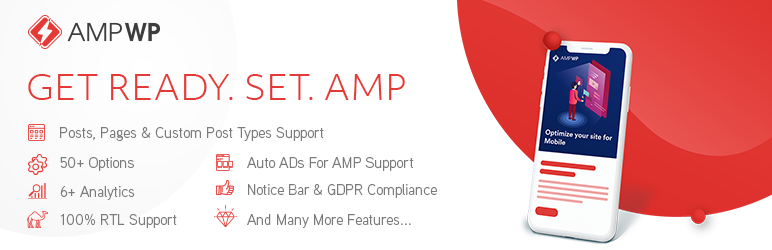
AMP WP is the most feature-rich, developer-friendly, and beginner-ready Google AMP plugin available for WordPress, completely free.
Originally built by Pixelative, a professional web development agency, AMP WP is now independently developed and maintained by Mohsin Rafique, the lead engineer behind the plugin since its inception. AMP WP has helped thousands of website owners dramatically improve mobile page speed, search rankings, and user experience.
Online Demo | CF7 Premium Extension | Support
Why AMP WP?
Google’s Accelerated Mobile Pages (AMP) technology delivers pages up to 5x faster on mobile devices. Faster pages mean lower bounce rates, higher engagement, and better rankings in Google Search. AMP WP makes enabling AMP on your WordPress site effortless, from a single settings panel with no theme modifications needed.
Free Features
Performance & Compatibility
* Full Google AMP specification compliance (100% valid AMP output)
* PHP 8.x compatible (tested through PHP 8.4)
* Compatible with all major caching plugins (WP Rocket, SG Optimizer, W3 Total Cache, and more)
* Compatible with Jetpack
* Compatible with Yoast SEO (100%)
* Compatible with “Automattic AMP” plugin
* Gutenberg block editor support
* RTL language support (100%)
* GDPR compliant
Content & Embeds
* Automatic AMP conversion for Posts, Pages, and Custom Post Types
* Embed Images, Videos, Audios, and iFrames: YouTube, Vimeo, Twitter, Facebook, SoundCloud, Instagram (Posts, Reels & TV)
* Lightbox for Images
* Slider Support
* Internal AMP Linking
* Native AMP Search
Design & Customization
* Two listing layouts: Classic View and List View
* Customizable color scheme
* Custom CSS options
* Sticky Header
* AMP WordPress Navigation Menu
* Custom AMP Front Page
* Social Icons
Control
* Show/Hide AMP for individual Posts, Pages, and Custom Post Types
* Show/Hide AMP for Taxonomies (Categories, Tags, Custom)
* Show/Hide AMP mobile redirections
* Show/Hide AMP on Search pages
* Show/Hide Date, Author, and Thumbnail across Archive, Single Post, Related Posts, and Slider
* Show/Hide Tags on Single Post pages
* Enable/Disable Structured Data (JSON-LD Schema)
Engagement & Analytics
* Related Posts (with thumbnail, date, and author controls)
* Recent Comments
* Notice Bar
* Sidebar
* Social Sharing Buttons
* OneSignal Push Notifications integration
* Third-party analytics support: Google Analytics, Facebook Pixel, Segment, Quantcast, Alexa Metrics, Chartbeat, comScore, Yandex Metrica, AFS Analytics, Adobe Analytics
Ads
* Google AdSense Auto Ads for AMP support
Multilingual
* Translation Panel included for overriding front-end labels without touching code
* Community translations via translate.wordpress.org — translate AMP WP into your language and approved packs are auto-delivered to every site via WordPress updates
* Ship your own .po/.mo files in wp-content/languages/plugins/ to override or supplement community translations
* RTL language support (100%)
Maintained by Mohsin Rafique
AMP WP was originally created by Pixelative, a full-service digital agency specializing in high-performance WordPress solutions, and remains under Pixelative’s ownership. The plugin is currently developed, updated, and supported independently by Mohsin Rafique, a seasoned WordPress engineer with deep expertise in AMP specification compliance, PHP performance, and modern web standards.
For support, custom AMP theme development, or white-label licensing, contact Mohsin Rafique at mohsinrafique.com or mohsin.rafique@gmail.com.
Credits
- WordPress Plugin Boilerplate Generator by Tom McFarlin, License: GPLv2
- normalize.css, License: MIT
- Karla by Jonathan Pinhorn, License: SIL OFL
- Noto Sans by Google, License: SIL OFL
- Overpass Mono by Delve Withrington, License: SIL OFL
- Font Awesome Free 6.7.2 by Fonticons, Inc., Font: SIL OFL 1.1 / Code: MIT
Minimum Requirements
- WordPress 5.0 or higher
- PHP 7.4 or higher
- MySQL 8.0+ or MariaDB 10.5+
Tip: Install Regenerate Thumbnails and regenerate your thumbnails after activation to ensure the post listing layout renders correctly.
Automatic Installation (Recommended)
- Log in to your WordPress admin panel.
- Navigate to Plugins -> Add New.
- Search for AMP WP.
- Click Install Now, then Activate.
- Go to AMP WP -> Customize AMP to configure your settings.
Manual Installation
- Download the plugin ZIP from the WordPress plugin repository.
- Extract the ZIP and upload the
amp-wpfolder to/wp-content/plugins/via FTP or your hosting file manager. - Activate the plugin from Plugins in your WordPress admin panel.
- Navigate to AMP WP -> Customize AMP to begin setup.
Developer Hooks
AMP WP exposes WordPress-standard actions and filters throughout its template system, URL generator, structured data engine, and admin panel. All hooks listed here are safe to use in a child theme’s functions.php or in a standalone plugin. No plugin file edits are needed.
Template Actions
These actions fire inside AMP WP’s own template system. They do not use wp_head or wp_footer. Output must be valid AMP markup.
amp_wp_template_head
Fires inside the AMP <head> element. Use for custom meta tags or other head markup. AMP WP reserves priority 0 for component scripts.
amp_wp_template_head_deferred
Fires in <head> after the AMP boilerplate styles have been written. Required injection point for <amp-auto-ads> and any snippet that must follow the boilerplate. AMP WP’s own styles and scripts output here.
amp_wp_template_body_start
Fires immediately after the opening <body> tag.
amp_wp_body_beginning
Fires at the start of visible body content, before the site header renders.
amp_wp_post_content_below
Fires directly below the post content on single post pages.
amp_wp_template_footer
Fires before the closing </body> tag. Priority 999 is reserved for AMP WP’s output sanitizer.
amp_wp_template_enqueue_scripts
Use to register additional AMP component scripts. Call amp_wp_enqueue_script( $handle, $src ) inside your callback.
amp_wp_after_comment_list
Fires after the comment list on single post pages.
amp_wp_notifications_bar
Fires inside the notification/notice bar template slot.
amp_wp_gdpr_compliance
Fires inside the GDPR banner template slot.
Analytics Actions
These actions fire in the AMP page footer. Each corresponds to one analytics provider already supported by AMP WP. Hook into any of them to append a custom <amp-analytics> block for a provider not yet built in, or to modify the existing output before it renders.
amp_wp_analytics_ga(Google Analytics)amp_wp_analytics_fbp(Facebook Pixel)amp_wp_analytics_sa(Simple Analytics)amp_wp_analytics_qc(Quantcast)amp_wp_analytics_acm(Adobe Campaign Manager)amp_wp_analytics_cb(Chartbeat)amp_wp_analytics_comscore(comScore)amp_wp_analytics_yandex_metrica(Yandex Metrica)amp_wp_analytics_afs(AFS Analytics)amp_wp_analytics_adobe(Adobe Analytics)
AMP Version Control Filters
amp_wp_amp_version_exists
Control whether an AMP version is served for the current request. Return false to disable AMP for that page.
Parameter: (bool) $exists
add_filter( 'amp_wp_amp_version_exists', '__return_false' );
amp_wp_template_auto_redirect
Enable automatic redirection of all visitors from the non-AMP URL to the AMP URL. Default false.
Parameter: (bool) $redirect
amp_wp_filter_config_list
Extend the list of post types, taxonomies, and conditions where AMP is disabled site-wide.
Parameter: (array) $filters
URL and Permalink Filters
amp_wp_pre_get_permalink
Short-circuit AMP permalink generation. Return any non-false value to bypass the core URL builder.
Parameters: (mixed) $pre (default false), (int) $post_id
amp_wp_get_permalink
Filter the final AMP URL after it has been built.
Parameters: (string) $amp_url, (int) $post_id
amp_wp_url_format_filter
Change the AMP URL format. Accepted values: start-point (prefix, e.g. /amp/slug) or end-point (suffix, e.g. /slug/amp).
Parameter: (string) $format
amp_wp_url_excluded
Add URL paths that must never serve an AMP version.
Parameter: (array) $excluded_urls
amp_wp_transformer_exclude_subdir
Add path segments that the AMP URL transformer should skip when rewriting internal links. Used internally by AMP WP for WPML and Polylang language prefixes.
Parameter: (array) $exclude_dirs
Structured Data Filters (JSON-LD)
All JSON-LD filters are active only when “Enable Structured Data on Site” is on in AMP WP Settings. The three schema-data filters carry a trailing underscore. This is generated internally via sprintf( 'amp_wp_json_ld_%s_', $type ) and the underscore must be part of the hook name you register.
amp_wp_json_ld_config
Filters the generator configuration before any schema is built.
Parameter: (array) $config with keys:
* active (bool): set false to disable the entire JSON-LD generator for the current request.
* logo (string): Organization logo URL. When non-empty, an Organization block is emitted on every page and all Article-type schemas reference it by @id.
* posts_type (string): Fallback schema type when schema_type_for_post is empty. Default BlogPosting.
* media_field_id (string): Post meta key for audio/video URL in format posts. Default _featured_embed_code.
AMP WP core attaches at priority 15 to inject the branding logo. Use priority 20 or higher to override it.
add_filter( 'amp_wp_json_ld_config', function( $config ) { ... }, 20 );
amp_wp_json_ld_organization_
Filters the Organization schema array before output. Fires only when a logo is configured. Return false or an empty array to suppress the block.
Parameter: (array) $data
add_filter( 'amp_wp_json_ld_organization_', function( $data ) { ... } );
amp_wp_json_ld_website_
Filters the WebSite schema array before output. Fires only on the homepage and front page.
Parameter: (array) $data
add_filter( 'amp_wp_json_ld_website_', function( $data ) { ... } );
amp_wp_json_ld_single_
Filters the singular-content schema array before output. Fires on all singular pages: standard posts (Article, NewsArticle, BlogPosting), static pages (WebPage), WooCommerce products (Product), post format overrides (AudioObject, VideoObject, ImageObject), and custom post types.
Parameter: (array) $data
add_filter( 'amp_wp_json_ld_single_', function( $data ) { ... } );
Content and Theme Filters
amp_wp_template_page_on_front
Specify the page ID to use as the AMP front page when a static homepage is configured.
Parameter: (int) $page_id, default 0.
amp_wp_template_show_on_front
Control what displays on the AMP homepage. Accepted values: posts or page.
Parameter: (string) $show_on_front
amp_wp_template_active_template
Override the active template metadata array.
Parameter: (array) $template_info
amp_wp_template_set_menu_walker
Enable or disable the custom sidebar menu walker for a specific nav menu location.
Parameters: (bool) $use_walker, (array) $args
amp-wp-template-default-theme-mod
Set default values for AMP WP Customizer options.
Parameters: (mixed) $default_value, (string) $option_key
amp_wp_home_featured
Customize the WP_Query arguments used to fetch posts for the homepage featured slider.
Parameter: (array) $query_args
amp_wp_get_template
Override the file path used to locate a template part.
Parameters: (string) $located, (string) $file, (array) $args, (string) $template_path, (string) $default_path
amp_wp_html_dom_filter_attributes
Filter an HTML element’s attributes during the DOM processing pipeline.
Parameters: (array) $attributes, (string) $tag_name, (array) $valid_attributes
amp_wp_style_files_{$file}
Filter CSS file content before it is added to the inline <style amp-custom> block. {$file} is the stylesheet handle.
Parameter: (string) $css
amp_wp_social_share_cache_time
Set the cache duration in seconds for social share counts. Default 7200 (120 minutes).
Parameters: (int) $seconds, (int) $post_id
amp_wp_social_share_count
Filter social share count results after they are fetched.
Parameter: (array) $results
amp_wp_gdpr_country_list
Customize the list of countries considered GDPR-compliant.
Parameter: (array) $countries
amp_wp_translation_std
Provide or override fallback translation strings.
Parameter: (array) $translations
Admin and Settings Hooks
amp_wp_settings_tab_menus (filter)
Add a custom tab to the AMP WP settings panel. Key is the tab slug, value is the tab label HTML.
Parameter: (array) $tabs
add_filter( 'amp_wp_settings_tab_menus', function( $tabs ) { $tabs['my-tab'] = '<span>My Tab</span>'; return $tabs; } );
amp_wp_settings_tab_section (action)
Render the HTML content for your custom settings tab. Check $_GET['tab'] to target a specific tab.
amp_wp_save_setting_sections (action)
Fires when the settings form is submitted. Hook here to read and save data for a custom tab.
amp_wp_save_setting_notice (filter)
Customize the “Settings saved.” notice text.
Parameter: (string) $notice_text
amp_wp_welcome_tab_menus (filter)
Add a custom tab to the AMP WP welcome/dashboard page.
Parameter: (array) $tabs
amp_wp_welcome_tab_section (action)
Render HTML content for a custom welcome page tab.
amp_wp_default_configurations (action)
Fires on plugin activation. Hook here to set default options for add-on plugins.
Roadmap
Theme Compatibility
Bundled style overrides for popular WordPress themes so AMP pages look correct out of the box – no child theme or custom CSS required. Planned themes:
- flavor starter template flavor starter template flavor starter template flavor starter template
- flavor starter template
- flavor starter template flavor starter template
- flavor starter template flavor starter template flavor starter template
Each theme gets a dedicated CSS file inside theme-compat/ that loads automatically when the theme is active on AMP pages.
Capturas de tela


Perguntas frequentes
What is the URL structure for AMP pages?
AMP WP supports two URL formats:
- Prefix format:
https://yoursite.com/amp/page-name - Suffix format:
https://yoursite.com/page-name/amp
You can choose your preferred format from AMP WP -> Settings -> General.
- Prefix format:
How do I add analytics tracking?
Go to AMP WP -> Settings -> Analytics in your WordPress admin dashboard. AMP WP supports Google Analytics, Facebook Pixel, Segment, Quantcast, Alexa Metrics, Chartbeat, comScore, Yandex Metrica, AFS Analytics, and Adobe Analytics.
The post listing layout looks broken: how do I fix it?
This is usually caused by inconsistent thumbnail sizes. Install and run Regenerate Thumbnails to normalize all image sizes.
Does AMP WP support Instagram Reels and TV posts?
Yes. Since version 1.6.0, AMP WP supports Instagram
/p/,/reel/, and/tv/post types natively viaamp-instagram.What prebuilt listing layouts are available?
Two layouts are included: Classic View and List View. Switch between them from AMP WP -> Options Panel.
How do I inject custom HTML (e.g., ad codes, analytics snippets)?
Go to Dashboard -> AMP WP -> Customize AMP. You can inject valid AMP snippets: * Between
<head></head>tags * Right after the<body>opening tag * Right before the</body>closing tagOnly valid, AMP-compatible code will function on AMP pages.
How do I enable AdSense Auto Ads for AMP?
Recommended path (AMP WP 1.7.7 and later):
- Open Dashboard -> AMP WP -> Settings -> General.
- Scroll to the Google Auto Ads section.
- Tick the Enable Google Auto Ads checkbox and click Save Changes.
When the toggle is on, AMP WP automatically takes care of both halves that AdSense Auto Ads needs on every AMP page:
- The
amp-auto-adsruntime loader (<script async custom-element="amp-auto-ads" src="https://cdn.ampproject.org/v0/amp-auto-ads-0.1.js"></script>) is injected inside<head>via the canonical AMP component pipeline. - The matching
<amp-auto-ads type="adsense" data-ad-client="ca-pub-XXXXXXXXXXXXXXXX">element is emitted right after<body>so the AMP validator sees the extension as “used” and AdSense can place anchor, vignette, and in-page ads.
Where does the publisher ID come from?
- With Google Site Kit installed and AdSense connected: the publisher ID is read automatically from Site Kit’s stored AdSense module setting (no extra typing needed).
Without Site Kit: supply your
ca-pub-...value via theamp_wp_adsense_publisher_idfilter. Drop this into your theme’sfunctions.phpor a small mu-plugin:add_filter( ‘amp_wp_adsense_publisher_id’, function() { return ‘ca-pub-XXXXXXXXXXXXXXXX’; } );
The filter accepts any of the three plausible input shapes –
ca-pub-XXXX,pub-XXXX, or the bare numeric ID – and AMP WP normalises the value before output. If no publisher ID is resolvable, AMP WP silently skips the body-side element so the page stays validator-clean.Manual fallback (non-AdSense ad networks, custom snippets):
Navigate to Dashboard -> AMP WP -> Customize AMP. Paste the runtime loader script in the “Codes between
<head>and</head>tags” field, and your<amp-auto-ads>(or other AMP-valid ad markup) in the “Codes right after<body>tag” field. When you later enable the native Google Auto Ads toggle, AMP WP auto-cleans any manually-pastedamp-auto-adsloader from the head-code field and surfaces a one-shot admin notice confirming the cleanup, so the native injection path remains the single source of truth.How do I enable or disable AMP for a specific post?
Edit the post in WordPress, scroll to the AMP WP meta box in the sidebar, and toggle the AMP option on or off for that individual post.
How do I report a bug or request a feature?
Please email
mohsin.rafique@gmail.comor open a thread on the WordPress support forum.
Avaliações


Colaboradores e desenvolvedores
“AMP WP – Google AMP For WordPress” é um programa de código aberto. As seguintes pessoas contribuíram para este plugin.
Colaboradores

Traduzir o “AMP WP – Google AMP For WordPress” para seu idioma.
Interessado no desenvolvimento?
Navegue pelo código, consulte o repositório SVN ou assine o registro de desenvolvimento por RSS.
Registro de alterações
1.8.3 – 2026-06-15
Fixed
* Fix: JSON-LD structured data now uses canonical (non-AMP) URLs for mainEntityOfPage, NewsArticle url, and author url instead of the AMP endpoint URLs that Google Search Console flagged as mismatched.
* Fix: JSON-LD description no longer concatenates words when HTML tags are stripped (e.g. “thatpeople” is now “that people”).
* Fix: Author object in JSON-LD now includes the url property pointing to the author archive page, satisfying Google’s structured data recommendation.
* Fix: SearchAction urlTemplate in WebSite and WebPage schemas now uses the correct home_url('/?s={search_term_string}') format instead of the malformed double-path get_search_link() . '?s=...'.
* Fix: Sanitizer now preserves amp-bind bracket attributes ([src], [hidden], [class], [text], etc.) on elements with tag rules, preventing them from being stripped during STEP 8 attribute filtering.
* Fix: Added amp-state to the allowed protocol list for amp-list src, so src="amp-state:..." no longer triggers element removal.
* Fix: Added hidden to the general attributes whitelist so the HTML5 hidden attribute is preserved on all elements during sanitization.
* Fix: Social share links multi-select in Layout settings was double-escaping the selected attribute via esc_attr(), potentially preventing saved selections from being restored. Same bug fixed in General settings post types and taxonomies multi-selects.
* Fix: submit_button() text argument was wrapped in esc_html__() across all settings tabs, causing double-escaping since submit_button() escapes internally. Replaced with __().
* Fix: 11 missing translation defaults for comment-related keys in amp_wp_translation_stds(), causing empty strings on the front-end when the Translation settings page was never saved.
* Fix: Translation settings page was missing the sidebar header field and the WooCommerce translation section (now shown only when AMP WP WooCommerce is active).
* Fix: Customizer class _x() call had the textdomain in the context parameter slot, resulting in an untranslated string.
* Fix: Textarea fields for exclude URLs in General settings and GDPR consent message used wp_kses_post() instead of esc_textarea() inside <textarea> elements.
* Fix: Theme name label in General settings used esc_attr() instead of esc_html() for text content inside a <label>.
Improvements
* CSS: Settings page header/footer bars now align with the sidebar menu item height (flexbox layout, matched padding, corrected button line-height).
Refactored
* Full WPCS/Intelephense cleanup of all 8 Settings admin templates (General, Layout, Social Links, Analytics, Translation, Notice Bar, GDPR, Third-Party Plugins, Premium Extensions): file docblocks moved before ABSPATH guards, defensive isset() defaults for all template variables, loose comparisons on toggle switches replaced with ! empty(), manual selected="selected" ternaries replaced with WordPress selected() helper, consistent esc_attr()/esc_html()/esc_textarea() usage.
* Full WPCS cleanup of sanitizer-rules.php, tags-list.php, and class-amp-wp-content-sanitizer.php (82 errors + 25 warnings to 0/0). Added file-level docblocks, backfilled all @param/@return annotations, strict comparisons, strict in_array, refactored assignment-in-condition patterns, renamed underscore-prefixed private methods, replaced mt_rand with wp_rand.
* WPCS cleanup of 6 Customizer control classes: file docblocks, PHPDoc annotations, hardcoded version strings replaced with AMP_WP_VERSION.
* Replaced urlencode() with rawurlencode() in the Customizer class.
* Renamed AMPWP_WOOCOMMERCE_VERSION constant to AMP_WP_WOOCOMMERCE_VERSION in the WooCommerce add-on for naming consistency with the plugin family.
1.8.2 – 2026-06-12
Security
* Security: Added current_user_can( 'manage_options' ) capability check to the settings save dispatcher. Previously only nonce verification protected the save path.
* Security: All settings values saved via filter_input_array( INPUT_POST ) are now sanitized through wp_kses_post() before storage across all 9 settings classes (General, Layout, Social Links, Analytics, Translation, Notice Bar, GDPR, Structured Data, Third-Party Plugins). Safe HTML (links, bold, emphasis) used in GDPR consent text and copyright fields is preserved; dangerous HTML (script, iframe, event handlers) is stripped. Previously raw POST values were stored directly.
* Security: Fixed missing sanitize_text_field on the Google Analytics tracking ID before storage.
* Security: Sanitized the AMP-Redirect-To response header in the consent submission AJAX handler with esc_url_raw() to prevent header injection via a crafted Referer.
* Security: Added AMP CORS origin validation to the amp_consent_submission AJAX handler. The handler now verifies the Origin / AMP-Same-Origin header and __amp_source_origin parameter before responding, preventing cross-origin request forgery. Also adds the required Access-Control-Expose-Headers response header per the AMP CORS spec.
* Security: Escaped OneSignal subscribe/unsubscribe button labels with esc_html(). The translation strings were echoed without escaping inside <button> elements on the public frontend.
* Security: Sanitized direct $_GET and $_COOKIE access in the mobile auto-redirect skip logic with sanitize_text_field( wp_unslash() ).
* Security: Added if ( ! defined( 'ABSPATH' ) ) exit; direct-access guard to all PHP files that were missing it (admin partials, public templates, class files, function files, index files).
* Security: Switched social share count API calls from HTTP to HTTPS (Facebook, Pinterest, Reddit). Removed deprecated Twitter/newsharecounts and StumbleUpon endpoints. Removed sslverify => false from remote request args. Added esc_url_raw() on the URL parameter and (int) cast on returned counts.
Fixed
* Fix: System Status GET connectivity check was incorrectly evaluating $post_response instead of $get_response, causing the GET test to always mirror the POST result.
* Fix: the content sanitizer stripped the AMP global attributes placeholder, fallback, and overflow from regular elements, turning amp-list / amp-iframe loading placeholders and error fallbacks into permanently visible static content (e.g. the WooCommerce AMP cart showed “Unable to load your cart” even after the cart loaded — see the amp-wp-woocommerce changelog). These attributes are now whitelisted alongside submit-success / submit-error.
* Fix: the amp-list sanitizer rule predated several spec attributes and stripped them; items, single-item, max-items, binding, reset-on-refresh, and xssi-prefix are now allowed. Stripping items silently forced every amp-list onto the default items JSON key, breaking any list bound to a different key (e.g. the cart totals list reading items="totals").
* Fix: the content sanitizer removed the JSON payload (<script type="application/json">) inside <amp-state> elements – its script-removal pass only kept JSON scripts whose parent is amp-analytics, amp-geo, or amp-consent. Every amp-state therefore rendered empty, and any amp-bind interaction reading that state silently broke (e.g. the WooCommerce variable-product add-to-cart on AMP single pages – see the amp-wp-woocommerce changelog). amp-state is now included in the allowed-parent list for JSON scripts.
1.8.1 – 2026-06-10
Features
* i18n: Community-driven translations are now documented and supported via translate.wordpress.org, local .po/.mo files, and the built-in Translation Panel. Updated the .pot file and added contributor instructions in the readme.
Improvements
* Compat: Added two compatibility action hooks inherited from other AMP plugins (ampforwp_after_header in the header template and amp_post_template_css in the custom-styles buffer). These are not part of the AMP WP public API; they allow third-party plugins that target the AMPforWP hook surface to inject content and CSS on AMP WP pages without forking core.
* The plugin update notice on the Plugins page is now a branded, visually distinct card with a version badge, checkmark bullet list, and clear layout.
Fixed
* Fix: System Status “Get System Report” button produced an empty textarea. Rewrote the report generation: the plain-text report is now built server-side in PHP and passed to the frontend as a JS variable, replacing the fragile client-side jQuery DOM-parsing logic that scraped table cells. Also added tiptip-jquery-plugin as a script dependency and guarded both tipTip() calls with $.fn.tipTip checks so tooltip failure can never block other admin functionality.
1.8.0 – 2026-05-30
Features
* New “Hide Title in Single” toggle in Settings > Layout > Single Post Page. When enabled, the post title (the H1 heading) is hidden on AMP single-post pages – handy when a long title takes up too much space on mobile. Off by default, so existing sites are unaffected; the title still appears in the browser tab and in JSON-LD structured data, so SEO is not impacted.
Fixed
* AMP-Validity: Added a CSS value sanitizer that rounds decimal rgb()/rgba() values to integers and strips attr() / type() (CSS Level 5) declarations. Resolves the “CSS syntax error in tag style amp-custom” validation error caused by WordPress 7.0 view-transitions CSS and Dart Sass compiled stylesheets.
Improvements
* Docs: Split the changelog so the readme stays within the WordPress.org 5,000-word limit. Recent releases remain here; the complete history now lives in changelog.txt (WordPress.org archive) and the GitHub Markdown mirror CHANGELOG.md. Changelog entries are standardised into the section order Features, Security, Fixed, Improvements, WordPress Compatibility (Compat), Refactored.
Refactored
* WPCS cleanup of class-amp-wp-layout.php: added the missing class docblock and terminated four section-marker comments. No behaviour change.
* WPCS cleanup of the Layout settings admin view (amp-wp-admin-layout.php): added the missing blank line after the file docblock, supplied the amp-wp text domain on two untranslated option labels, and switched loose comparisons to strict – select dropdowns now use === against their string values while on/off toggles use ! empty() (avoids the int-vs-string trap where a saved 1 would not match '1' under ===). No behaviour change.
* WPCS cleanup of the General settings admin view (amp-wp-admin-general.php): switched the two AMP URL Format dropdown comparisons (start-point / end-point) to strict ===, and defaulted the variables the view receives from its controller (null-coalescing to the controller’s own defaults) so the template also resolves cleanly under static analysis. No behaviour change.
* WPCS cleanup of five Settings tab classes (general, premium-extensions, social-links, structured-data, third-party-plugins-support): added missing file/class docblocks, moved the ABSPATH guard below the file docblock where it had been inlined on the opening tag, and terminated inline/param comments. No behaviour change.
* WPCS cleanup of the Translation settings class (class-amp-wp-translation.php): same docblock/guard/comment fixes, plus added the required translators: comments for the placeholder strings “Reply To %s” and “Page %1$s of %2$s” so the placeholders are documented for translators. No behaviour change.
* WPCS cleanup of the Analytics settings class (class-amp-wp-analytics.php): added the missing class docblock. No behaviour change.
* Docs: fixed malformed @param PHPDoc blocks on the amp_wp_settings_tab_menus (class-amp-wp-settings.php) and amp_wp_welcome_tab_menus (class-amp-wp-welcome.php) filters (invalid array (){ hash notation that broke static analysis) and corrected an @Since tag typo. No behaviour change.
* Removed: deleted the orphaned, never-loaded duplicate class file class-amp-wp-system-status-override-function.php (it redeclared the active Amp_WP_System_Status class and still carried old WooCommerce-coupled code). Also finished WPCS cleanup of the active class-amp-wp-system-status.php: added the class docblock, reworded a comment, and dropped an unnecessary @ error-suppression on ini_get(). No behaviour change.
* WPCS cleanup of the Help admin class (class-amp-wp-help.php): added the missing class docblock and reworded a comment flagged as commented-out code. No behaviour change.
* WPCS cleanup of three Welcome-page tab classes (class-amp-wp-credits.php, class-amp-wp-features.php, class-amp-wp-getting-started.php): added the missing class docblock to each. No behaviour change.
1.7.11 – 2026-05-25
Fixed
* AMP-Validity: Three-layer defense for the @view-transition validation error on WordPress 7.0 sites with View Transitions enabled, covering head <style> extraction plus input-layer and output-layer stripping.
1.7.10 – 2026-05-25
Fixed
* AMP-Validity: Strip CSS at-rules not allowed in <style amp-custom> (@view-transition, @import, @charset, @namespace, @layer), including when nested inside @media or @supports. Resolves the @view-transition error added by WordPress 7.0 global styles.
* Resolved six IDE diagnostics in the theme-functions library (split a void/echo helper, fixed an invalid component-method call, corrected several void-return assignments). No behaviour change.
Refactored
* WPCS cleanup of the core, formatting, utility, and ad function files. No behaviour change.
1.7.9 – 2026-05-21
Fixed
* Amp_WP_Html_Util::set_outer_HTML() now replaces the target element in place instead of wiping surrounding markup. Fixes SoundCloud iframe embeds destroying sibling elements.
WordPress Compatibility (Compat)
* Verified and declared WordPress 7.0 compatibility. Tested up to WordPress 7.0.
Refactored
* PHPCS cleanup of the image, Instagram, Playbuzz, iframe, and carousel components plus the theme-functions library. No behaviour change.
1.7.8 – 2026-05-14
Features
* AdSense Auto Ads: AMP WP now emits the <amp-auto-ads type="adsense"> body element automatically when “Google Auto Ads” is enabled, completing turnkey Auto Ads support. The publisher ID is auto-resolved from Google Site Kit, or supplied via the new amp_wp_adsense_publisher_id filter. New public functions amp_wp_get_adsense_publisher_id() and amp_wp_render_auto_ads_element().
Fixed
* AMP-Validity: Closes the “extension amp-auto-ads is unused” validator error on sites running Google Site Kit.
1.7.7 – 2026-05-14
Features
* New native “Google Auto Ads” toggle on Settings > General. Enabling it enqueues the amp-auto-ads runtime loader via the canonical AMP component pipeline, so the script no longer needs to be pasted into the Customizer head-code field. Any manually pasted loader is auto-cleaned on save.
Fixed
* AMP-Validity: The GDPR consent banner’s EU country list inside <amp-geo> was emitted as a corrupted HTML-encoded string, causing the AMP runtime to reject the config and silently disable the geo-gated banner. It is now emitted as valid JSON.
Refactored
* WPCS sweep of the Tez theme directory (37 files, 49 errors and 31 warnings down to zero) and removal of a dormant placement-manager file from core. No behaviour change.
1.7.6 – 2026-05-12
Features
* New “Premium Extensions” tab (hidden until at least one AMP WP family add-on is active) as a central home for add-on settings.
* New public APIs amp_wp_register_premium_extension() and amp_wp_register_template_path() so family add-ons can self-register and ship their own AMP templates.
* New extension hook amp_wp_layout_setting_after_show_comments for add-ons to extend the comment settings block.
Security
* Comprehensive WPCS security sweep across the whole plugin: output escaping on every flagged echo/printf, guarded and sanitized superglobal reads, and modern phpcs:ignore annotations. The escaping, nonce, and sanitize sniffs now report zero errors (down from 311). No behaviour change.
Fixed
* /favicon.ico and other root-level static-file requests on mobile no longer redirect to /<file>/amp and 404.
* Search-engine crawlers are no longer caught by the mobile auto-redirect to AMP, fixing “Redirect error” rows in Google Search Console.
* Pagination on AMP archives now works for every URL shape (e.g. /shop/amp/page/2/).
* The Premium Extensions tab icon now renders (was an empty glyph).
Improvements
* Inline help text added across the Structured Data, GDPR, Notice Bar, Layout, General, and 3rd Party Plugins (OneSignal) settings tabs.
1.7.5 – 2026-05-07
Fixed
* Mobile browsers no longer get stuck in a “too many redirects” loop on AMP URLs after AMP-exclusion settings change. Plugin redirects now use 302 plus no-cache headers, with a one-shot Clear-Site-Data to recover clients holding a stale 301.
* amp-state elements are no longer stripped when the AMP WP Comments add-on is active.
* Per-comment Reply links now appear on threaded AMP comment lists (WordPress 6.8), with the correct “Reply” label.
* AFS Analytics configuration JSON was malformed and silently disabled analytics; now fixed.
Improvements
* WPCS compliance for the redirect-router and public classes; same-origin redirects switched to wp_safe_redirect(). No public-API change.
* New tools/test-redirects.sh curl smoke harness for verifying redirect behaviour before release.
1.7.4 – 2026-05-01
Fixed
* The header and sidebar logo was silently stripped on every AMP page since v1.7.2 (a PHPCS escaping pass removed <amp-img> / <amp-anim>). A dedicated sanitizer now preserves the logo markup.
* Notice Bar and GDPR Compliance no longer fail to appear due to an integer-vs-string comparison; several related Notice Bar and GDPR save/validation bugs also fixed.
Improvements
* The AMP WP editor meta box rebuilt with a professional toggle-switch UI, pinned to the top of the sidebar.
1.7.3 – 2026-04-30
Fixed
* Yoast SEO (v14+): meta description, Open Graph, and Twitter Card tags were silently missing on AMP pages; duplicate title/robots tags and a 300-second front-page timeout also resolved.
* All In One SEO Pack (v4+): missing meta/OG/Twitter tags and homepage title sync fixed.
* WP-Optimize and WP Fastest Cache: HTML/CSS minification and related features that ran unchecked on AMP pages are now correctly disabled.
* OneSignal Web Push: the subscribe widget was never rendered on AMP pages; now fixed.
* wpForo 3.x: AMP pages were incorrectly served on forum URLs; detection now uses WPFORO_VERSION.
* JSON-LD structured data: schema type validated against an allow-list, ISO 8601 dates, integer interaction counts, and a guaranteed image fallback.
Improvements
* Removed dead compatibility blocks for Multi Rating and verified Snip Rich Snippets compatibility.
1.7.2 – 2026-04-26
Fixed
* Google Analytics: GA4 (G-XXXXXXXX) IDs now use the correct amp-analytics tag, fixing the post-migration console warning.
* JSON-LD: 11 Schema.org / Google Rich Results compliance issues resolved.
* AdSense Auto Ads: corrected head-injection order so Auto Ads fire correctly.
Improvements
* Upgraded Font Awesome from 4.7.0 to 6.7.2, eliminating console font warnings; existing icon classes are unchanged.
* WPCS compliance in the template-functions and HTML-util files. No behaviour change.
1.7.1 – 2026-04-26
Fixed
* Admin Select2 CSS now scoped to AMP WP, preventing conflicts with ACF and other Select2-shipping plugins.
* The “Add Comment” button is no longer hidden on posts with zero comments.
* WP Rocket redirect loop on AMP-excluded URLs resolved; excluded URLs are pushed into WP Rocket’s bypass list.
* Polylang subdirectory language URLs (e.g. /uk/category/post/amp/) no longer 404.
* Fixed an “Undefined array key” nonce warning in the settings save handler.
Improvements
* Add-ons tab card layout refined; plugin-compatibility class docblocks rewritten.
* Removed compatibility for the closed WP Speed Grades Lite plugin.
1.7.0 – 2026-04-23
Features
* Add-ons tab now shows installed vs latest version for each premium add-on, with context-aware Download/Update buttons. Latest versions are fetched from a public GitHub repo and cached for 12 hours; ?amp_refresh_versions=1 forces a refresh.
* Full Help & Documentation page replacing the placeholder.
Fixed
* Activation redirect switched to wp_safe_redirect() plus exit.
* amp_wp_version_check_using_wpapi() guarded against duplicate inclusion.
* Fixed an undefined $page warning in the admin header.
For the complete version history (1.6.0 and all earlier releases, in full detail), see the changelog.txt file included with the plugin.