
Descrição
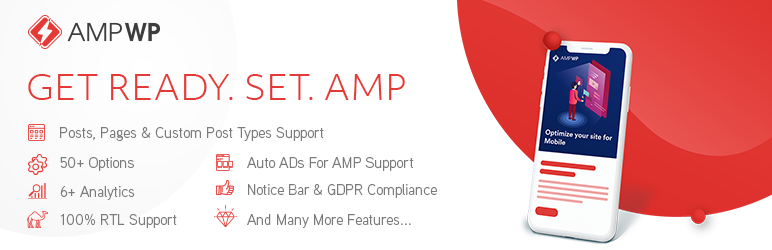
AMP WP is the most feature-rich, developer-friendly, and beginner-ready Google AMP plugin available for WordPress, completely free.
Originally built by Pixelative, a professional web development agency, AMP WP is now independently developed and maintained by Mohsin Rafique, the lead engineer behind the plugin since its inception. AMP WP has helped thousands of website owners dramatically improve mobile page speed, search rankings, and user experience.
Online Demo | CF7 Premium Extension | Support
Why AMP WP?
Google’s Accelerated Mobile Pages (AMP) technology delivers pages up to 5x faster on mobile devices. Faster pages mean lower bounce rates, higher engagement, and better rankings in Google Search. AMP WP makes enabling AMP on your WordPress site effortless, from a single settings panel with no theme modifications needed.
Free Features
Performance & Compatibility
* Full Google AMP specification compliance (100% valid AMP output)
* PHP 8.x compatible (tested through PHP 8.4)
* Compatible with all major caching plugins (WP Rocket, SG Optimizer, W3 Total Cache, and more)
* Compatible with Jetpack
* Compatible with Yoast SEO (100%)
* Compatible with “Automattic AMP” plugin
* Gutenberg block editor support
* RTL language support (100%)
* GDPR compliant
Content & Embeds
* Automatic AMP conversion for Posts, Pages, and Custom Post Types
* Embed Images, Videos, Audios, and iFrames: YouTube, Vimeo, Twitter, Facebook, SoundCloud, Instagram (Posts, Reels & TV)
* Lightbox for Images
* Slider Support
* Internal AMP Linking
* Native AMP Search
Design & Customization
* Two listing layouts: Classic View and List View
* Customizable color scheme
* Custom CSS options
* Sticky Header
* AMP WordPress Navigation Menu
* Custom AMP Front Page
* Social Icons
Control
* Show/Hide AMP for individual Posts, Pages, and Custom Post Types
* Show/Hide AMP for Taxonomies (Categories, Tags, Custom)
* Show/Hide AMP mobile redirections
* Show/Hide AMP on Search pages
* Show/Hide Date, Author, and Thumbnail across Archive, Single Post, Related Posts, and Slider
* Show/Hide Tags on Single Post pages
* Enable/Disable Structured Data (JSON-LD Schema)
Engagement & Analytics
* Related Posts (with thumbnail, date, and author controls)
* Recent Comments
* Notice Bar
* Sidebar
* Social Sharing Buttons
* OneSignal Push Notifications integration
* Third-party analytics support: Google Analytics, Facebook Pixel, Segment, Quantcast, Alexa Metrics, Chartbeat, comScore, Yandex Metrica, AFS Analytics, Adobe Analytics
Ads
* Google AdSense Auto Ads for AMP support
Multilingual
* Translation Panel included
* Contact us at mohsin.rafique@gmail.com to contribute translations
Maintained by Mohsin Rafique
AMP WP was originally created by Pixelative, a full-service digital agency specializing in high-performance WordPress solutions, and remains under Pixelative’s ownership. The plugin is currently developed, updated, and supported independently by Mohsin Rafique, a seasoned WordPress engineer with deep expertise in AMP specification compliance, PHP performance, and modern web standards.
For support, custom AMP theme development, or white-label licensing, contact Mohsin Rafique at mohsinrafique.com or mohsin.rafique@gmail.com.
Credits
- WordPress Plugin Boilerplate Generator by Tom McFarlin, License: GPLv2
- normalize.css, License: MIT
- Karla by Jonathan Pinhorn, License: SIL OFL
- Noto Sans by Google, License: SIL OFL
- Overpass Mono by Delve Withrington, License: SIL OFL
- Font Awesome Free 6.7.2 by Fonticons, Inc., Font: SIL OFL 1.1 / Code: MIT
Minimum Requirements
- WordPress 5.0 or higher
- PHP 7.4 or higher
- MySQL 8.0+ or MariaDB 10.5+
Tip: Install Regenerate Thumbnails and regenerate your thumbnails after activation to ensure the post listing layout renders correctly.
Automatic Installation (Recommended)
- Log in to your WordPress admin panel.
- Navigate to Plugins Add New.
- Search for AMP WP.
- Click Install Now, then Activate.
- Go to AMP WP Customize AMP to configure your settings.
Manual Installation
- Download the plugin ZIP from the WordPress plugin repository.
- Extract the ZIP and upload the
amp-wpfolder to/wp-content/plugins/via FTP or your hosting file manager. - Activate the plugin from Plugins in your WordPress admin panel.
- Navigate to AMP WP Customize AMP to begin setup.
Developer Hooks
AMP WP exposes WordPress-standard actions and filters throughout its template system, URL generator, structured data engine, and admin panel. All hooks listed here are safe to use in a child theme’s functions.php or in a standalone plugin. No plugin file edits are needed.
Template Actions
These actions fire inside AMP WP’s own template system. They do not use wp_head or wp_footer. Output must be valid AMP markup.
amp_wp_template_head
Fires inside the AMP <head> element. Use for custom meta tags or other head markup. AMP WP reserves priority 0 for component scripts.
amp_wp_template_head_deferred
Fires in <head> after the AMP boilerplate styles have been written. Required injection point for <amp-auto-ads> and any snippet that must follow the boilerplate. AMP WP’s own styles and scripts output here.
amp_wp_template_body_start
Fires immediately after the opening <body> tag.
amp_wp_body_beginning
Fires at the start of visible body content, before the site header renders.
amp_wp_post_content_below
Fires directly below the post content on single post pages.
amp_wp_template_footer
Fires before the closing </body> tag. Priority 999 is reserved for AMP WP’s output sanitizer.
amp_wp_template_enqueue_scripts
Use to register additional AMP component scripts. Call amp_wp_enqueue_script( $handle, $src ) inside your callback.
amp_wp_after_comment_list
Fires after the comment list on single post pages.
amp_wp_notifications_bar
Fires inside the notification/notice bar template slot.
amp_wp_gdpr_compliance
Fires inside the GDPR banner template slot.
Analytics Actions
These actions fire in the AMP page footer. Each corresponds to one analytics provider already supported by AMP WP. Hook into any of them to append a custom <amp-analytics> block for a provider not yet built in, or to modify the existing output before it renders.
amp_wp_analytics_ga(Google Analytics)amp_wp_analytics_fbp(Facebook Pixel)amp_wp_analytics_sa(Simple Analytics)amp_wp_analytics_qc(Quantcast)amp_wp_analytics_acm(Adobe Campaign Manager)amp_wp_analytics_cb(Chartbeat)amp_wp_analytics_comscore(comScore)amp_wp_analytics_yandex_metrica(Yandex Metrica)amp_wp_analytics_afs(AFS Analytics)amp_wp_analytics_adobe(Adobe Analytics)
AMP Version Control Filters
amp_wp_amp_version_exists
Control whether an AMP version is served for the current request. Return false to disable AMP for that page.
Parameter: (bool) $exists
add_filter( 'amp_wp_amp_version_exists', '__return_false' );
amp_wp_template_auto_redirect
Enable automatic redirection of all visitors from the non-AMP URL to the AMP URL. Default false.
Parameter: (bool) $redirect
amp_wp_filter_config_list
Extend the list of post types, taxonomies, and conditions where AMP is disabled site-wide.
Parameter: (array) $filters
URL and Permalink Filters
amp_wp_pre_get_permalink
Short-circuit AMP permalink generation. Return any non-false value to bypass the core URL builder.
Parameters: (mixed) $pre (default false), (int) $post_id
amp_wp_get_permalink
Filter the final AMP URL after it has been built.
Parameters: (string) $amp_url, (int) $post_id
amp_wp_url_format_filter
Change the AMP URL format. Accepted values: start-point (prefix, e.g. /amp/slug) or end-point (suffix, e.g. /slug/amp).
Parameter: (string) $format
amp_wp_url_excluded
Add URL paths that must never serve an AMP version.
Parameter: (array) $excluded_urls
amp_wp_transformer_exclude_subdir
Add path segments that the AMP URL transformer should skip when rewriting internal links. Used internally by AMP WP for WPML and Polylang language prefixes.
Parameter: (array) $exclude_dirs
Structured Data Filters (JSON-LD)
All JSON-LD filters are active only when “Enable Structured Data on Site” is on in AMP WP Settings. The three schema-data filters carry a trailing underscore. This is generated internally via sprintf( 'amp_wp_json_ld_%s_', $type ) and the underscore must be part of the hook name you register.
amp_wp_json_ld_config
Filters the generator configuration before any schema is built.
Parameter: (array) $config with keys:
* active (bool): set false to disable the entire JSON-LD generator for the current request.
* logo (string): Organization logo URL. When non-empty, an Organization block is emitted on every page and all Article-type schemas reference it by @id.
* posts_type (string): Fallback schema type when schema_type_for_post is empty. Default BlogPosting.
* media_field_id (string): Post meta key for audio/video URL in format posts. Default _featured_embed_code.
AMP WP core attaches at priority 15 to inject the branding logo. Use priority 20 or higher to override it.
add_filter( 'amp_wp_json_ld_config', function( $config ) { ... }, 20 );
amp_wp_json_ld_organization_
Filters the Organization schema array before output. Fires only when a logo is configured. Return false or an empty array to suppress the block.
Parameter: (array) $data
add_filter( 'amp_wp_json_ld_organization_', function( $data ) { ... } );
amp_wp_json_ld_website_
Filters the WebSite schema array before output. Fires only on the homepage and front page.
Parameter: (array) $data
add_filter( 'amp_wp_json_ld_website_', function( $data ) { ... } );
amp_wp_json_ld_single_
Filters the singular-content schema array before output. Fires on all singular pages: standard posts (Article, NewsArticle, BlogPosting), static pages (WebPage), WooCommerce products (Product), post format overrides (AudioObject, VideoObject, ImageObject), and custom post types.
Parameter: (array) $data
add_filter( 'amp_wp_json_ld_single_', function( $data ) { ... } );
Content and Theme Filters
amp_wp_template_page_on_front
Specify the page ID to use as the AMP front page when a static homepage is configured.
Parameter: (int) $page_id, default 0.
amp_wp_template_show_on_front
Control what displays on the AMP homepage. Accepted values: posts or page.
Parameter: (string) $show_on_front
amp_wp_template_active_template
Override the active template metadata array.
Parameter: (array) $template_info
amp_wp_template_set_menu_walker
Enable or disable the custom sidebar menu walker for a specific nav menu location.
Parameters: (bool) $use_walker, (array) $args
amp-wp-template-default-theme-mod
Set default values for AMP WP Customizer options.
Parameters: (mixed) $default_value, (string) $option_key
amp_wp_home_featured
Customize the WP_Query arguments used to fetch posts for the homepage featured slider.
Parameter: (array) $query_args
amp_wp_get_template
Override the file path used to locate a template part.
Parameters: (string) $located, (string) $file, (array) $args, (string) $template_path, (string) $default_path
amp_wp_html_dom_filter_attributes
Filter an HTML element’s attributes during the DOM processing pipeline.
Parameters: (array) $attributes, (string) $tag_name, (array) $valid_attributes
amp_wp_style_files_{$file}
Filter CSS file content before it is added to the inline <style amp-custom> block. {$file} is the stylesheet handle.
Parameter: (string) $css
amp_wp_social_share_cache_time
Set the cache duration in seconds for social share counts. Default 7200 (120 minutes).
Parameters: (int) $seconds, (int) $post_id
amp_wp_social_share_count
Filter social share count results after they are fetched.
Parameter: (array) $results
amp_wp_gdpr_country_list
Customize the list of countries considered GDPR-compliant.
Parameter: (array) $countries
amp_wp_translation_std
Provide or override fallback translation strings.
Parameter: (array) $translations
Admin and Settings Hooks
amp_wp_settings_tab_menus (filter)
Add a custom tab to the AMP WP settings panel. Key is the tab slug, value is the tab label HTML.
Parameter: (array) $tabs
add_filter( 'amp_wp_settings_tab_menus', function( $tabs ) { $tabs['my-tab'] = '<span>My Tab</span>'; return $tabs; } );
amp_wp_settings_tab_section (action)
Render the HTML content for your custom settings tab. Check $_GET['tab'] to target a specific tab.
amp_wp_save_setting_sections (action)
Fires when the settings form is submitted. Hook here to read and save data for a custom tab.
amp_wp_save_setting_notice (filter)
Customize the “Settings saved.” notice text.
Parameter: (string) $notice_text
amp_wp_welcome_tab_menus (filter)
Add a custom tab to the AMP WP welcome/dashboard page.
Parameter: (array) $tabs
amp_wp_welcome_tab_section (action)
Render HTML content for a custom welcome page tab.
amp_wp_default_configurations (action)
Fires on plugin activation. Hook here to set default options for add-on plugins.
Capturas de tela

Home Page 
Single Post Page 
Tags, Social Icons, Related Posts, Comments, and Footer 
Search & Archive Page 
100% Valid AMP Content 
AMP WP Options Panel 
AMP Auto Ads Support 
Compatible with Major Cache Plugins 
Embed Images, Videos, Audios & iFrames 
Toggle Search & Header 
Recent Comments 
Sidebar, Social Icons & Related Posts 
Core WordPress Customizer Integration 
AMP WP Settings Panel
Perguntas frequentes
-
What is the URL structure for AMP pages?
-
AMP WP supports two URL formats:
- Prefix format:
https://yoursite.com/amp/page-name - Suffix format:
https://yoursite.com/page-name/amp
You can choose your preferred format from AMP WP Settings General.
- Prefix format:
-
How do I add analytics tracking?
-
Go to AMP WP Settings Analytics in your WordPress admin dashboard. AMP WP supports Google Analytics, Facebook Pixel, Segment, Quantcast, Alexa Metrics, Chartbeat, comScore, Yandex Metrica, AFS Analytics, and Adobe Analytics.
-
The post listing layout looks broken: how do I fix it?
-
This is usually caused by inconsistent thumbnail sizes. Install and run Regenerate Thumbnails to normalize all image sizes.
-
Does AMP WP support Instagram Reels and TV posts?
-
Yes. Since version 1.6.0, AMP WP supports Instagram
/p/,/reel/, and/tv/post types natively viaamp-instagram. -
What prebuilt listing layouts are available?
-
Two layouts are included: Classic View and List View. Switch between them from AMP WP Options Panel.
-
How do I inject custom HTML (e.g., ad codes, analytics snippets)?
-
Go to Dashboard AMP WP Customize AMP. You can inject valid AMP snippets:
* Between<head></head>tags
* Right after the<body>opening tag
* Right before the</body>closing tagOnly valid, AMP-compatible code will function on AMP pages.
-
How do I enable AdSense Auto Ads for AMP?
-
Navigate to Dashboard AMP WP Customize AMP. Paste your Auto Ads code in the
<head>and right after<body>fields. -
How do I enable or disable AMP for a specific post?
-
Edit the post in WordPress, scroll to the AMP WP meta box in the sidebar, and toggle the AMP option on or off for that individual post.
-
How do I report a bug or request a feature?
-
Please email
mohsin.rafique@gmail.comor open a thread on the WordPress support forum.
Avaliações


Colaboradores e desenvolvedores
“AMP WP – Google AMP For WordPress” é um programa de código aberto. As seguintes pessoas contribuíram para este plugin.
Colaboradores

Traduzir o “AMP WP – Google AMP For WordPress” para seu idioma.
Interessado no desenvolvimento?
Navegue pelo código, consulte o repositório SVN ou assine o registro de desenvolvimento por RSS.
Registro de alterações
1.7.4 – 2026-05-01
- Fixed: Header and sidebar logo image no longer disappears when a logo is set in AMP WP branding settings. The v1.7.2 PHPCS escaping pass wrapped the logo output in
wp_kses_post(), which strips non-standard HTML elements including<amp-img>and<amp-anim>. The logo tag was silently removed on every page load, leaving an empty link in the header. A dedicatedamp_wp_kses_amp_img()helper now sanitizes logo output usingwp_kses()withamp-imgandamp-animadded to the allowed-tag list, preservingsrc,width,height,class,alt,sizes,layout, andonattributes. - Improved: AMP WP meta box in the post/page editor sidebar rebuilt with a professional toggle switch UI. The meta box is now pinned to the top of the sidebar panel (priority high), the reorder controls are hidden, the panel heading inherits WordPress default weight to match Categories and Tags, and the Disable AMP control uses a pure-CSS toggle with a red active state and an AMP WP Settings shortcut link in the footer.
- Fixed: Notice Bar and GDPR Compliance no longer silently fail to appear on AMP pages. Both save functions stored the enabled switch as integer
1while the frontend callbacks checked for string'1'with strict===comparison, causing the condition to always evaluate false and neither component to render regardless of the saved setting. - Fixed: Notice Bar settings form was missing nonce verification in the save handler, allowing settings to be written without a valid nonce. The form nonce field is now aligned with the shared
amp_wp_settings_noncetoken used across all settings tabs, and the save function validates it before processing POST data. - Fixed: Notice Bar accept button text field incorrectly fell back to an empty
array()instead of an empty string when no value was saved, causing a type mismatch when the value was passed toesc_attr(). - Fixed: GDPR
wp_dropdown_pages()argumentsshow_option_no_changeandoption_none_valuewere explicitly set tonull, overriding WordPress defaults and generating PHP 8 type deprecation warnings. Both are now set to empty strings. - Fixed: GDPR consent form accept and reject actions no longer silently fail to redirect after submission. Both
AMP-Access-Control-Allow-Source-OriginandAMP-Redirect-Toresponse headers had a trailing space appended to their values, causing header parsing failures in the AMP runtime. - Fixed: “Privacy Settings” re-open button label in the GDPR post-consent UI was a hardcoded English string. It is now wrapped with
__()and translatable.
1.7.3 – 2026-04-30
- Fixed: Yoast SEO integration now works correctly on all modern Yoast SEO versions (v14 and above). The previous guard checked for WPSEO_OpenGraph, a class removed in Yoast v14 (2020), causing meta description, Open Graph, and Twitter Card tags to be silently omitted from every AMP page on any current Yoast install. The guard now detects both modern (YoastSEO()) and legacy (WPSEO_OpenGraph) APIs.
- Fixed: Meta description, Open Graph, and Twitter Card tags are now output on AMP pages for Yoast SEO v14+ using the wpseo_head presenter pipeline, replacing the deprecated WPSEO_Frontend, WPSEO_Twitter, and wpseo_opengraph APIs which were removed in Yoast v14.
- Fixed: AMP pages no longer output a duplicate title or robots meta tag when Yoast SEO is active. The new presenter filter strips Title, Robots, Canonical, Rel-Prev, and Rel-Next presenters since AMP WP manages those independently.
- Fixed: Homepage title sync with Yoast SEO now works on AMP front pages with Yoast v14+ using YoastSEO()->meta->for_post(). Previously the function fell through silently on modern Yoast because the WPSEO_Frontend::get_instance() guard evaluated to false.
- Fixed: AMP front page no longer times out when Yoast SEO is active. The new homepage title code called Yoast’s meta API, which internally triggers wp_get_document_title() and re-fires the pre_get_document_title filter, causing the callback to re-enter itself indefinitely. This produced a 300-second PHP timeout visible only on the AMP front page. A re-entrancy guard now prevents the loop.
- Fixed: All In One SEO Pack (AIOSEO) integration now works with AIOSEO v4 and above. The previous code called All_in_One_SEO_Pack() directly, a class removed in AIOSEO v4 (2021), so meta description, Open Graph, and Twitter Card tags were silently missing from AMP pages on all modern AIOSEO installs. The guard now detects AIOSEO v4+ via the aioseo() function and calls aioseo()->head->output() to render the full meta block, while retaining the legacy v3 code path as a fallback.
- Fixed: AIOSEO homepage title sync now works on v4+ using aioseo()->meta->title->getPostTitle(). The previous call used a non-existent get() method and silently returned no title on all modern AIOSEO versions.
- Fixed: WP-Optimize compatibility fully rewritten. The previous fix attempted to remove a WP-Optimize hook at plugin-load time, but AMP WP loads alphabetically before WP-Optimize so the class did not exist yet and the removal never executed. Three specific issues are now resolved: (1) HTML compression: WP-Optimize’s output buffer ob_start has no AMP check and was compressing AMP HTML; it is now removed before it fires. (2) Delay JS: the Delay JS feature uses a regex that matches all script tags including AMP runtime and component scripts, rewriting src to data-src and preventing them from loading; it is now disabled on AMP pages. (3) Page caching: AMP responses are now excluded from WP-Optimize’s page cache via the wpo_can_cache_page filter so corrupted output is never stored. CSS and JS minification were already safe via WP-Optimize’s own is_amp_endpoint() check.
- Fixed: WP Fastest Cache compatibility extended to cover all features that have no built-in AMP check. Previously only JS combine/minify, CSS combine, lazy load, and Google Fonts were disabled on AMP pages. HTML minification (standard and aggressive), CSS minification, inline CSS minification, and HTML comment removal are now also disabled; all five ran unconditionally on AMP pages in every prior version.
- Fixed: OneSignal Web Push Notifications integration corrected on four fronts. (1) The amp-web-push component was never injected into AMP pages because the add_action call was wrapped in an inverted function_exists guard that always evaluated false after the function was defined directly above it. (2) The HTTP site toggle was saved under the key onesignal_http_site_switch but read back as onesignal_switch_http_site, so HTTP mode was never activated. (3) HTTPS helper and permission dialog HTML pointed to outdated bundled copies inside the AMP WP plugin instead of the installed OneSignal plugin’s own sdk_files, which load the current SDK from cdn.onesignal.com. (4) A missing isset on onesignal_app_id generated a PHP notice when the App ID field was left empty.
- Fixed: Structured data schema type (
schema_type_for_post) is now validated against the allowed set (Article,NewsArticle,BlogPosting) before being passed to the JSON-LD generator. A tampered or corrupted database value could previously write an arbitrary@typestring into the JSON-LD output, producing invalid structured data that fails Google’s Rich Results validator. - Fixed:
datePublishedanddateModifiedin JSON-LD structured data now use ISO 8601 datetime format with timezone offset (DATE_ATOM, e.g.2024-01-15T10:30:00+05:00) instead of date-only format (Y-m-d). The previous date-only format omits time and timezone information, which is non-compliant with the Schema.orgDateTimespecification and reduces precision for Google’s structured data parser. - Fixed:
interactionStatistic.userInteractionCountin JSON-LD structured data is now cast to integer before output.get_comments_number()returns a string; Schema.org definesuserInteractionCountas aNumbertype, so a string value caused Google’s Rich Results validator to report a type mismatch on every post. - Fixed:
Article,NewsArticle, andBlogPostingschemas now always include animagefield. When a post has no featured image, the generator falls back to the organization logo (when a logo is configured in AMP WP branding settings). Google treatsimageas required for all Article-type rich results: posts without a featured image previously emitted noimageat all, silently disqualifying them from rich result eligibility in Google Search. - Fixed: Yoast SEO homepage JSON-LD sync now actually fires on AMP pages. The
amp_wp_json_ld_website_filter (note the trailing underscore, which is the real filter name emitted by the generator) was registered without the trailing underscore asamp_wp_json_ld_website, causing the callback to be permanently silently skipped. The site name and alternate name set in Yoast SEO options were never merged into the WebSite schema on AMP homepages. - Removed: Multi Rating compatibility. The plugin was closed on WordPress.org and has not been updated since 2018; it is no longer installable. The compatibility block was also registered unconditionally with no detection guard, meaning three dead function calls fired on every AMP page load even when Multi Rating was not installed. Removed the
add_actioncall, themulti_rating()method, and the file-header reference. - Verified: Snip Rich Snippets (
rich-snippets-schema) compatibility with AMP pages confirmed correct and complete. AMP WP’s template system does not firewp_head, so Snip’s own head hook is silent on AMP pages. The compatibility layer re-routes Snip’sprint_snippetsoutput toamp_wp_template_headoramp_wp_template_footer(respecting Snip’s own “snippets in footer” setting) exactly once per request. Snip’s JSON-LD output is AMP-spec-valid (<script type="application/ld+json">is permitted in AMP pages) and coexists with AMP WP’s own structured data blocks without duplication. - Fixed: wpForo Forum compatibility now works correctly with wpForo 3.x. The previous detection used
class_exists('wpForo'), which always returned false on wpForo 3.x because that version moved to a PHP namespace (wpforo\wpforo). As a result, theamp_wp_amp_version_existsfilter was never registered, and AMP WP silently served AMP pages on wpForo forum URLs on all modern wpForo installs. Detection now usesdefined('WPFORO_VERSION'), which is reliably set by all wpForo versions.
1.7.2 – 2026-04-26
- Fixed: Google Analytics AMP tag now correctly detects GA4 (
G-XXXXXXXX) vs Universal Analytics (UA-XXXXXXX-X) IDs. GA4 IDs now output<amp-analytics type="gtag">withgtag_id/configvars, while UA IDs continue to use the legacytype="googleanalytics"vendor. This resolves the persistent[AmpAnalytics googleanalytics] Warning: [object Object]console error that appeared after migrating to a GA4 Measurement ID. - Fixed: JSON-LD structured data: 11 Schema.org / Google Rich Results compliance issues resolved:
mainEntityOfPageis now a typedWebPageobject instead of a plain URL;publisheroutputs an inlineOrganizationwhen no logo is configured so the#organizationreference never dangles;headlinecapped at 110 characters per Google AMP article spec; all@contextvalues normalised tohttps://schema.org(no trailing slash); all@idvalues upgraded to absolute URLs;WebSiteschema usesdescriptioninstead ofalternateNamefor the site tagline;AudioObjectnow includes the requirednameproperty;post_excerptis sanitised before output;wordCountrestricted to Article sub-types only;WebPage potentialActioncorrected to a directSearchActionobject;JSON_UNESCAPED_SLASHES | JSON_UNESCAPED_UNICODEadded to JSON output flags. - Fixed: AdSense Auto Ads (and any custom
<head>code) now outputs via theamp_wp_template_head_deferredhook at priority 5 instead ofamp_wp_template_head, ensuring the snippet is injected after AMP boilerplate styles are written, which is required for<amp-auto-ads>to be recognised and fired correctly by the AMP runtime. - Improved: Upgraded Font Awesome from 4.7.0 (MaxCDN) to 6.7.2 (cdnjs), eliminating browser console warnings about incorrect glyph bounding boxes present in the FA 4.7.0 font file. The v4-shims stylesheet is loaded automatically so all existing
fa fa-*icon classes continue to work with no template changes required. - Improved: WordPress Coding Standards (PHPCS) compliance in
amp-wp-template-functions.php: all output values are now properly escaped (esc_attr(),wp_kses_post()), loose==comparisons replaced with strict===, variable assignments moved out of conditions,in_array()calls updated with strict mode, reserved-keyword parameter names renamed, and PHPDoc parameter annotations corrected throughout. - Improved: WordPress Coding Standards (PHPCS) compliance in
class-amp-wp-html-util.php: added file-level docblock, renamed camelCase local variables to snake_case inrenameElement(), fixed variable assignments in conditions inget_child_tag_attribute(), corrected a@paramname mismatch in thechild()method docblock, and addedphpcs:ignoreannotations for PHP DOM API built-in properties (parentNode,childNodes,ownerDocument, etc.) that cannot be renamed.
1.7.1 – 2026-04-26
- Fixed: Select2 CSS in the admin now scoped to
.select2-container.amp-wp-select-container, preventing style conflicts when ACF (Advanced Custom Fields) or other plugins ship their own Select2 instance on the same admin page. - Fixed: Comments section on single posts no longer hides the “Add Comment” button when a post has zero comments; comments are open so visitors can start a discussion. The comment list itself is still only rendered when comments exist.
- Improved: Add-ons tab card layout: Install/Update action button now appears above the version info line, and the action area uses flexbox for consistent alignment across varying content lengths.
- Fixed: PHP Warning “Undefined array key amp_wp_settings_nonce_field” in settings save handler. The
||operator caused the nonce value to be read before its existence was confirmed; corrected to&&. - Fixed: WP Rocket redirect loop on URLs excluded from AMP. WP Rocket was serving a stale cached redirect (non-AMP AMP) after the URL was added to the exclusion list, while the plugin redirected back (AMP non-AMP). Excluded URLs are now pushed into WP Rocket’s
rocket_cache_exclude_urisbypass list so cached redirects are never served for them, andDONOTCACHEPAGEis set on the current request to prevent a new cache file from being written. - Improved:
class-amp-wp-plugin-compatibility.phpfile and class docblocks rewritten to professional WordPress PHPDoc standard. The file header now documents all supported third-party plugins grouped by category (Cache & Performance, SEO, Multilingual, Media & Lazy Load, Social & Comments, Forms, Structured Data, Links & Permalinks, Miscellaneous) with plugin URLs; class docblock describes the conditional-detection architecture. - Removed: WP Speed Grades Lite compatibility. The plugin was closed on WordPress.org on 1 March 2021 for guideline violation and is no longer available for download. Removed the
WP_SPEED_GRADES_VERSIONdetection block, thepre_init()method, and all references in docblocks. - Fixed: Translated AMP pages returning 404 when Polylang is active with subdirectory language URLs (e.g.
/uk/category/post/amp/). The AMP URL transformer was reading the language prefix segment (e.g.uk) as a post slug and failing to detect the AMP endpoint. Language slugs are now added to the URL transformer exclusion list when Polylang is configured in subdirectory mode, mirroring the existing WPML fix.
1.7.0 – 2026-04-23
- Added: Add-ons tab now shows installed and latest version for each premium add-on (e.g. “Installed: v2.0.0 | Latest: v2.0.0”).
- Added: Download button on the Add-ons tab hides when the add-on is already installed and up to date.
- Added: Update button appears on the Add-ons card when an installed add-on is outdated (installed version < latest version).
- Added: Latest version is fetched from the public
amp-wp-addon-versionsGitHub repository and cached for 12 hours via WordPress transients. - Added: Manual version cache refresh: visiting the Add-ons page with
?amp_refresh_versions=1clears the cached version and forces a fresh fetch. - Added: Full Help & Documentation page: replaces the placeholder with Getting Started, Content Control, Design, Analytics & Ads, Embeds, Add-Ons, and FAQ sections.
- Fixed: Undefined variable
$pagewarning inamp-wp-admin-header.php. The active tab highlight now reads the current page from the URL query parameter directly. - Fixed:
wp_redirect()replaced withwp_safe_redirect()+exiton activation redirect to prevent open redirect and ensure execution stops. - Fixed:
amp_wp_version_check_using_wpapi()wrapped infunction_existsguard and moved to utility functions to prevent fatal errors on duplicate inclusion.
1.6.0 – 2026-04-14
- Added: Instagram Reels (
/reel/) and IGTV (/tv/) embed support alongside existing/p/posts viaamp-instagram. - Added:
data-captionedpassthrough: preserves Instagram caption flag when the original embed includeddata-instgrm-captioned. - Added: Auto layout detection for
amp-iframe: setslayout="responsive"when both width and height are present;layout="fixed-height"when only height is available. - Added: Pass-through of
layout,resizable,scrolling, andsrcdocattributes toamp-iframefor fuller AMP spec coverage. - Improved:
amp-facebookoutput now includes a proper closing tag and corrected attribute spacing. - Improved:
amp-playbuzzcomponent now supports bothsrc(full URL) anddata-item(item ID) conventions, plus optionaldata-item-info,data-share-buttons, anddata-commentsattributes. - Improved:
amp-instagramdimensions updated to1×1withlayout="responsive"per AMP documentation. - Improved: JSON-LD
@contextupdated fromhttp://schema.orgtohttps://schema.org. - Improved:
SearchActionstructured data updated to use theEntryPointobject format withurlTemplateandsearch_term_stringper current Schema.org specification. - Improved: Tumblr share button updated to the current widget API endpoint (
https://www.tumblr.com/widgets/share/tool) with correct parameters. - Improved:
aria-labelattribute on social share buttons corrected (was producing malformed HTML). - Fixed: PHP 8 compatibility, replaced
@fopen()error suppression inFastimage.phpwith a properset_error_handler/restore_error_handlerpattern. - Fixed: PHP 8 compatibility, replaced
@getimagesize()suppression with an explicitfalse !== $sizecheck. - Fixed: Replaced all deprecated
join()calls withimplode()across the codebase. - Removed:
amp-addthisfrom the supported AMP components list (component retired by the AMP Project). - Removed:
amp-gfycatfrom the supported AMP components list (component retired by the AMP Project).
1.5.19 – 2026-04-03
- Fixed: Resolved PHP 8.4 compatibility issue: deprecated return type warning in
Amp_WP_Html_Util::loadHTML()due to incompatible method signature withDOMDocument::loadHTML(). Added#[\ReturnTypeWillChange]attribute, explicit: boolreturn type, and proper return value. - Removed: Dropped Vine embed support as the platform was permanently shut down in 2017.
1.5.18 – 2026-01-28
- Fixed: PHP 8.2 compatibility: “Trying to access array offset on value of type bool” warning in
amp-wp-theme-functions.phpwhen sharing posts without featured images on Pinterest. - Fixed: Translation loading notice, text domain now loads at the
initaction hook, complying with WordPress 6.7.0+ requirements. - Fixed: Undefined variable warning in layout settings by removing unused template code.
1.5.17 – 2024-10-01
- Fixed: Missing file documentation in
Amp_WP_Redirect_Routerclass to adhere to WordPress Coding Standards. - Improved: Inline documentation for class methods, function parameters, and sanitization functions.
- Fixed:
explode()called with potentially null parameters, now validates before calling. - Fixed:
DOMDocument::__construct()called with null$versionparameter.
1.5.16 – 2024-06-03
- Fixed: Resolved XSS vulnerabilities.
- Fixed: Corrected string concatenation to comply with coding standards.
1.5.15 – 2023-07-09
- Enhancement: Updated AMP tags list.
- Note: Overall improvements.
1.5.14 – 2021-12-24
- Fixed: Social sharing issue on single post.
1.5.13 – 2021-08-19
- Note: PHP 8 compatibility improvements.
- Fixed: Undefined variables.
1.5.12 – 2021-06-23
- Added: SG Optimizer plugin compatibility.
- Improved: JSON-LD schema revision.
- Fixed: Yoast SEO v14 compatibility.
- Fixed: Color issues.
- Fixed: AMP Carousel component updated to v0.2.
- Fixed: RTL CSS fixes.
1.5.11 – 2019-11-15
- Feature: Description display on archive pages.
- Feature: OneSignal Push Notifications support.
- Note: Added Facebook App ID option for post sharing.
1.5.10 – 2019-09-17
- Fixed: Resolved self-canonical AMP URL issue when AMP URL format is set to “End”.
1.5.9 – 2019-09-16
- Fixed: Resolved self-canonical AMP URL issue when AMP URL format is set to “Start”.
1.5.8 – 2019-07-18
- Feature: Option to exclude any taxonomy or post type from AMP under General settings.
- Fixed:
amp-mustachescript enqueue error when using Contact Form 7.
1.5.7 – 2019-04-30
- Fixed: Broken editor issue when editing a post or page.
1.5.6 – 2019-04-29
- Added: AMP WP – Contact Form 7 Extension.
- Fixed: Social sharing link.
1.5.5 – 2019-04-18
- Fixed: Minor bug fixes.
1.5.4 – 2019-04-03
- Fixed: Fastimage.php library path.
1.5.3 – 2019-04-03
- Fixed: Missing template for notifications.
- Fixed: Missing template for GDPR.
- Fixed: Max input variable value under System Status.
- Fixed: Header and content wrapper overlapping when sticky header is enabled.
- Fixed: Links starting with
wp-contentno longer converted when AMP URL format is “End Point”.
1.5.2 – 2019-03-27
- Fixed: Social links colors in sidebar.
1.5.1 – 2019-03-26
- Note: Disabled development mode.
1.5.0 – 2019-03-26
- Note: Front-end theme code refactoring.
- Fixed: Broken landing page for Custom Post Types when AMP URL format is “End Point”.
1.4.3.1 – 2019-02-12
- Feature: Jetpack compatibility.
- Improved: All in One SEO Pack plugin support.
- Fixed: Malformed URLs when AMP URL format is “End Point”.
- Fixed: Jetpack undefined error.
- Fixed: Broken layout when notice bar is enabled.
- Fixed: Broken layout when GDPR is enabled.
1.4.3 – 2019-01-26
- Feature: Yoast SEO meta description tag support.
- Fixed: YouTube video height issue.
1.4.2 – 2019-01-18
- Feature: Responsive table CSS.
- Note: Front-end theme improvements.
1.4.1 – 2019-01-04
- Feature: Two new header presets.
- Feature: Customizable header color schemes.
- Feature: Schema type for Post.
- Fixed: Exclude URLs list issue on all pages.
- Fixed: Home page link issue on all pages.
- Fixed: Permalink structure prefix causing 404 errors on Home and Search pages.
1.4.0 – 2018-12-12
- Feature: Gutenberg editor support.
- Feature: AMP at the end of the URL support.
- Feature: Show/Hide Related Post thumbnails.
- Feature: Show/Hide Social Links on Single Post pages.
- Feature: Enable/Disable structured data site-wide.
- Improved: Admin UI/UX.
- Fixed: Minor errors.
1.3.1 – 2018-12-03
- Feature: Show/Hide Date in Related Posts.
- Feature: Show/Hide Author in Related Posts.
- Feature: Show/Hide Date in Home Page Slider.
- Feature: Show/Hide Author in Home Page Slider.
- Feature: Home Page Slider post count setting.
1.3.0 – 2018-12-03
- Feature: Show/Hide Date on Archive/Single Post pages.
- Feature: Show/Hide Author on Archive/Single Post pages.
- Feature: Show/Hide Tags on Single Post pages.
- Note: Front-end structural improvements.
- Fixed: Social media share links with custom permalink structures.
1.2.2 – 2018-12-02
- Fixed: YouTube video embed error.
1.2.1 – 2018-11-29
- Note: Default configuration setup.
- Feature: New follow links — Pinterest, Instagram, LinkedIn, YouTube.
- Fixed: Minor errors.
1.2.0 – 2018-11-23
- Feature: Post Modified date display.
- Feature: Option to hide featured image on single pages.
- Note: Overall structural improvements.
- Note: Modified date now always included in structured data per updated Google requirements.
- Fixed: Search page action URL on HTTPS.
- Fixed: Invalid JSON for Yandex Metrica.
- Fixed: Custom HTML output in “Codes right after <body> tag”.
1.1.1 – 2018-11-16
- Improved: Posts now show author display name instead of email or username.
- Fixed: Broken layout when social share is enabled from the Customizer.
- Fixed: Customizer preview refresh on option change in AMP Options Panel.
1.1.0 – 2018-11-10
- Improved: Settings panel revised.
- Fixed: 404 error on AMP WP activation.
- Fixed: Minor bugs.
1.0.5
- Fixed: Links for AMP Menus (Sidebar & Footer Menu).
- Fixed: Too many redirects.
1.0.4
- Added: Yandex Metrica, AFS Analytics, and Adobe Analytics support.
- Added: Squirrly SEO plugin compatibility.
- Fixed: Mobile users force redirect.
1.0.3
- Added: comScore UDM pageview tracking.
- Fixed: AMP page validation and minor bug fixes.
1.0.2
- Added: Alexa Metrics and Chartbeat Analytics support.
- Improved: CSS tweaks for pagination and buttons.
1.0.1
- Note: Minor RTL CSS tweaks.
1.0.0
- Initial release.