

Descrição
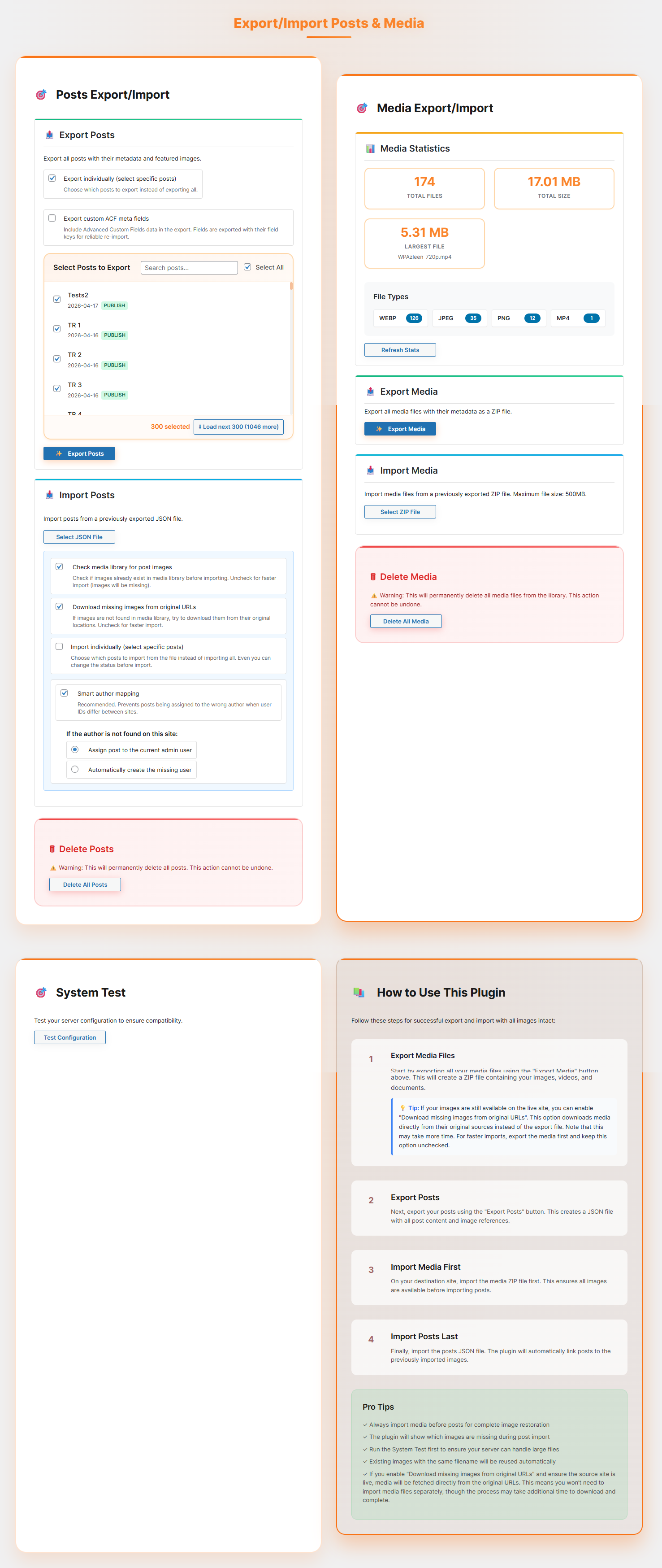
Post Export Import with Media is a simple yet powerful WordPress plugin that helps you securely transfer posts, pages, media, widgets, menus, themes, plugins & settings along with their media files between WordPress sites. Unlike the default exporter, this plugin ensures that images and attachments are included, so you don’t end up with broken links or missing media.
Whether you’re moving to a new host, creating staging sites, or backing up your content, this plugin handles everything with professional-grade reliability, user-friendly interface and powerful built-in Batch Processing for high-performance transfers all designed for simplicity and control.
✨ Key Features
- Export and import posts with all attached media files, metadata, categories, tags, and custom fields
- Automatic media file detection and download during import
- Real-time progress tracking for smooth migration
- Smart image handling – reuses existing media, downloads missing files
- Support for featured images and inline content images
- Enable WPML multilingual language support
- Selective Export & Import
- Export specific posts or pages instead of entire content
- Export content by date range
- Filter posts using custom From and To dates before export
- Preview and choose content before importing
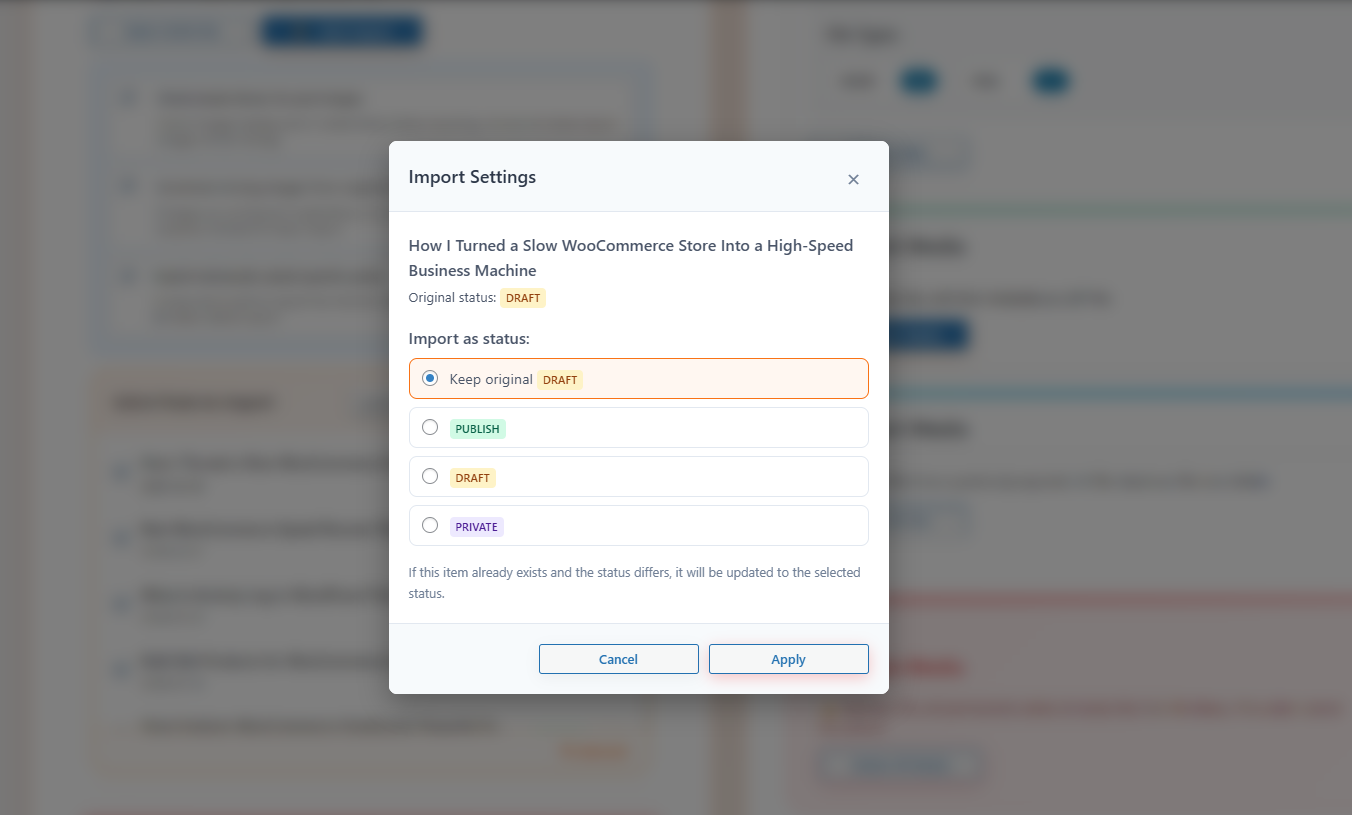
- Set status before import (Public, Private, Draft)
- Bulk delete functionality with confirmation dialogs
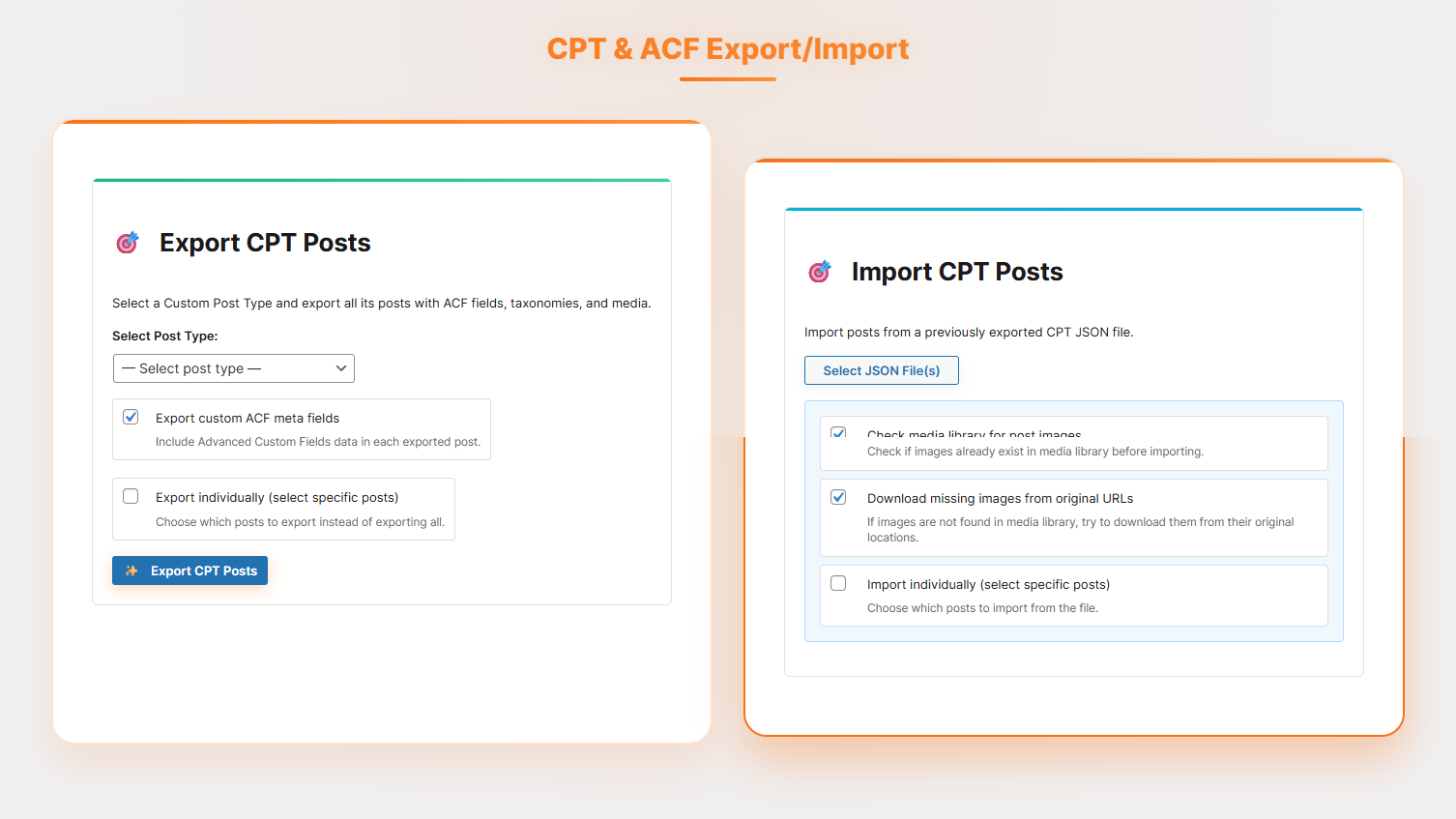
- CPT & ACF Export/Import
- Export Custom Post Types with all associated posts
- Includes ACF fields, taxonomies, and media
- Built-in support for exporting and importing custom ACF meta fields
- Secure data handling to prevent errors or data loss
- Lightweight and beginner-friendly interface
- Works for bloggers, developers, and site administrators
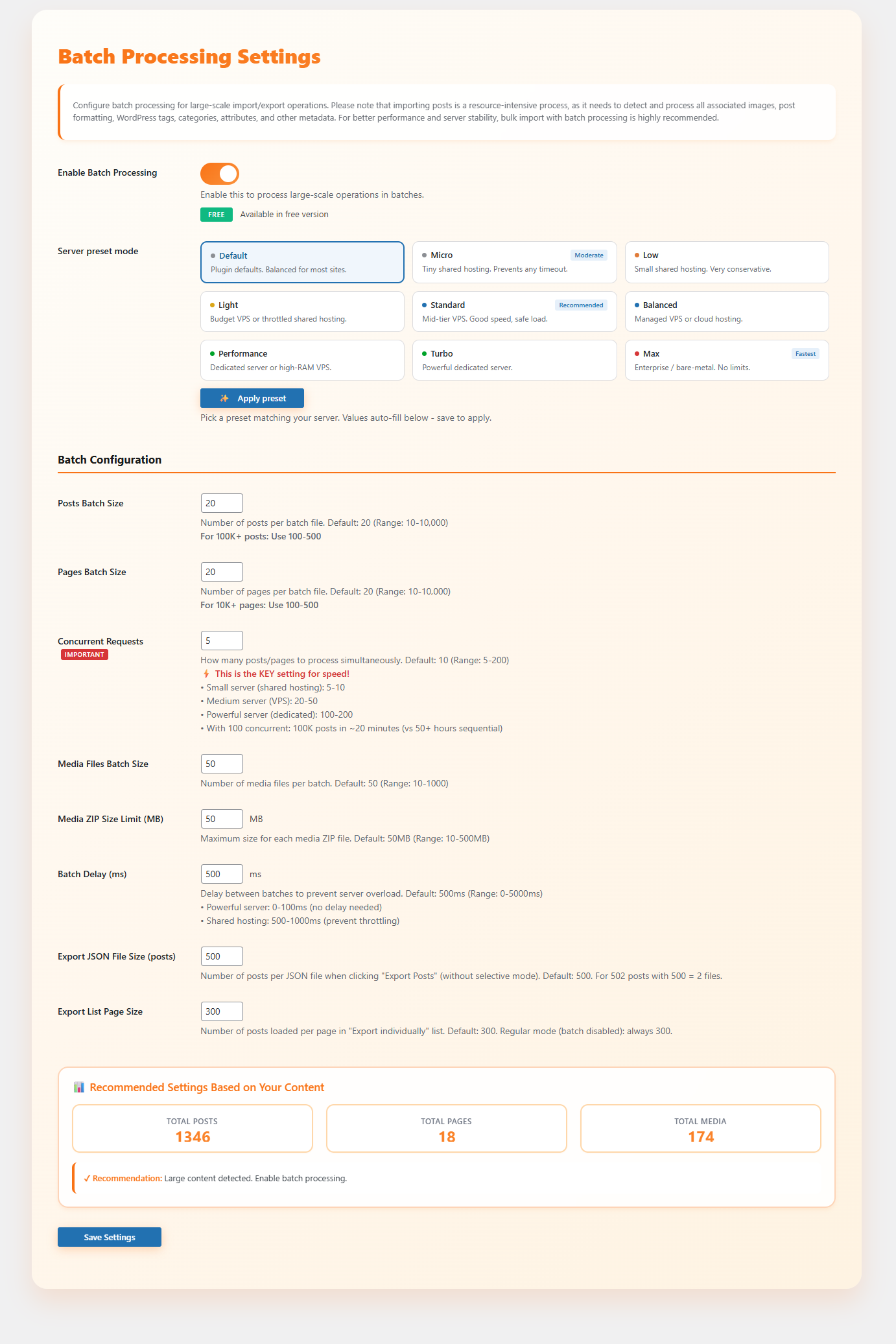
- Batch Processing Settings (Optimized for large-scale websites)
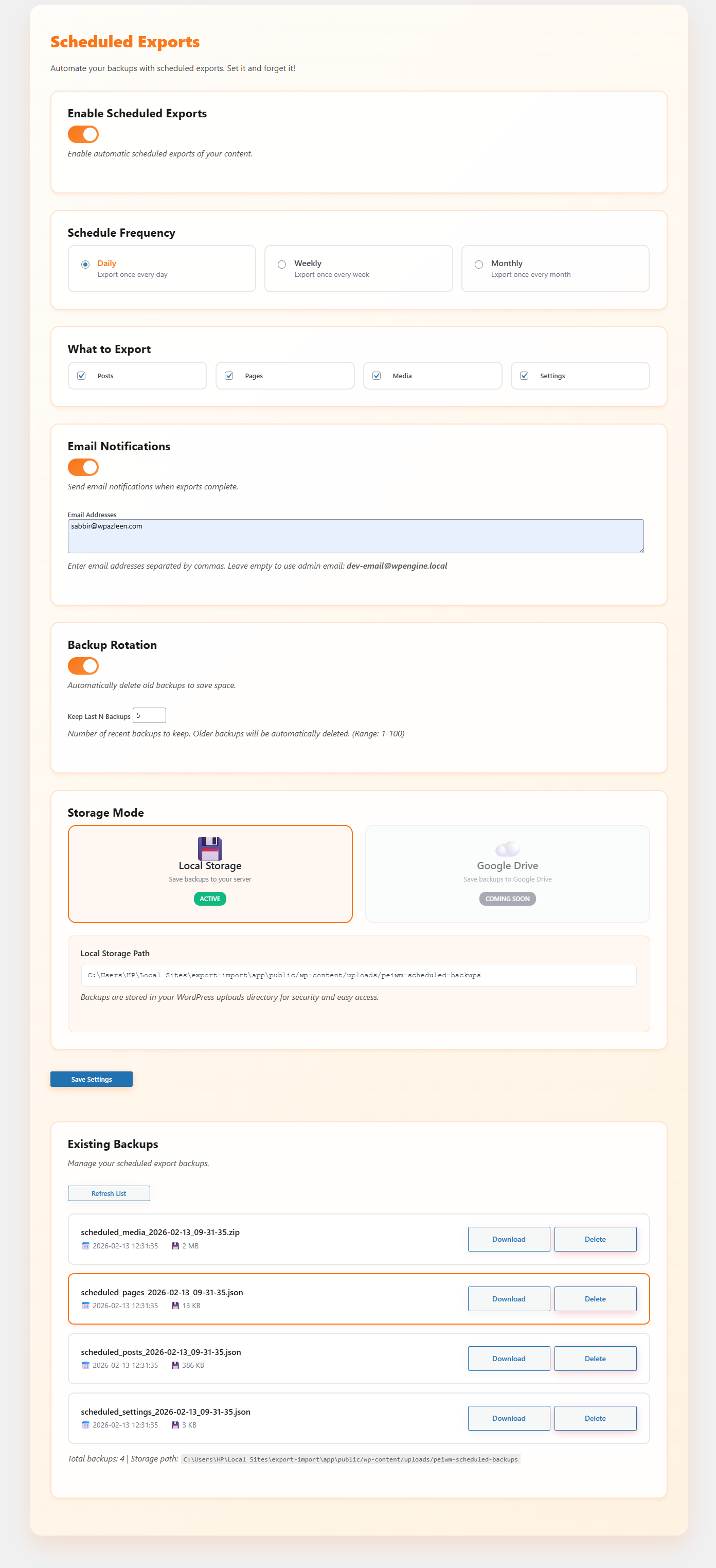
- Scheduled Exports (Automated Backups)
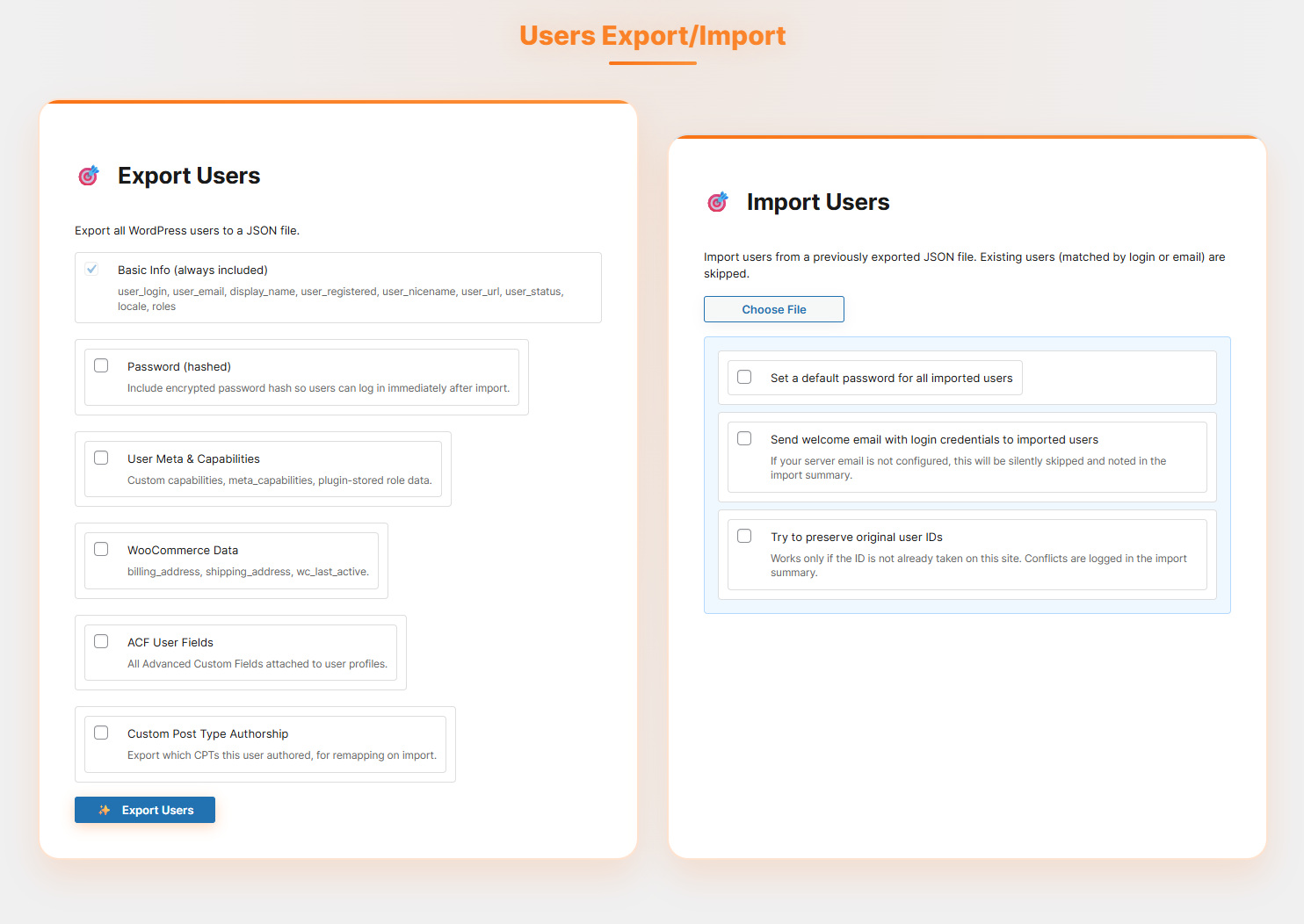
- Users Export/Import
- Smart author mapping (match by username or email instead of ID)
- Assign posts to current admin user
- Automatically create missing users
- Export user data (login, email, display name, roles, etc.)
- Includes hashed passwords for instant login after import
- Supports user meta, capabilities, and plugin role data
- WooCommerce user data (billing, shipping, last active)
- ACF user fields support
- CPT authorship mapping for accurate reassignment
- Import options:
- Set default password for all imported users
- Send welcome email with login credentials (if email is configured)
- Try to preserve original user IDs (conflicts logged)
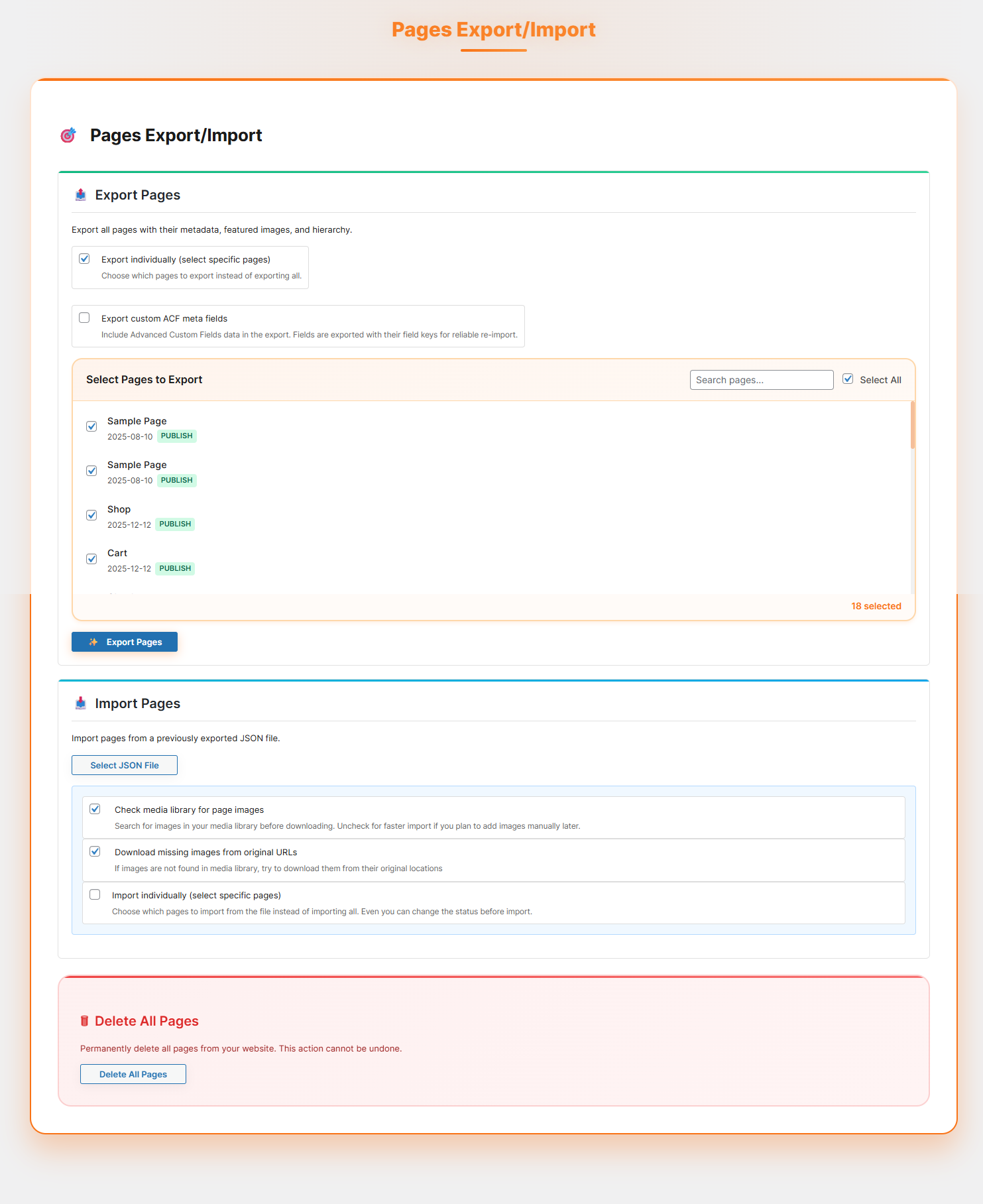
Pages Export/Import
- Complete page hierarchy preservation
- Template assignments and page metadata
- Featured images and content images handling
- Parent-child page relationships maintained
- Supports selective export/import for pages
- Custom page attributes and settings
CPT & ACF Export/Import
- Export Custom Post Types with all associated posts
- Full ACF (Advanced Custom Fields) support including field groups and values
- Export and import custom ACF meta fields seamlessly
- Includes associated taxonomies and terms
- Media files linked to CPT content are fully handled
- Maintains relationships between posts, fields, and taxonomies
- Supports selective export/import for specific CPTs
Users Export/Import
- Export core user data (login, email, display name, roles, registration info)
- Preserve access with hashed passwords on import
- Handle user meta, capabilities, and plugin-defined role data
- Includes WooCommerce customer details (billing, shipping, activity)
- Supports ACF fields attached to user profiles
- Maintains authorship mapping across Custom Post Types
- Auto-create users when missing during import
- Flexible import controls:
- Map authors by username or email
- Assign content to current admin if needed
- Set a global password for imported users
- Optionally send welcome emails (if configured)
- Attempt to retain original user IDs (logs conflicts)
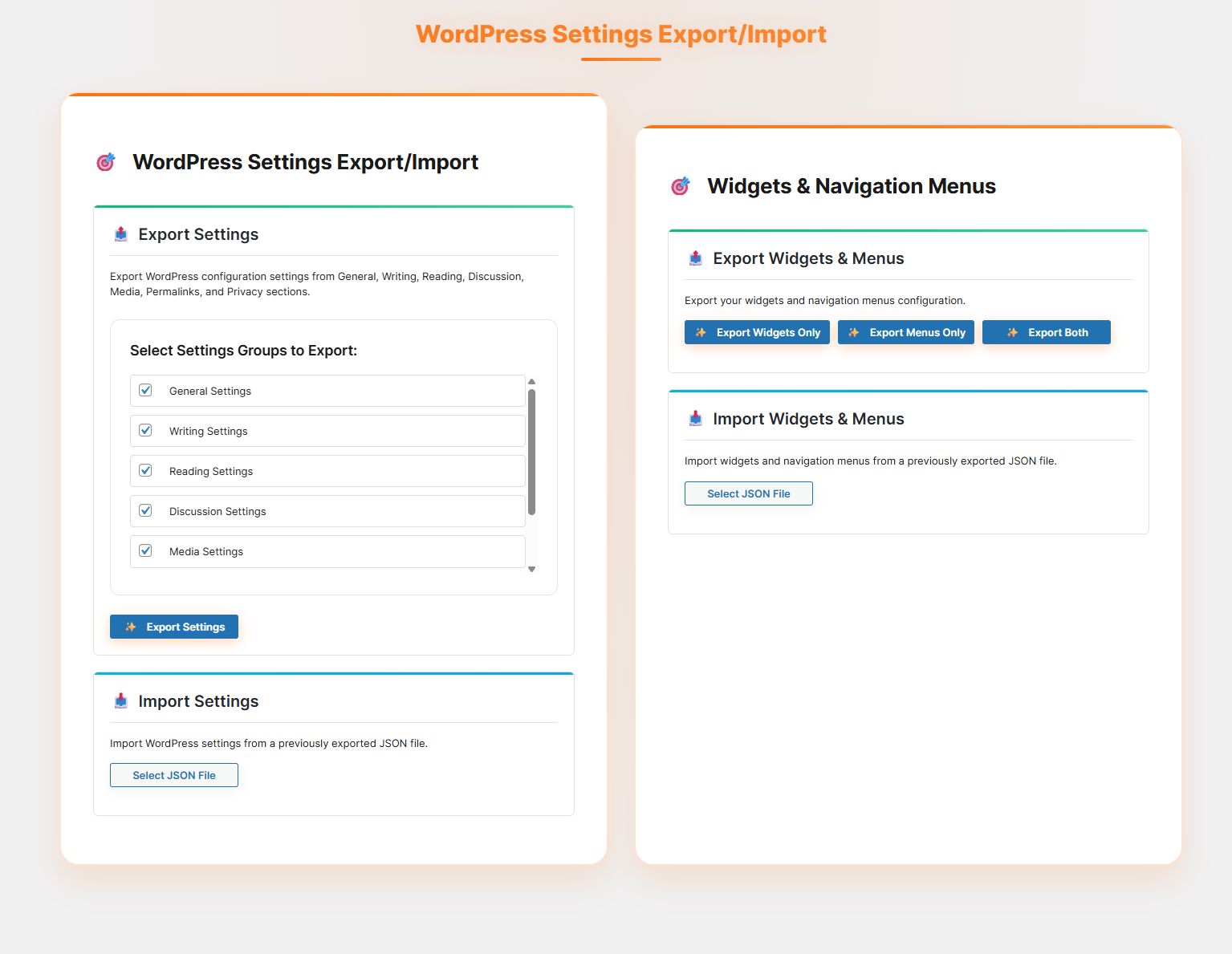
WordPress Settings Backup
- 7 settings categories: General, Writing, Reading, Discussion, Media, Permalinks, Privacy
- Site icon export/import with URL information
- Selective import – choose which settings to import
- Detailed import logs showing success/failure for each setting
- Handles deprecated WordPress options automatically
Widgets & Navigation Menus
- Complete widget configuration export/import
- Widget positions and sidebar assignments
- Navigation menu structure with all items
- Menu locations and theme assignments
- Menu item hierarchy and custom properties
- Support for all widget types including custom HTML, media widgets
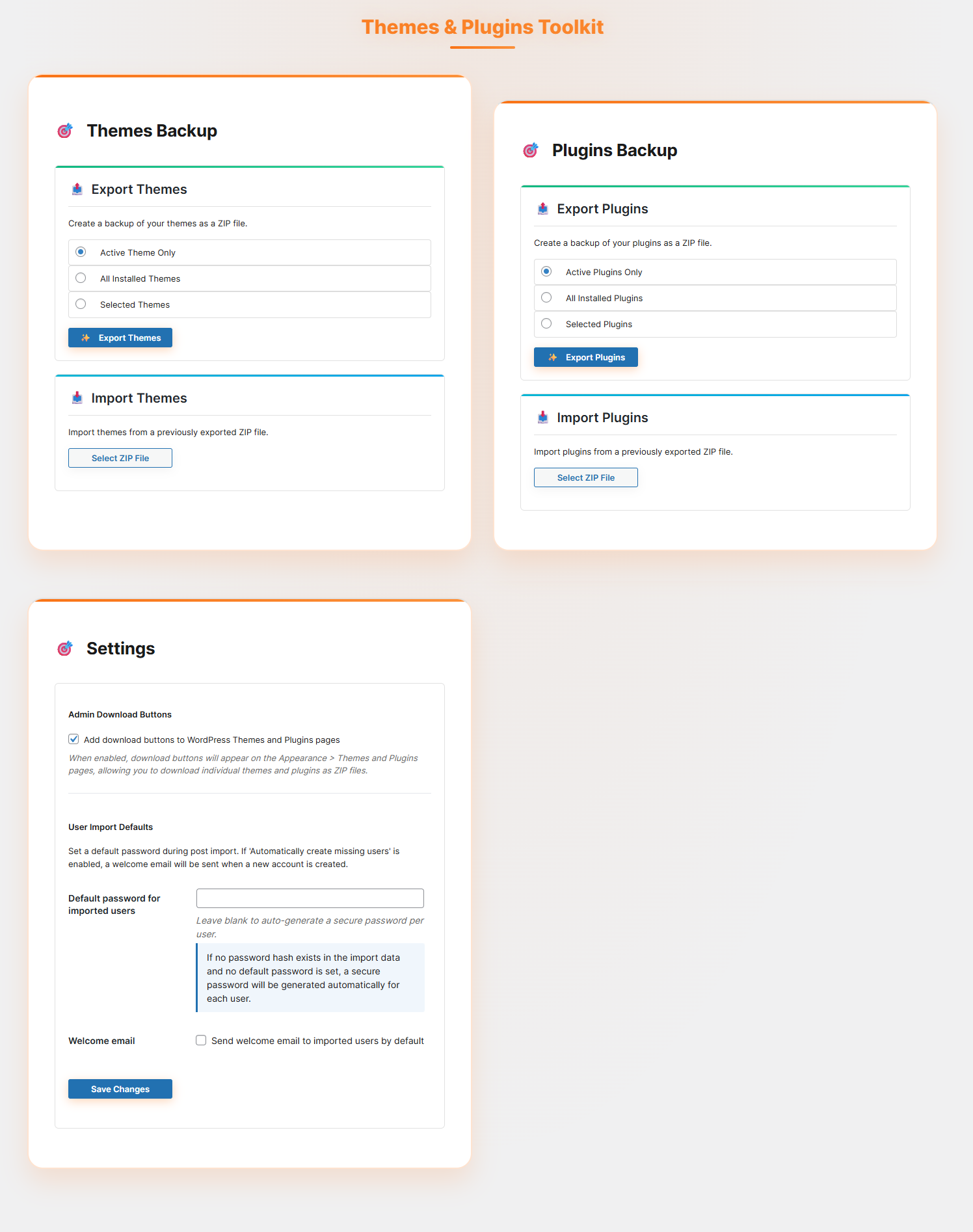
Themes & Plugins Backup
- Export active theme, all themes, or selected themes
- Export active plugins, all plugins, or selected plugins
- ZIP file creation with proper directory structure
- Import with replace existing or keep both options
- Automatic theme/plugin activation after import
Advanced Admin Features
- Admin Download Buttons – Add download buttons to WordPress themes.php and plugins.php pages
- Media Statistics – Comprehensive media library analysis with file types, sizes, and usage
- System Configuration Test – Check server capabilities and requirements
- Plugin Recommendations – Curated list of useful WordPress plugins
🎯 Perfect For
- Web Developers – Quickly clone sites for development and testing
- Site Migrations – Move WordPress sites between hosts seamlessly
- Backup Solutions – Create complete site backups including media
- Staging Sites – Duplicate production sites for safe testing
- Client Handoffs – Package complete sites for client delivery
- Multi-site Management – Sync content between multiple WordPress installations
🔧 Technical Excellence
- Security First – All operations use WordPress nonces and capability checks
- Memory Efficient – Handles large sites without memory issues
- Cross-Platform – Works on Windows, Linux, and macOS servers
- Error Recovery – Comprehensive error handling and user feedback
- Progress Tracking – Real-time updates during long operations
- Clean Code – Well-documented, maintainable codebase following WordPress standards
📊 Real-time Progress & Logging
Every operation provides detailed feedback:
* Progress bars showing completion percentage
* Timestamped logs with success/warning/error indicators
* Detailed statistics (items imported, skipped, failed)
* Clear error messages with actionable solutions
* Import/export summaries with file information
🎨 User Experience
- Intuitive Interface – Clean, modern admin interface
- Responsive Design – Works perfectly on desktop and mobile
- Modal Confirmations – Safe operations with confirmation dialogs
- Detailed Help – Comprehensive descriptions and usage instructions
- Professional Styling – Matches WordPress admin design language
External Services
This plugin connects to a small number of external services, only when the related feature is actually used.
Freemius Checkout
Loads the Freemius checkout script when a user opens the Pro upgrade modal in the WordPress admin. The script is served from checkout.freemius.com. No personal data or form submission data is sent.
Terms: https://freemius.com/terms/ | Privacy: https://freemius.com/privacy/
Media import from external URLs
When importing content that references images hosted on another domain (for example, a localhost or staging URL from the source site), the plugin downloads those specific image files directly from that URL so they can be attached to the imported post. This only happens for media URLs found inside the import file you provide, not as a background or scheduled connection.
WordPress.org Plugin Directory API
The Plugin Recommendations screen calls the official WordPress.org plugins_api (api.wordpress.org) to pull live names, descriptions, and icons for a short list some recommended WordPress plugins. This only runs when you open the Recommendations screen, the results are cached locally for 10 days to avoid repeat requests, and no data about your site or its content is sent.
Terms: https://wordpress.org/about/privacy/
Source Code
The source files for all compiled/minified JavaScript and CSS in this plugin are publicly available at:
https://github.com/wpazleen/post-export-import-with-media
Build instructions:
- Clone the repository.
- Run
npm installin the root to install dependencies. - Run
npm run buildto compile the JavaScript and CSS. - Compiled output is written to /build/js/ and /build/css/, matching what ships in the plugin.
Capturas de tela

Instalação
You can install the plugin manually or via the WordPress admin panel.
- Upload the Plugin:
– Upload the post-export-import-with-media folder to the /wp-content/plugins/ directory. – Alternatively, install the plugin through the WordPress plugins screen directly.
- Activate the Plugin:
– Navigate to the ‘Plugins’ section in your WordPress admin panel. – Click ‘Add New’ and search for “post-export-import-with-media”. – Click ‘Install Now’ and then activate the plugin.
Perguntas frequentes
-
Does this plugin import featured images and galleries?
-
Yes. Featured images, gallery images, and any media attached to or embedded in a post’s content are detected and imported automatically, with no separate step needed.
-
Will my images keep working after I move my site to a new domain?
-
Yes. During import, image URLs in the post content are rewritten to point at the new site, including localhost and staging URLs that wouldn’t otherwise resolve.
-
Can I export and import only specific posts or pages instead of my entire site?
-
Yes. Selective Export lets you choose individual posts or pages, or filter by a date range, before you export. On import, you get a preview so you can choose exactly which items to bring in.
-
Will importing overwrite my existing posts?
-
No, not by default. The plugin only imports new posts and media. Existing content on the destination site is left untouched.
-
Does it support WordPress users, or just content?
-
Yes. You can export user accounts with their roles, capabilities, and user meta, and passwords come across as hashes so people can log in right away on the new site. You can map authors by username or email, auto-create missing users, or assign imported content to your own admin account instead.
-
Does it work with Advanced Custom Fields and Custom Post Types?
-
Yes. Custom Post Types export with their associated posts, taxonomies, and media, and ACF field groups including Repeater fields come across with them.
-
Yes. Widgets and their sidebar assignments, full navigation menu structures, your themes (active, all, or selected), and your plugins (active, all, or selected) can all be exported as ZIP files and restored on another site.
-
How does this handle large sites that normally time out during export?
-
Batch Processing Settings let you control how many items are processed per batch, how many requests run at once, and the maximum size of a single media ZIP before it splits. There’s a recommended preset based on your content size if you don’t want to configure it by hand, and anything that fails or times out is listed afterward with a one-click retry.
-
Can exports run automatically on a schedule?
-
Yes. Scheduled Exports supports Daily, Weekly, and Monthly frequencies for posts, pages, media, settings, CPT/ACF data, and users, with automatic email notifications and rotation of older backups.
-
Is WordPress Settings export/import limited to certain settings?
-
It covers General, Writing, Reading, Discussion, Media, Permalinks, and Privacy, plus your site icon. You choose which categories to import, and you get a log showing exactly what succeeded or failed for each one.
-
Does it support multilingual sites built with WPML or Polylang?
-
Yes, for both posts and pages. Language assignments are preserved when content is exported and imported between sites running the same multilingual setup.
-
Do I need coding or server knowledge to use this?
-
No. Every screen has its own interface in your WordPress admin with a progress bar, and the built-in System Configuration Test checks your server’s settings before you start a large import so you know what to expect.
-
Where do I get help if something doesn’t work?
-
Use the support forum on this plugin’s WordPress.org page. Include your WordPress version, PHP version, and what step failed; the System Configuration Test results are useful to paste in if the issue is import-related.
Avaliações


Colaboradores e desenvolvedores
“Post Export Import with Media” é um programa de código aberto. As seguintes pessoas contribuíram para este plugin.
Colaboradores
Traduzir o “Post Export Import with Media” para seu idioma.
Interessado no desenvolvimento?
Navegue pelo código, consulte o repositório SVN ou assine o registro de desenvolvimento por RSS.
Registro de alterações
1.13.1 – 26 June 2026
- Fix: Fixed an issue where imported images could reference the wrong image size.
- Fix: Added logic to skip importing duplicate post titles when the content and slug do not match.
1.13.0 – 10 June 2026
- New: Added Internal link support when export/Import
- New: Added CPT & ACF and Users export types in Scheduled Exports
- Fix: Added support for Advanced Custom Fields (ACF) Repeater fields in posts and pages.
1.12.0 – 08 June 2026
- New: Added media export by upload date range.
- New: Added media export by post selection, allowing export of only the media attached to specific posts.
- Fix: Resolved an issue where localhost media URLs were not always replaced with live site URLs for certain images during import.
1.11.0 – 04 June 2026
- New: Added a comprehensive FAQ guide to help users get started and troubleshoot common issues.
- Fix: Resolved an issue where image batch paths were not updating correctly for certain posts
- Fix: Fixed various Custom Post Type (CPT) export and import issues to improve data migration reliability
1.10.1 – 02 June 2026
- Improved compatibility with hosting providers that use automated security scanners
- Enhanced the built-in import security check to ensure smooth installation across all environments
For the full changelog, see changelog.txt in the plugin SVN repository.