

Descrição
Category Image Manager by DevDesignDazzle enhances your WordPress site! Easily add images to categories for stunning pages, archives, and menus. This lightweight plugin lets you upload category images via the admin panel and display them anywhere with a simple function. Perfect for bloggers, e-commerce, and custom themes. Supports multiple image sizes (thumbnail, medium, large, full) and future-ready for premium upgrades. Boost your site’s visuals—install now!
Usage
- Add Images: Navigate to Posts > Categories, edit or create a category, and use the “Category Image” field to upload an image.
- Display Images: Use this function in your theme files:
- Category Archives Example: Add this to
archive.phporcategory.phpafterget_header():
<?php $category_id = get_queried_object_id(); if (is_category() && function_exists('dddCatImageManager_get_category_image')) { $category_image = dddCatImageManager_get_category_image($category_id); if (!empty($category_image)) { echo '’ . $category_image . ”; } } ?> - Image Sizes: Customize with sizes like
'thumbnail','medium','large', or'full':
Support
- Plugin Website: DevDesignDazzle
- Support Forum
Privacy
Category Image Manager by DevDesignDazzle does not collect or store any personal data.
Capturas de tela
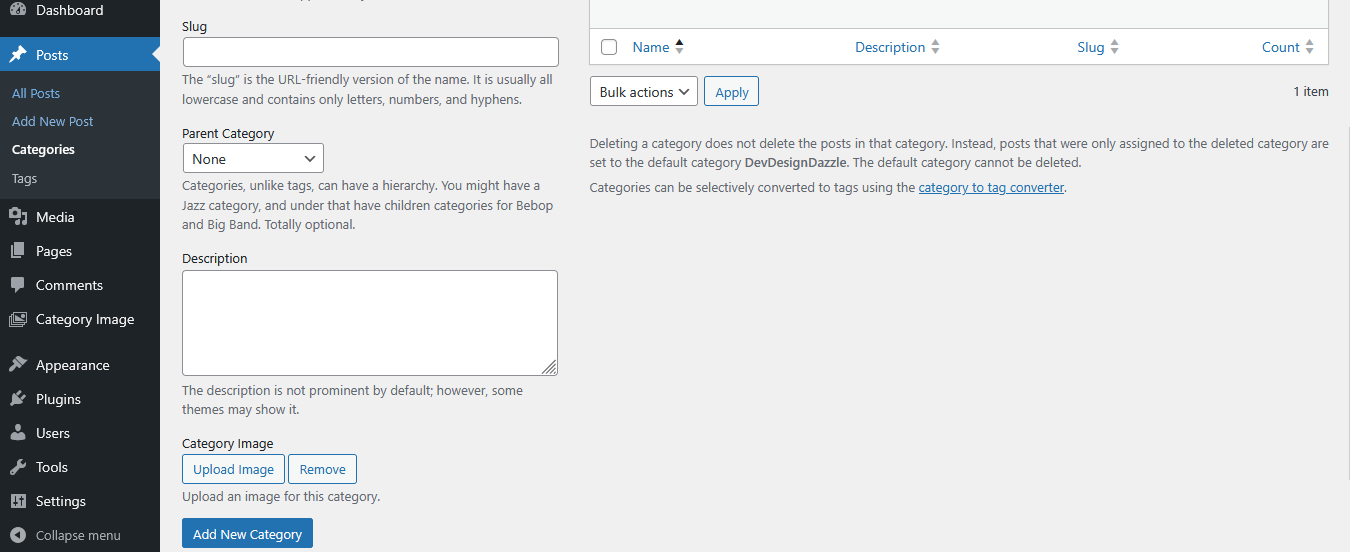
Adding an image in the category creation screen. 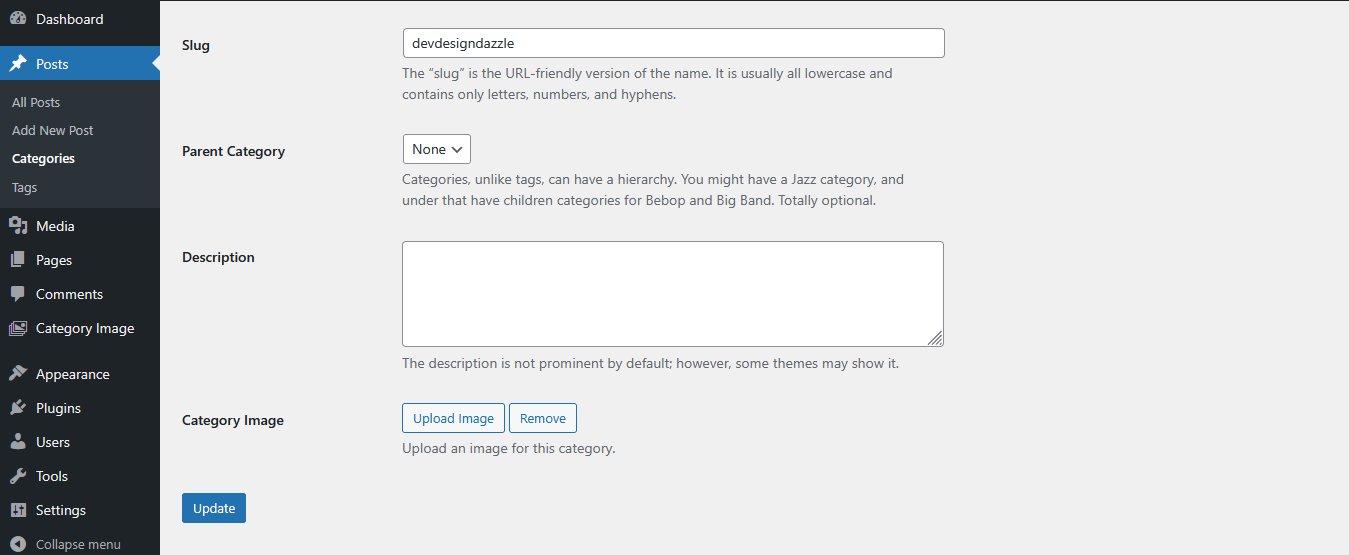
Editing a category with the image upload field. 
Help menu in WordPress admin showing usage instructions.
Instalação
- Upload the plugin files to
/wp-content/plugins/category-image-manager-by-devdesigndazzle - Activate the plugin through the ‘Plugins’ screen in WordPress
- Go to Posts > Categories to add images to your categories
Perguntas frequentes
-
How do I add images to categories?
-
Go to Posts > Categories, edit a category, and upload an image in the “Category Image” field.
-
How do I display category images in my theme?
-
Use
dddCatImageManager_get_category_image($category_id)in your theme files—see Usage section for examples. -
Can I use different image sizes?
-
Yes, pass a size parameter like
'thumbnail','medium','large', or'full'to the function. -
Where can I get support?
-
Visit DevDesignDazzle.com for help or future premium features.
Avaliações
Não há avaliações para este plugin.
Colaboradores e desenvolvedores
“Category Image Manager by DevDesignDazzle” é um programa de código aberto. As seguintes pessoas contribuíram para este plugin.
Colaboradores
Traduzir o “Category Image Manager by DevDesignDazzle” para seu idioma.
Interessado no desenvolvimento?
Navegue pelo código, consulte o repositório SVN ou assine o registro de desenvolvimento por RSS.
Registro de alterações
1.0
- Initial release with category image upload and display functionality.