Title: SimpleTOC – Bloco de sumário
Author: Marc Tönsing
Published: 14 abril, 2020
Last modified: 12 abril, 2026
---
Pesquisar plugins

# SimpleTOC – Bloco de sumário
Por [Marc Tönsing](https://profiles.wordpress.org/marcdk/)
[Baixar](https://downloads.wordpress.org/plugin/simpletoc.7.0.3.zip)
* [Detalhes](https://br.wordpress.org/plugins/simpletoc/#description)
* [Avaliações](https://br.wordpress.org/plugins/simpletoc/#reviews)
* [Instalação](https://br.wordpress.org/plugins/simpletoc/#installation)
* [Desenvolvimento](https://br.wordpress.org/plugins/simpletoc/#developers)
[Suporte](https://wordpress.org/support/plugin/simpletoc/)
## Descrição
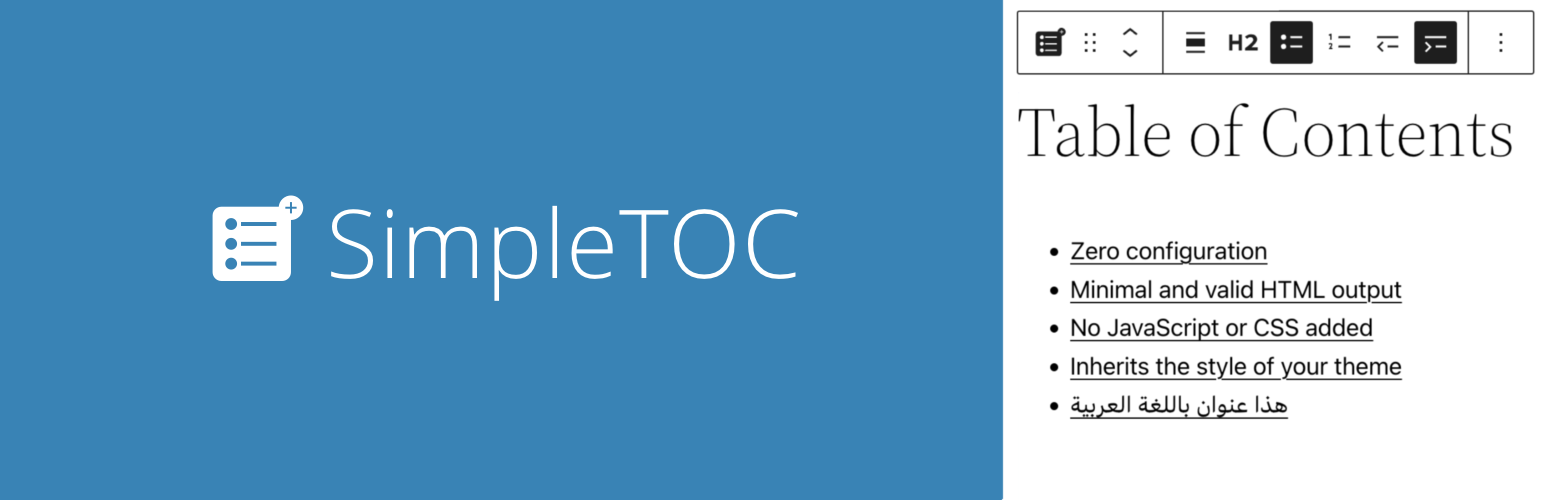
Add a Table of Contents block to your posts and pages. The TOC is a nested list
of links to all heading found in the post or page. To use it, simply add a block
and search for “SimpleTOC” or just “TOC”.
The maximum depth of the toc can be configured in in the blocks’ sidebar among many
other options. There can hide the headline “Table of Contents” and add your own
by using a normal heading block.
[Rode](https://demo.tastewp.com/simpletoc) uma nova instância do WordPress com o
plugin SimpleTOC já instalado.
#### User Feedback
> “It is lightweight, stable, and fully compatible with WordPress Full Site Editing.
> A reliable solution that integrates seamlessly and performs exactly as expected.”
> —
> [@js100 on wordpress.org](https://wordpress.org/support/topic/good-job-1889/)
> “Does the job perfectly, and adds no bloat.”
> — [@clicknathan on wordpress.org](https://wordpress.org/support/topic/does-the-job-perfectly-and-adds-no-bloat/)
> “Simple yet powerful. Great plugin that does exactly what you need.”
> — [@mixey on wordpress.org](https://wordpress.org/support/topic/simple-yet-powerful-106/)
#### Acessibilidade
This plugin is designed & developed for WCAG 2.2 level AA conformance. The plugin
is tested with assistive technology and intended to be accessible, however some
third party plugins or themes may affect the individual accessibility on a given
website. If you find an accessibility issue, please [let us know](https://github.com/mtoensing/simpletoc/issues)
and we’ll try to address it promptly.
Hidden TOCs use native `` and `<
summary>` semantics without extra ARIA references that require custom IDs.
#### Recursos
* Projetado para Gutenberg
* Zero configuration: Add the SimpleTOC block to your post and that’s it.
* Saída HTML mínima e válida.
* Utiliza a tag de detalhes incorporada do navegador para uma interface que pode
ser expandida e recolhida.
* No JavaScript or CSS by default. Optional features such as the accordion menu,
smooth scrolling, or box style add minimal assets only when enabled.
* Optional box style for the TOC with a default gray background.
* Style SimpleTOC with Gutenberg’s native group styling options.
* Herda o estilo do seu tema.
* Efeito de rolagem suave usando CSS.
* Accessibility built-in by following web standards.
* Rótulo ARIA opcional e atributos de função de navegação.
* Translated in [multiple languages](https://translate.wordpress.org/projects/wp-plugins/simpletoc/).
Including German, Japanese, Chinese (Taiwan), Dutch, Brazilian Portuguese, French,
Spanish and Latvia.
* Ideal para criar uma seção de perguntas frequentes no seu site.
#### Customization
* Os administradores podem utilizar as configurações globais para substituir as
configurações de blocos individuais.
* Add background and text color with Gutenberg groups.
* Native block support for wide and full width.
* Controle a profundidade máxima dos títulos.
* Escolha entre uma lista HTML ordenada e com marcadores. Ou recue a lista.
* Enable a box style and choose a box color directly in the block sidebar.
* Selecione um nível de título ou transforme-o em um parágrafo.
* Disable the h2 heading of the TOC block and add your own.
#### Compatibility
* GeneratePress and Rank Math support.
* Works with popular AMP plugins.
#### How to contribute
SimpleTOC is open-source and developed on [GitHub Pages](https://github.com/mtoensing/SimpleTOC).
If you find a bug or have an idea for a feature please feel free to contribute and
create a pull request.
### Créditos
Este plugin é uma bifurcação do [pdewouters](https://github.com/pdewouters/gutentoc)
e usa código do [Easy-Table-of-Contents](https://github.com/shazahm1/Easy-Table-of-Contents)
Muito obrigado a [Tom J Nowell](https://tomjn.com) e Sally CJ, que me ajudaram muito
com minhas perguntas no wordpress.stackexchange.com
And many more thanks to all the [developers on GitHub](https://github.com/mtoensing/simpletoc/graphs/contributors)
who helped me making SimpleTOC what it is today!
Thanks to Quintus Valerius Soranus for inventing the Table of Contents around 100
BC.
## Capturas de tela
* [[
* Bloco do SimpleTOC no editor do Gutenberg.
* [[
* SimpleTOC no post.
* [[
* Simples, mas poderoso. Personalize cada sumário como desejar.
* [[
* Controle a profundidade máxima dos títulos.
* [[
* SimpleTOC estilizado com os estilos de grupo nativos do Gutenberg.
* [[
* Recursos Avançados do SimpleTOC
* [[
* Bloco de Título do Gutenberg: Definir uma âncora personalizada
* [[
* SimpleTOC escondido no menu sanfona.
* [[
* Configurações globais do SimpleTOC.
## Blocos
Este plugin disponibiliza 1 bloco.
* SimpleTOC Adds a Table of Contents.
## Instalação
SimpleTOC pode ser encontrado e instalado através do menu Plugin na administração
do WordPress (Plugins -> Adicionar Novo). Como alternativa, ele pode ser baixado
do WordPress.org e instalado manualmente…
No Gutenberg, adicione um bloco e pesquise “SimpleTOC” ou apenas “TOC”. Salve seu
conteúdo antes de usar o bloco.
## Perguntas frequentes
### Configurando as configurações globais no SimpleTOC
O SimpleTOC permite que você defina configurações globais para o seu site em WordPress.
Essas configurações podem ser aplicadas globalmente, sobrepondo-se a quaisquer configurações
em nível de bloco que possam existir. Para acessar essas configurações, navegue
até a seção SimpleTOC das configurações do WordPress.
### How do I add a background color to SimpleTOC using Gutenberg groups?
Select the block and select “group” in the context menu. Apply “background color”,“
link color” and “text color” to this group. SimpleTOC will inherit these styles.
You would like to use this styled SimpleTOC group next time you write a post? Convert
it to a reusable block.
### Como excluir um único título do Sumário?
Se você realmente quiser ocultar um único título do sumário, então adicione a classe
CSS “simpletoc-hidden” a um bloco de título. Você pode encontrar este campo no mesmo
lugar que o campo âncora HTML: Na barra lateral Bloco > Avançado. Mas primeiro,
pense no motivo pelo qual você gostaria de esconder um título específico. Talvez
você queira remover todos os títulos de um nível de profundidade específico. Então
há uma opção para isso nas opções de blocos no Gutenberg. Se você acha que este
título não deve fazer parte do sumário, talvez não seja necessário no próprio post?
### Eu gostaria de salvar minhas configurações do SimpleTOC como padrão. Isso é possível?
Você pode converter o seu bloco SimpleTOC configurado em um bloco reutilizável no
Gutenberg. Ele manterá suas configurações. Dessa forma, você pode usar as configurações
desejadas para cada novo post adicionando o bloco reutilizável.
### Como adicionar uma tag div de invólucro ao Sumário?
Se você adicionar uma classe personalizada ao bloco SimpleTOC em “Avançado” e então
em “Classes CSS adicionais”, uma div com essa classe será envolvida na saída HTML.
### Como permitir que os desenvolvedores excluam títulos específicos de forma programática?
Use o filtro ‘simpletoc_excluded_blocks’. Por exemplo, esse código irá excluir blocos
de títulos que estão dentro de um bloco de coluna.
Exemplo:
```
add_filter( 'simpletoc_excluded_blocks', function ( array $blocks ) {
$blocks[] = 'core/column';
return $blocks;
} );
```
### Como eu mudo a cor do menu sanfona?
O personagem heavy plus que eu usei não pode ser colorido com css sem hacks. Mas
você pode alterar o ícone para outra coisa e alterar a cor do novo ícone.
```
.simpletoc-collapsible::after {
content: "✖";
color: #e94c89;
}
```
### Como adicionar o SimpleTOC a todos os artigos automaticamente?
Não vejo uma solução fácil no momento. O SimpleTOC é apenas um bloco que pode ser
colocado no seu post. Se houvesse um plugin que adicionasse blocos a todas os posts,
então essa seria a solução. Acho que isso deveria ser um plugin separado para manter
o código do SimpleTOC limpo e… bem, simples.
## Avaliações

### [Does what it says on the tin](https://wordpress.org/support/topic/does-what-it-says-on-the-tin-632/)
[3tianne](https://profiles.wordpress.org/3tianne/) 7 janeiro, 2026 1 resposta
Does the job with no fuss. I feel that the option to include a basic show/hide button(
no animations or other bloat necessary) would add a great deal of polish for very
little impact. But, the plugin advertises itself as something that is minimalist,
no CSS, no JS, and that is what it is. The links also follow the CSS rules from
the site theme which is strangely not the case for other TOC plugins. Well done
this dev.

### [This one will stay in my sites](https://wordpress.org/support/topic/this-one-will-stay-in-my-sites/)
[Zetona](https://profiles.wordpress.org/zetona/) 26 dezembro, 2025
Thank you Marc, your plugin just works as expected!

### [Good job!](https://wordpress.org/support/topic/good-job-1889/)
[js100](https://profiles.wordpress.org/js100/) 29 novembro, 2025 1 resposta
The plugin works exceptionally well. It is lightweight, stable, and fully compatible
with WordPress Full Site Editing. A reliable solution that integrates seamlessly
and performs exactly as expected.

### [Does the job perfectly, and adds no bloat](https://wordpress.org/support/topic/does-the-job-perfectly-and-adds-no-bloat/)
[Clicknathan](https://profiles.wordpress.org/clicknathan/) 13 maio, 2025 1 resposta
Comparing this to the “Table Of Contents Block” by WPDeveloper, I prefer this one
because: It just works automatically. It has less options, but just enough to do
what you need. It adds nothing to the frontend to cause bloat. No CSS, no JS. At
least not right out of the box. Additional settings can be enabled that will add
these, but it’s nice that we have the option! This is an example of what a well-
written plugin should be.

### [Klein und Fein](https://wordpress.org/support/topic/klein-und-fein-5/)
[Burgeule](https://profiles.wordpress.org/burgeule/) 11 janeiro, 2025
Ich hatte den Button erst gar nicht gefunden / übersehen unter “Blöcke” -> “Design”-
> “SimpleTOC”.Klein und fein, wirklich zu empfehlen…

### [Great plugin that works really well](https://wordpress.org/support/topic/great-plugin-that-works-really-well/)
[Mark Wilkinson](https://profiles.wordpress.org/wpmarkuk/) 5 novembro, 2024
This is an excellent plugin that easily adds table of contents in your posts / pages
and it provides links to the relevant headings. Does exactly what I want and I would
highly recommend it if you are looking for an easy to use tale of contents block
plugin. Thanks so much for sharing.
[ Leia todas as 75 avaliações ](https://wordpress.org/support/plugin/simpletoc/reviews/)
## Colaboradores e desenvolvedores
“SimpleTOC – Bloco de sumário” é um programa de código aberto. As seguintes pessoas
contribuíram para este plugin.
Colaboradores
* [ Marc Tönsing ](https://profiles.wordpress.org/marcdk/)
SimpleTOC – Bloco de sumário” foi traduzido para 17 localidades. Agradecemos aos
[tradutores](https://translate.wordpress.org/projects/wp-plugins/simpletoc/contributors)
por suas contribuições.
[Traduzir o “SimpleTOC – Bloco de sumário” para seu idioma.](https://translate.wordpress.org/projects/wp-plugins/simpletoc)
### Interessado no desenvolvimento?
[Navegue pelo código](https://plugins.trac.wordpress.org/browser/simpletoc/), consulte
o [repositório SVN](https://plugins.svn.wordpress.org/simpletoc/) ou assine o [registro de desenvolvimento](https://plugins.trac.wordpress.org/log/simpletoc/)
por [RSS](https://plugins.trac.wordpress.org/log/simpletoc/?limit=100&mode=stop_on_copy&format=rss).
## Registro de alterações
#### 7.0.3
* Fixed: Removed an invalid `aria-labelledby` reference from hidden TOC `` markup and now rely on native `` labeling.
#### 7.0.2
* Fixed: Removed an invalid `aria-labelledby` reference from hidden TOC `` markup and now rely on native `` labeling.
#### 7.0.1
* Added: Direct link from the Advanced Features sidebar to the global SimpleTOC
settings.
* Fixed: Global settings link now appears reliably in the editor sidebar.
* Changed: Wrapper toggle now reflects the automatic wrapper state while box style
is active.
#### 7.0.0
* Added: Box style option in the block sidebar with a color picker and default
gray background.
* Added: Global setting to force the default gray box style for all SimpleTOC blocks.
* Added: Frontend box-style CSS registered through block metadata.
#### 6.9.8
* Updated: Dependencies and house-keeping.
* Fix: corrected dependency declarations.
#### 6.9.7
* Fixed: GeneratePress Dynamic Tags work again – hopefully. If not, please report
here https://github.com/mtoensing/simpletoc/issues/79#issuecomment-3745650464
Thanks @jhanten
#### 6.9.6
* Added: Coding standards cleanup with improved rules, cleaner code, safer output,
and consistent naming. Thanks @ronalfy
* Added: Minimum PHP version requirement set to 7.3
#### 6.9.4
* Added: Introduced proper PHP namespaces to avoid class and function name conflicts
and improve overall code robustness. Thanks @ronalfy.
* Added: Improved sidebar sub-menu for the “Hide SimpleTOC” option
#### 6.9.3
* Fix: Fix Multiple IDs in Table of Contents Thanks @ronalfy
* Added: Support for GenerateBlocks 2.1.0 Thanks @ronalfy
#### 6.9.1
* Added: Support for the new V3 block api.
* Added: Tested compatibility with WordPress 6.9
#### 6.7.3
* Added: Tested compatibility with WordPress 6.8
#### 6.7.2
* Added: Support for GenerateBlocks 2.0. Thanks @blronaldhuereca
* Added: Included an accessibility statement in the plugin description. Thanks
Gen Herres.
## Meta
* Versão **7.0.3**
* Última atualização **2 dias atrás**
* Instalações ativas **10.000+**
* Versão do WordPress ** 5.9 ou superior **
* Testado até **6.9.4**
* Versão do PHP ** 7.3 ou superior **
* Idiomas
* [Chinese (Taiwan)](https://tw.wordpress.org/plugins/simpletoc/), [Czech](https://cs.wordpress.org/plugins/simpletoc/),
[Dutch](https://nl.wordpress.org/plugins/simpletoc/), [English (US)](https://wordpress.org/plugins/simpletoc/),
[French (France)](https://fr.wordpress.org/plugins/simpletoc/), [German](https://de.wordpress.org/plugins/simpletoc/),
[Greek](https://el.wordpress.org/plugins/simpletoc/), [Italian](https://it.wordpress.org/plugins/simpletoc/),
[Japanese](https://ja.wordpress.org/plugins/simpletoc/), [Latvian](https://lv.wordpress.org/plugins/simpletoc/),
[Polish](https://pl.wordpress.org/plugins/simpletoc/), [Portuguese (Brazil)](https://br.wordpress.org/plugins/simpletoc/),
[Spanish (Chile)](https://cl.wordpress.org/plugins/simpletoc/), [Spanish (Colombia)](https://es-co.wordpress.org/plugins/simpletoc/),
[Spanish (Ecuador)](https://es-ec.wordpress.org/plugins/simpletoc/), [Spanish (Mexico)](https://es-mx.wordpress.org/plugins/simpletoc/),
[Spanish (Spain)](https://es.wordpress.org/plugins/simpletoc/) e [Spanish (Venezuela)](https://ve.wordpress.org/plugins/simpletoc/).
* [Traduzir para seu idioma](https://translate.wordpress.org/projects/wp-plugins/simpletoc)
* Tags
* [accessibility](https://br.wordpress.org/plugins/tags/accessibility/)[block](https://br.wordpress.org/plugins/tags/block/)
[table](https://br.wordpress.org/plugins/tags/table/)[table of contents](https://br.wordpress.org/plugins/tags/table-of-contents/)
[toc](https://br.wordpress.org/plugins/tags/toc/)
* [Visualização avançada](https://br.wordpress.org/plugins/simpletoc/advanced/)
## Classificações
5 de 5 estrelas.
* [ 72 avaliações com 5 estrelas ](https://wordpress.org/support/plugin/simpletoc/reviews/?filter=5)
* [ 3 avaliações com 4 estrelas ](https://wordpress.org/support/plugin/simpletoc/reviews/?filter=4)
* [ 0 avaliação com 3 estrela ](https://wordpress.org/support/plugin/simpletoc/reviews/?filter=3)
* [ 0 avaliação com 2 estrela ](https://wordpress.org/support/plugin/simpletoc/reviews/?filter=2)
* [ 0 avaliação com 1 estrela ](https://wordpress.org/support/plugin/simpletoc/reviews/?filter=1)
[Your review](https://wordpress.org/support/plugin/simpletoc/reviews/#new-post)
[Ver todas avaliações](https://wordpress.org/support/plugin/simpletoc/reviews/)
## Colaboradores
* [ Marc Tönsing ](https://profiles.wordpress.org/marcdk/)
## Suporte
Problemas resolvidos nos últimos dois meses:
2 de 3
[Ver fórum de suporte](https://wordpress.org/support/plugin/simpletoc/)
## Doar
Gostaria de contribuir para o desenvolvimento deste plugin?
[ Doe para este plugin ](https://marc.tv/out/donate)