

Descrição
XML Sitemap for PDFs for Yoast SEO creates a dedicated XML sitemap for PDFs stored in your WordPress uploads folder and adds it to Yoast SEO’s sitemap_index.xml automatically.
If your site publishes brochures, manuals, menus, research papers, whitepapers, downloadable guides, or other PDF resources, this plugin helps search engines find those files faster.
Why site owners use this plugin
- Automatically creates a dedicated PDF sitemap.
- Adds that sitemap to Yoast SEO’s sitemap index.
- Works in the background with no settings to configure.
- Uses caching for performance.
- Clears the cache when a new PDF is uploaded.
- Includes filters for developers who need custom behavior.
Important note
This plugin requires Yoast SEO and is designed specifically to extend Yoast SEO’s sitemap system.
Need help or want to report an issue?
- Support: WordPress.org support forum
- Bugs and feature requests: GitHub repository
- Security reports: Patchstack vulnerability disclosure program
Capturas de tela
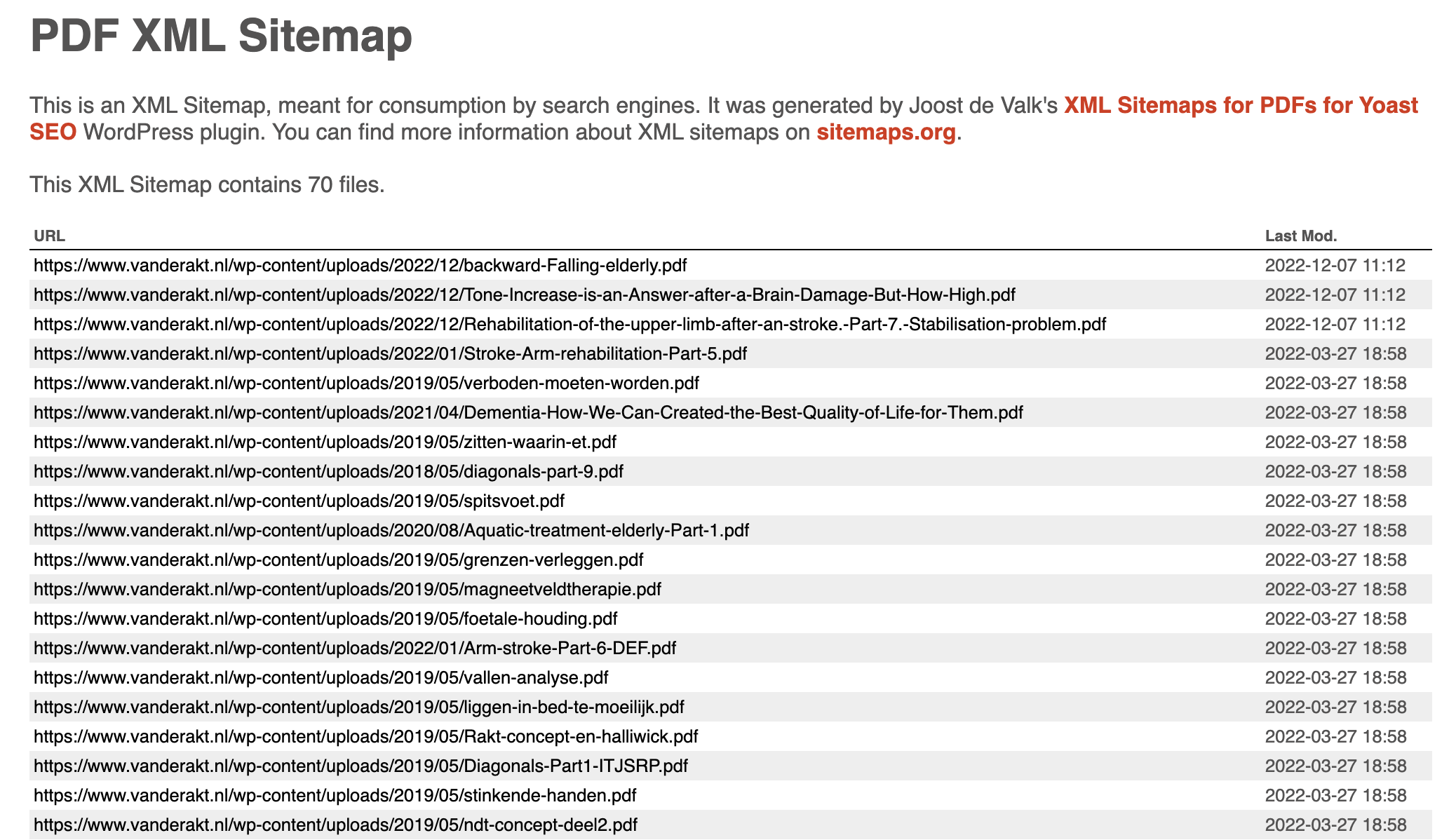

Instalação
Install from your WordPress dashboard
- Go to Plugins > Add New.
- Search for “XML Sitemap for PDFs for Yoast SEO”.
- Click Install Now.
- Activate the plugin.
Install manually
- Download the plugin from WordPress.org.
- Upload the plugin files to the
/wp-content/plugins/pdf-sitemap/directory. - Activate the plugin through the Plugins menu in WordPress.
Perguntas frequentes
-
How do I know it is working?
-
After activation, visit your site’s
sitemap_index.xml. You should see a link topdf_files-sitemap.xml. -
Which PDFs does this plugin include?
-
The plugin scans the uploads root and its numeric subfolders, including WordPress year/month folders, for
.pdffiles (case-insensitive). Files do not need to be registered in the media library. This intentionally includes unattached and FTP-uploaded PDFs, as well as PDFs attached to draft, private, password-protected, or scheduled posts.The sitemap makes these files easier to discover. A parent post’s visibility does not exclude its PDFs from this sitemap. Keep confidential files outside the scanned folders and protect them with access controls.
-
Will this include PDFs uploaded through forms?
-
PDFs uploaded through forms are included if they are stored in the uploads root or numeric subfolders. Non-numeric subfolders are not scanned.
-
Does this plugin cache its output?
-
Yes, the plugin caches the file list for one day, including when no PDFs are found. Uploading or permanently deleting a PDF through WordPress clears the cache automatically. Direct filesystem changes are picked up after the cache expires.
-
Does this plugin work with SEO plugins other than Yoast SEO?
-
No. This plugin only works with Yoast SEO.
-
Does this plugin work on multisite?
-
Multisite support has not been officially tested.
-
Are there developer hooks available?
-
Yes. The plugin includes these filters:
JoostBlog\WP\pdf_sitemap\filetypesto change which file extensions are included.JoostBlog\WP\pdf_sitemap\cache_timeto change the cache duration.JoostBlog\WP\pdf_sitemap\pdfsto filter the final list of sitemap entries.
Avaliações


Colaboradores e desenvolvedores
“XML Sitemap for PDFs for Yoast SEO” é um programa de código aberto. As seguintes pessoas contribuíram para este plugin.
Colaboradores


XML Sitemap for PDFs for Yoast SEO” foi traduzido para 2 localidades. Agradecemos aos tradutores por suas contribuições.
Traduzir o “XML Sitemap for PDFs for Yoast SEO” para seu idioma.
Interessado no desenvolvimento?
Navegue pelo código, consulte o repositório SVN ou assine o registro de desenvolvimento por RSS.
Registro de alterações
1.2
- Added a PDFs filter to the WordPress media library.
- Fixed caching when no PDFs are found and cleared the cache when PDF attachments are deleted.
- Improved sitemap URLs for WordPress subdirectory and index.php permalink setups.
- Added support for uppercase PDF extensions and handled missing or unreadable upload directories.
- Escaped XML output and prevented direct access to the plugin file.
- Clarified that filesystem discovery includes PDFs regardless of their parent post’s visibility.
1.1
- Fixed a bug that caused the cache not to be used.
- Fixed a bug that caused image dimensions to be missing.
1.0.1
- Fixed a potential notice for an unset variable.
- Renamed some filters for consistency.
1.0
- First release.