
Descrição
Plugin do WordPress para imagens de destaque externas, vídeos, áudios e muito mais
O plugin FIFU tem ajudado milhares de sites em todo o mundo a economizar dinheiro em armazenamento, processamento e direitos autorais desde 2015.
Se você está cansado de perder tempo e recursos com a regeneração de miniaturas, otimização de imagens e importações intermináveis, este plugin é para você.
Imagem destacada
Use uma imagem externa como imagem destacada do seu post, página ou tipo de post personalizado.
- Imagem destacada externa
- Image search (Unsplash)
- Imagem destacada padrão
- Esconder mídia em destaque
- Imagem destacada no conteúdo
- Definir título automático da imagem
- Coluna para imagem destacada
- [PRO] Image search (search engine)
- [PRO] Desativar clique direito
- [PRO] Salvar na biblioteca de mídia
- [PRO] Substituir imagem não encontrada
- [PRO] Popup personalizado
- [PRO] Redirecionamento de página
- [PRO] Cloak links
- [PRO] Taxonomy image
- [PRO] Mesma altura
Mídia em destaque automática
- Definir automaticamente a mídia em destaque a partir do conteúdo do post
- [PRO] Definir imagem destacada automaticamente usando título do post e um mecanismo de pesquisa
- [PRO] Definir automaticamente a mídia em destaque usando o endereço da página web
- [PRO] Auto set featured image from custom field
- [PRO] Auto set featured image using ISBN
- [PRO] Definir automaticamente a captura de tela como imagem destacada
- [PRO] Definir imagem destacada automaticamente do Unsplash usando tags
Desempenho
- CDN + miniaturas otimizadas
- Carregamento preguiçoso
Social
- Meta tags
- [PRO] Tags de mídia RSS
- [PRO] Plataforma BuddyBoss e bbPress
Automação
- Integração do WP-CLI
- [PRO] Complemento para WP All Import
- [PRO] Importação do WooCommerce
- [PRO] API REST do WP
- [PRO] API REST do WooCommerce
- [PRO] Agendar geração de metadados
WooCommerce
- Imagem externa do produto
- Lightbox e zoom
- [PRO] Galeria para imagens externas
- [PRO] Galeria para vídeos externos
- [PRO] Configuração automática de imagens de categoria
- [PRO] Produto variável
- [PRO] Imagem de variação
- [PRO] Galeria para imagem de variação
- [PRO] Salvar na biblioteca de mídia
- [PRO] Galeria de produtos FIFU
- [PRO] Compra Rápida
- [PRO] Adicionar imagem ao e-mail de ordem
Vídeo em destaque
Supports URLs from YouTube, Vimeo, Twitter, 9GAG, Cloudinary, Tumblr, Publitio, JW Player, VideoPress, Sprout, Odysee, Rumble, Dailymotion, Cloudflare Stream, Bunny Stream, Amazon, BitChute, Brighteon, Google Drive, Spotify and SoundCloud. External and local video files are supported as well.
- [PRO] Vídeo em destaque
- [PRO] Assistir mais tarde
- [PRO] Miniatura de vídeo
- [PRO] Botão de reproduzir
- [PRO] Largura mínima
- [PRO] Controles de vídeo
- [PRO] Reprodução automática ao passar o mouse
- [PRO] Reprodução automática
- [PRO] Loop de reprodução
- [PRO] Mudo
- [PRO] Modo aprimorado de privacidade
- [PRO] Vídeo de fundo
Widgets para Elementor
- Imagem destacada
- [PRO] Vídeo em destaque
Widgets para WordPress
- [PRO] Mídia em destaque
- [PRO] Grade em destaque
- [PRO] Galeria de produtos
Campos para Gravity Forms
- Imagem destacada
- [PRO] Vídeo em destaque
- [PRO] Slider em destaque
Campos para Dokan
- Imagem destacada
- [PRO] Galeria de produtos
Outros
- [PRO] Edição rápida
- [PRO] Áudio em destaque
- [PRO] Slider em destaque
- [PRO] Shortcode
Funções para desenvolvedores
- fifu_dev_set_image($post_id, $image_url)
- [PRO] fifu_dev_set_video($post_id, $video_url)
- [PRO] fifu_dev_set_slider($post_id, $url_list, $alt_list)
- [PRO] fifu_dev_set_image_list($post_id, $image_url_list)
- [PRO] fifu_dev_set_video_list($post_id, $video_url_list)
- [PRO] fifu_dev_set_category_image($term_id, $image_url)
- [PRO] fifu_dev_set_category_video($term_id, $video_url)
Nuvem FIFU
- Armazenamento em nuvem (nunca perca uma imagem novamente)
- CDN global (imagens carregadas muito mais rápido)
- Miniaturas otimizadas (processadas na nuvem)
- Faturamento baseado no uso (por imagem armazenada)
- Recorte inteligente (detecta pessoas e objetos antes de recortar)
- Proteção contra hotlink (sites não podem incorporar suas imagens)
Links
Imagens de tela

Imagem destacada

Image search

Vídeo em destaque

Galeria de imagens para produtos do WooCommerce

Galeria de imagens para variações de produtos do WooCommerce

Edição rápida

Widgets para Elementor
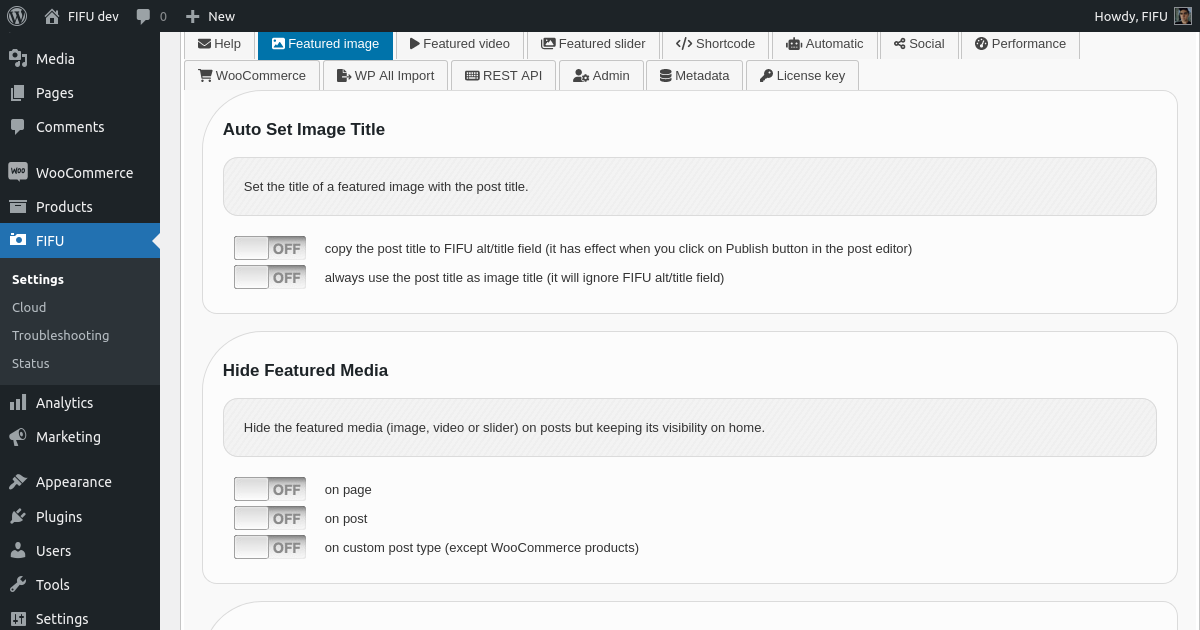
Configurações → Imagem destacada

Configurações → Vídeo em destaque

Configurações → Slider em destaque

Configurações → Áudio em destaque

Configurações → Shortcode

Configurações → Automático

Configurações → Social

Configurações → Desempenho

Configurações → WooCommerce
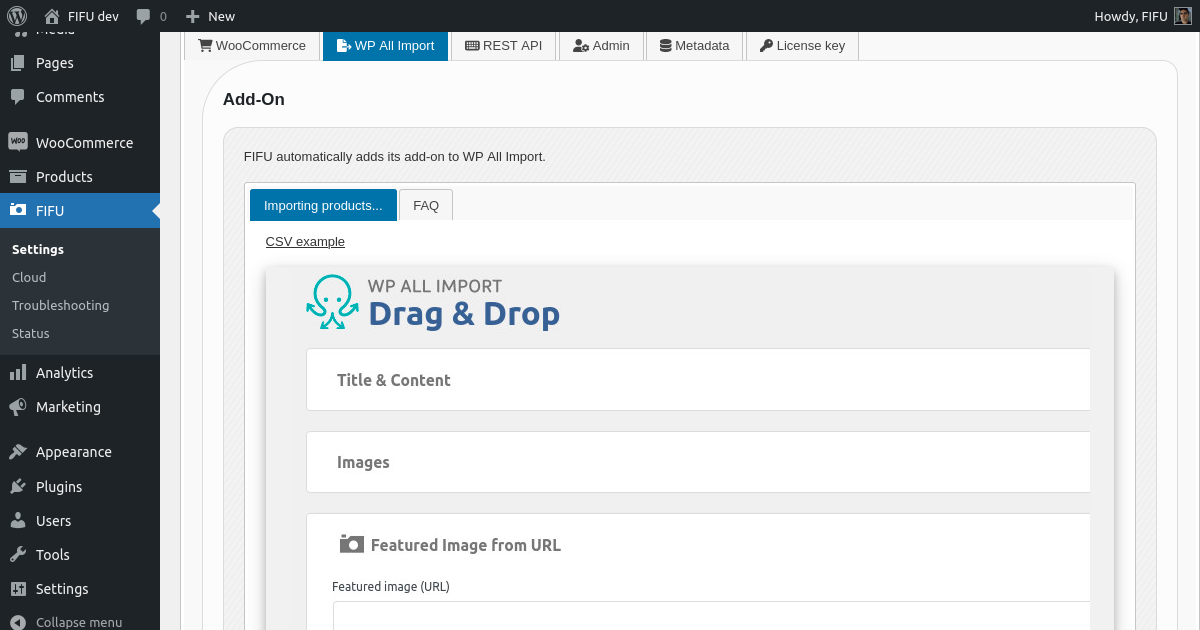
Configurações → WP All Import
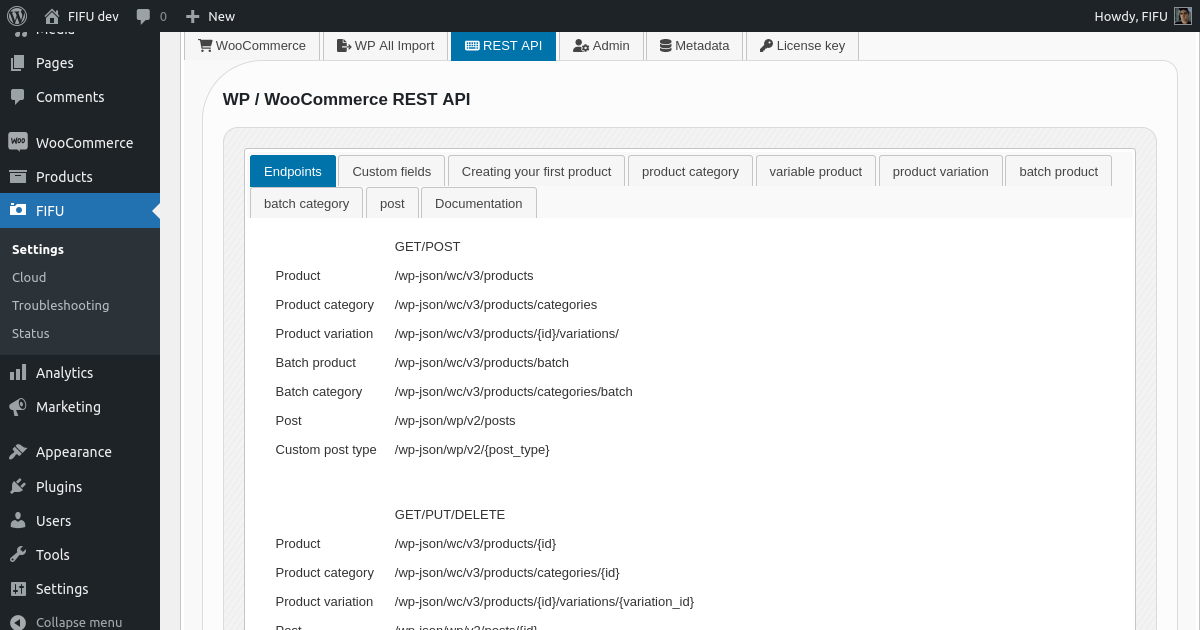
Configurações → API REST

Configurações → Admin

Configurações → Metadados

Desenvolvedores

FIFU Cloud
Instalação
Instalar FIFU de dentro do WordPress
- Visite a página de plugins dentro do seu painel e selecione ‘Adicionar Novo’;
- Pesquisar por ‘FIFU’;
- Ative o FIFU na sua página de Plugins;
Instalar FIFU manualmente
- Envie a pasta ‘featured-image-from-url’ para o diretório /wp-content/plugins/;
- Ative o plugin FIFU através do menu ‘Plugins’ no WordPress;
FAQ
-
- A URL da sua imagem é inválida. Dê uma olhada em Configurações → Comece aqui.
-
O FIFU salva as imagens na biblioteca de mídia?
-
- Não. Apenas a versão PRO é capaz de fazer isso, mas é opcional. O plugin foi projetado para funcionar com imagens externas.
-
Por que a imagem destacada está sendo exibida duas vezes?
-
- Você ativou a opção “Imagem destacada no conteúdo” desnecessariamente.
-
Por que a imagem destacada não está sendo exibida?
-
- Por favor, verifique se a opção “Esconder Mídia em Destaque” está ativada indevidamente.
-
Por que não há mudanças após atualizar as configurações?
-
- Tente limpar o seu cache.
-
É necessária alguma ação antes de remover FIFU?
-
- Acesse as configurações e limpe os metadados.
-
Quais são os metadados criados pelo FIFU?
-
- Registros de banco de dados que ajudam os componentes do WordPress a trabalhar com imagens externas. Este plugin pode gerar os metadados de ~50.000 URLs de imagem por minuto.
-
Quais são as desvantagens das imagens externas?
-
- Nenhuma otimização de imagem ou miniaturas por padrão. Você pode corrigir isso com o recurso de miniaturas otimizadas + CDN (configurações de desempenho).
-
Quais são as vantagens das imagens externas?
-
- Você economiza dinheiro em armazenamento, processamento e direitos autorais. E você pode ter processos de importação extremamente rápidos.
-
É legal incorporar imagens sem permissão?
-
- Sim, é. Clique aqui para saber mais.
-
As imagens externas afetam o SEO?
-
- Não, imagens externas não afetam o SEO. Clique aqui para saber mais.
Avaliações


Colaboradores e desenvolvedores
“Featured Image from URL (FIFU)” é um software com código aberto. As seguintes pessoas contribuíram para este plugin.
Colaboradores
“Featured Image from URL (FIFU)” foi traduzido para 8 localizações. Agradecemos aos tradutores por suas contribuições.
Traduzir “Featured Image from URL (FIFU)” para o seu idioma.
Interessado no desenvolvimento?
Navegue pelo código, dê uma olhada no repositório SVN ou assine o registro de desenvolvimento via RSS.
Registro de alterações
4.7.1
- Fix: CDN + Optimized Thumbnails (not cropping the top for screenshots).
4.7.0
- Fix: CDN + Optimized Thumbnails (not working for Getty Images); Fix: Meta Tags (not sharing images from Google Drive, YouTube and Imgur); Fix: Metabox (style issues).
4.6.9
- Fix: Unsplash image search not working for a few countries.