Descrição
Make the WordPress login page uniquely yours.
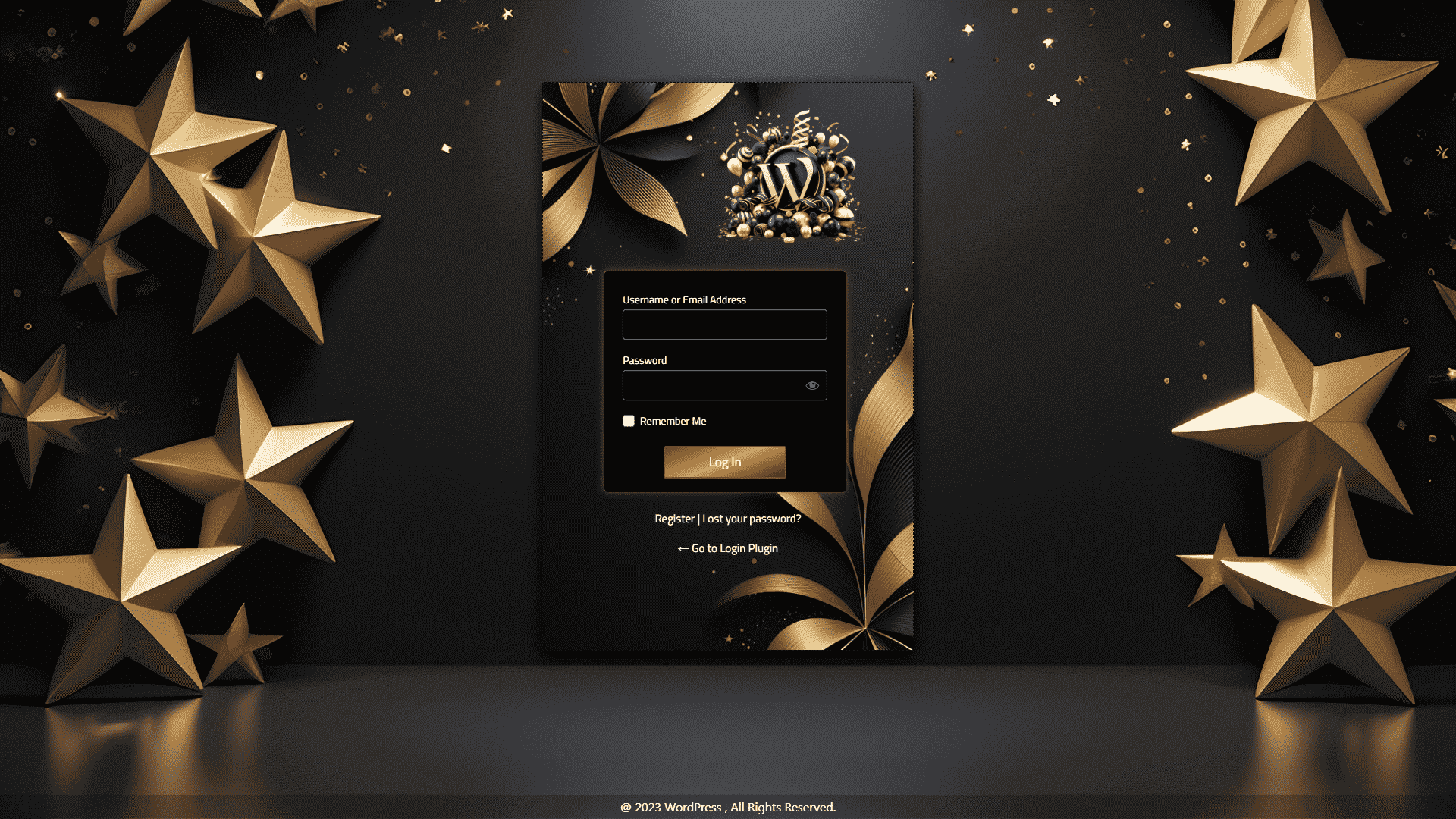
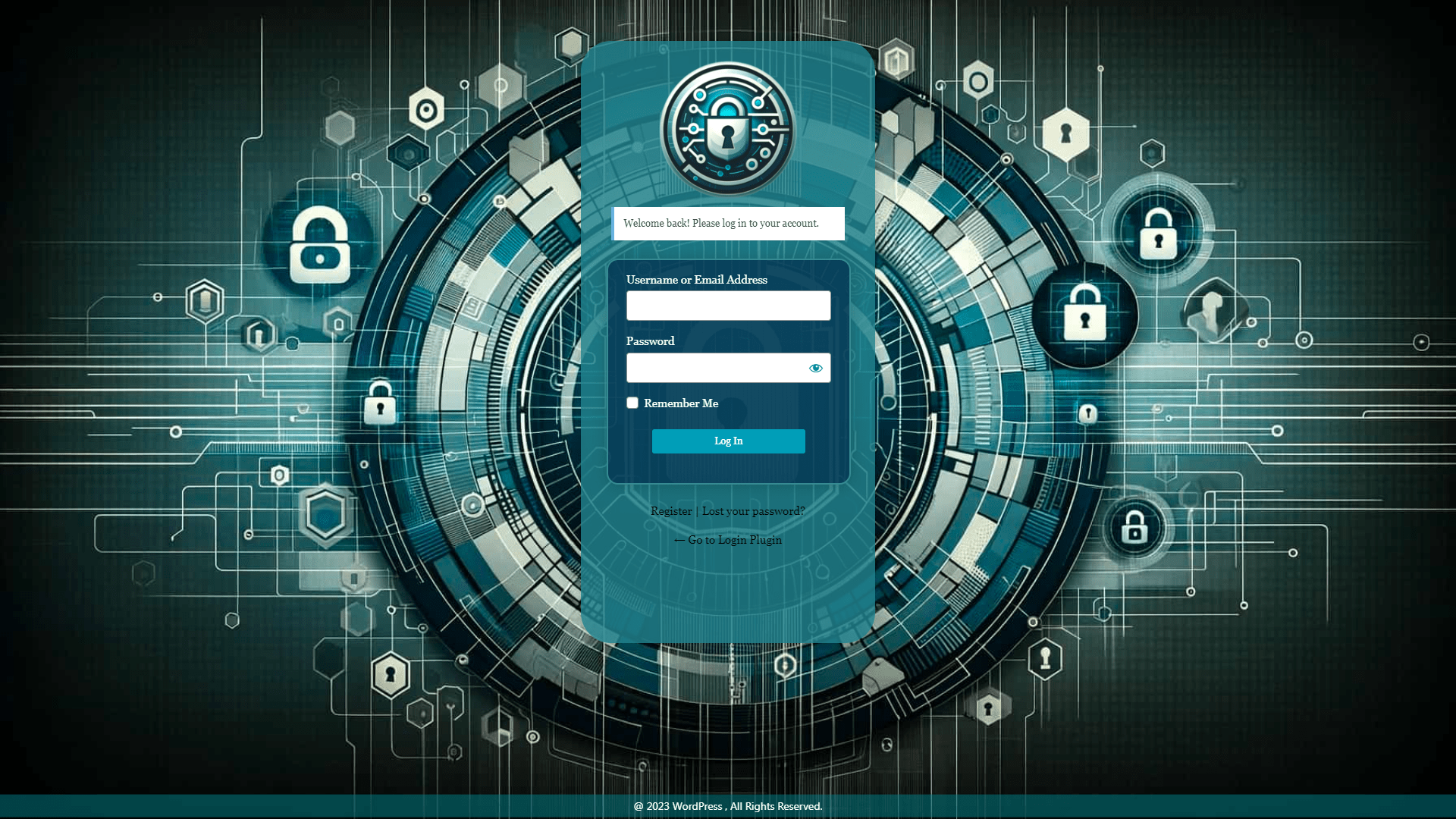
Easily customize your “WordPress login page” with our intuitive tool which enhances WordPress customizer with editability of the WordPress login Page. Personalize colors, designs, and logos to match your style, and enhance user experience with customizable forms and buttons.
Customizer Login Page Plugin allows you to create a beautiful admin login page. It gives you a list of options for customization. You can personalize your admin login page directly from Customizer. It allows you to see all the changes in real-time on your login page and can edit them very easily. You can make lots of changes to your WordPress admin login page like a custom login page logo, custom page background, form custom width, page padding and borders, custom login page background color etc.
Custom Login Page is one of the easiest customizer WordPress plugins that allows customizing your admin page. This plugin is designed to fulfill almost all needs of both beginner and advanced users. With the help of the Customizer Login Page plugin, you can create or modify the Admin login page in minutes.
Key Features Latest ReBuild 2.0.0
- Change the Login page Title.
- Update the logo Image and its URL and also Reposition Logo.
- Change/Add background colors-gradients/Image.
- Change/Add background Video.
- Change/Add Outer Form Colors/ background image / Sizing / Reposition/ Shadows and more.
- Change/Add Inner Form Colors/ background image / Sizing / Reposition/ Shadows and more.
- Change Form Inputs Colors / Design / Fonts / Labels and more.
- Change Button Colors / Designs / Fonts and more.
- Lost Password/ Back to link – Colors / Design / Reposition and more.
- Change Default Messages and MSG box Styling / Repositioning.
- Change Default Errors and Error Box Styling / Repositioning.
- Add/Change Footer Copyright text or custom msg.
- Export / Import saved modifications.
- Add custom CSS and JS
And much more!
See Real Time Custom Changes while Customizing
Customizer Login Page enhances WordPress customizer to customize WordPress admin login page which makes customization more interactive as you can see all changes made to settings reflect directly in front of the user realtime. Reduces time consumed in switching tabs and page refreshes.
Predefined Presets
Customizer Login Page includes ready-designed Presets designed by professional designers with keeping modern AI touch in mind which Saves your valuable time and helps to find inspiration with our designer-made Presets templates.
Custom Page Title
The Plugin’s newly introduced setting allows you to change the Title of admin login page to match your organization.
Custom LOGO & Custom Logo Link
Customizer Login Page includes various settings related to LOGO in the WordPress environment. Enable/Disable WordPress Logo at login page. Replace WordPress default logo with your organization logo. Height and Width adjustment of logo easily with implemented range bars. Top and bottom margin adjustability for logo. Set Custom Link or URL for logo and for more flexibility now Reposition logo.
Background Image
With Customizer Login Page Change the background image of WordPress Login Page without any coding specialty or hassle of editing file codes. Choose a background image just by uploading and selecting in WordPress Media Library any number of times. Additionally makes the background more flexible with Image Repeat, Image Size and Image Position adjustable dropdowns and also allows Enable/Disable background of the WordPress login Page.
Solid or Gradient Backgrounds
In a professional environment, background colors are the most valuable aspect of representing a trusted environment. To make this more efficient Customizer Login Page includes Color Pickers with the choice of Gradient Colors along with Gradient Angle and for more simplicity choose a Solid Color to make it more attractive by changing the WordPress Login Page Background color in your way.
Video as Background
Now in a modern age where almost anything is possible, With Customizer Login Page add Background video to WordPress Login Page hassle-free just by uploading and selecting in WordPress Media Library. Additionally, it includes settings Video Loop, Video Mute, Video Sizing at background and Repostion Video as desired.
Forms Enhanced Customization and Repositioning
As WordPress login page has Various Forms on the login screen based on Logging IN, Recovering Passwords or Registering a New User on WordPress. With Customizer Login Page design WordPress login page form fast and easily implementing all effects at once on all forms with the great approach of similarity which saves and reduces valuable time in designing, adjusting and repositioning of Login Form in WordPress. This is achieved by distributing the application of design in two different parts:-
- Outer Form Settings
Includes most important aspect, change Height-width of WordPress Login Form along with settings Adjustable login form Padding, Position Login Form X and Y Axis, Border Styling and Colors, Login Form Shadow and Login Form background image.All settings are adjustable in a single panel respective to all WordPress Admin page forms.
- Inner Form Settings
Includes change Height and width of WordPress inner Login Form which consists of Input Fields and Labels, along with settings Adjustable login form Padding, Position Login Form X and Y Axis, Border Styling and Colors, Login Form Border, Login Form Shadow and Login Form background image.
Form Inputs
Adjust WordPress Login Page Form Input’s Text Colors, Box Colors, Box Height/Width, Box Paddings, Box Margins, Password eye Position.
Labels with Google Fonts Enhancement
Includes Settings related to Change fonts of Labels WordPress Login page with Customizer Login Page choose from dropdown list with almost all Google Fonts available today. The adjustability of Labels Color, Change Label Alignments and Adjust Label Font Size in this section of the Customizer Login Page.
With Customizer Login Page it is also possible to change WordPress Login Form default Labels with your desired text.
Login Form Button Styling
Using the Customizer login page customize WordPress Login Form Button in various aspects by adjusting all settings on a single section like Login Form Button Color, Button Size, Button Shadows, Button Text & size, Button Alignment, Button Hover Colors, Button Width & Height, Button Border Styling and other more settings available.
Lost Password Link/Form Customization
Enable/Disable Lost Password Link of WordPress Login page with Customizer Login page. Change Lost Password Link Text with any desired text.Adjust Link Font Size, Link Alignment and Colors along with change Label of WordPress Lost Password Form sizing and alignment.
Back to Link Customization
Allows to Enable/Disable WordPress Login Page Back to Link, Change Back to link Alignment, Font Size, Colors and Positioning.
Replace or Modify Errors Texts & Messages Texts
When you want to apply more creativity with different Errors Texts & Messages texts rather than default WordPress ones, the Customizer login page has a bunch of options to allow your creativity to be applied on the WordPress Admin Login Page. Includes modification of messages Change Login Page Welcome Message, Enable/Disable Login Page Welcome Message. Modify Logout Message, Lost Password form Message and Registration Message. A bunch of Modification of Error texts are also available which includes Username / Password / Email related Errors with different Invalids similar to Register Form Error Texts along with Lost Password for Error Texts.
Styling Error Box & Message Box
More creativeness enhancement by applying various design modifications to the representation of errors and messages displayed on WordPress Login, Register and Lost Password Forms. Styling of Message and Error boxes includes various options in each different Message Box Styling and Error Box Styling sections including custom Width,Text Colors, Alignment, Font Size, Border Settings, Paddings, Margins, Shadows and Positioning.
Footer Styling with Copyright and Support Text
Edit the WordPress login Page Footer with the Customizer Login Page Plugin with just in click. The footer and Copyright section allows you to Enable/Disable Login Page Footer, and Change Footer Background Color. Display Custom Copyright Text to WordPress Login Page Footer with Colors and Sizing additional settings.
Custom CSS & JS
With a bunch of design and creativity enhancements still, if you feel a lack of any design or feature option. Apply Custom CSS/JS to WordPress Login Page just by pasting it to text boxes within the Custom CSS/JS section using Customizer Login Page. Gives Special power to advance users with additional CSS/JS.
Export/Import Customizations
The export/Import feature saves precious time with applying design combinations to various available options when you flush your database and perform different operations on it. With “Export” all your modifications are saved in a readable “JSON” format which can be easily imported by selecting this file in the “Import Section”.
Secure Trusted & Reliable
Customizer Login Page does all customization by enhancing WordPress core’s predefined functions and within the range of CSS/JS custom allowance by WordPress Restrictions. Customizer Login Page Plugin never affects any Security or overrides any WordPress restriction. Just gives the flexibility to show real-time changes in the customizer. It’s completely safe and reliable to use.
CHECK CUSTOMIZER LOGIN PAGE PREMIUM PREBUILD TEMPLATES: PRESETS DEMO
Imagens de tela





Instalação
Download & install the plugin into your site. After successful installation of the plugin In your WordPress Dashboard, navigate to the plugin menu page ie. “LoginPC”. and click the “Start Customizing Login Page” Button.
Installation
Download the plugin ZIP file.
Go to WordPress Dashboard -> Plugins -> Add New.
Click on “Upload Plugin” and browse to select the ZIP file.
Click “Install Now” and then “Activate” the plugin.
OR
Unzip the plugin ZIP file.
Upload the unzipped folder to the /wp-content/plugins/ directory.
Go to WordPress Dashboard -> Plugins and click “Activate” next to the Login Page Customizer plugin.
FAQ
-
How to get started with Customizer Login Page Plugin?
-
In your WordPress Dashboard, navigate to the plugin menu page ie. “LoginPC”. and click the “Start Customizing Login Page” Button.
-
Who should use the Customizer Login Page Plugin?
-
It is easy to use and can transform your admin login page in minutes. It is designed for all kinds of users from beginner to expert.
-
Do I need to have coding skills?
-
No, without any coding knowledge, you can create custom login pages.
-
How to reset defaults in the Customizer Login Page?
-
In your WordPress Dashboard, navigate to the plugin menu page ie. “LoginPC”. and click the “Start Customizing Login Page” Button. Now in the customizer window navigate to Section “Presets” and select “Default” preset and “Press Publish”. This will set all customizations to default.
-
Will changes in the Admin Login Page affect WordPress Security?
-
No, the Customizer Login Page does all customization by enhancing WordPress core’s predefined functions and within the range of CSS/JS custom allowance by WordPress Restrictions. The plugin never affects any Security or overrides any WordPress restriction. Just gives the flexibility to show real-time changes in the customizer. It is completely safe and reliable to use.
-
My website is on WordPress.com and I am logging in to my website by my email how can I customize my login page?
-
If your website is configured to use merged login with WordPress.com, In this case, the website uses the WordPress server’s login page to get you to log in to your dashboard instead of the website’s wp-login.php. also if you try to log in manually by URL i.e. “http://mywebsite.com/wp-login.php” it will redirect you to the WordPress server’s login page. To change this behavior you have to “Disable WordPress.com Log In” and along with it “Set a Password for WP-Admin”. Settings related to this are present in your WordPress dashboard in Settings>Security>. For a more detailed explanation of how to do that follow this WordPress tutorial: https://wordpress.com/support/wordpress-com-secure-sign-on-sso/
Avaliações


Colaboradores e desenvolvedores
“Customizer Login Page – Admin Page Customizer” é um software com código aberto. As seguintes pessoas contribuíram para este plugin.
Colaboradores
“Customizer Login Page – Admin Page Customizer” foi traduzido para 1 localização. Agradecemos aos tradutores por suas contribuições.
Traduzir “Customizer Login Page – Admin Page Customizer” para o seu idioma.
Interessado no desenvolvimento?
Navegue pelo código, dê uma olhada no repositório SVN ou assine o registro de desenvolvimento via RSS.
Registro de alterações
2.0.4 Multisite Compatibility for Latest Rebuild
- Added Capability to run and edit WordPress Multisite Environment Supporting latest WordPress 6.4.3
2.0.2 Multisite Compatibility for Latest Rebuild
- Added Capability to run and edit WordPress Multisite Environment Supporting latest WordPress 6.4.2
= 2.0.1=
* Additional changes: None
* Testing plugin for wordpress 6.4.2
2.0.0 Latest Rebuild
- Latest Core rebuild: Advanced version with many more settings Supporting latest WordPress 6.4.2
1.0.32
- Enhancements: checked for WordPress 6.3.2
1.0.31
- Enhancements: checked for WordPress 6.3.1
1.0.30
- Enhancements: checked for WordPress 6.2.2
1.0.29
- Enhancements: checked for WordPress 6.2.1
1.0.28
- Bug Fix: Fixed
1.0.27
- Enhancements: checked for WordPress 6.0.1
1.0.26
- Enhancements: checked for WordPress 5.9.3
1.0.25
- Enhancements: checked for WordPress 5.9
1.0.24
- Enhancements: checked for WordPress 5.8.1
1.0.23
- Enhancements: checked for WordPress 5.7.2
1.0.22
- Enhancements: checked for WordPress 5.7.1
1.0.21
- Enhancements: checked for WordPress 5.7
1.0.20
- Enhancements: checked for WordPress 5.6.2
1.0.19
- Enhancements: checked for WordPress 5.5.3
1.0.18
- Enhancements: Yes, checked for WordPress 5.5.3
1.0.17
- Enhancements: Yes, checked for WordPress 5.5.1
1.0.16
- Enhancements: Yes, checked for WordPress 5.5
- Bug: Miner Issue Fixed.
1.0.15
- Enhancements: Yes, checked for WordPress 5.4.2
- Enhancements: customizer-login-page-de_DE.po and mo language File Added
1.0.14
- Enhancements: Yes, checked for WordPress 5.4.2
- Enhancements: customizer-login-page-de_DE.po language File Added
1.0.13
- Enhancements: Yes, checked for WordPress 5.4.1
1.0.12
- Enhancements: Yes, checked for WordPress 5.3.2
1.0.11
- Enhancements: Yes, checked for WordPress 5.3.2
1.0.10
- Enhancements: Yes, checked for WordPress 5.2.3
1.0.9
- Enhancements: Yes, checked for WordPress 5.2.3
1.0.8
- Enhancements: Yes, Tested for WordPress 5.2.2
- Bug Fix: Fixed
- Additional changes: Bug Fixed
1.0.7
- Enhancements: Yes, Tested for WordPress 5.2.2
- Bug Fix: Fixed
- Additional changes: Bug Fixed
1.0.6
- Enhancements: Yes, Tested for WordPress 5.2.2
- Bug Fix: Fixed
- Additional changes: Bug Fixed
1.0.5
- Enhancements: Yes, Tested for WordPress 5.2.1
- Bug Fix: Fixed
- Additional changes: Bug Fixed
1.0.4
- Enhancements: Yes, Tested for WordPress 5.2.1
- Bug Fix: Fixed
- Additional changes: Bug Fixed
1.0.3
- Enhancements: Yes, Tested for WordPress 5.1.1
- Bug Fix: Fixed
- Additional changes: Bug Fixed
1.0.2
- Enhancements: Yes, Tested for WordPress 5.1.1
- Bug Fix: Fixed
- Additional changes: Bug Fixed
1.0.1
- Enhancements: Yes, Tested for WordPress 5.0.3
- Bug Fix: Fixed
- Additional changes: Bug Fixed
1.0.0
- Enhancements: Yes, Tested for WordPress 5.0.3
- Bug Fix: Fixed
- Additional changes: Bug Fixed
0.0.9
- Enhancements: Yes, Tested for WordPress 5.0.3
- Bug Fix: Fixed
- Additional changes: Bug Fixed
0.0.8
- Enhancements: Yes, Tested for WordPress 5.0.2
- Bug Fix: Fixed
- Additional changes: Bug Fixed
0.0.7
- Enhancements: Yes, Tested for WordPress 5.0.2
- Bug Fix: None
- Additional changes: Bug Fixed
0.0.6
- Enhancements: Yes, Tested for WordPress 5.0.1
- Bug Fix: None
- Additional changes: Bug Fixed
0.0.4
- Enhancements: Yes, Tested for WordPress 4.9
- Bug Fix: None
- Additional changes: Bug Fixed
0.0.3
- Enhancements: Yes, Tested for WordPress 4.9
- Bug Fix: None
- Additional changes: Yes, Hindi language added